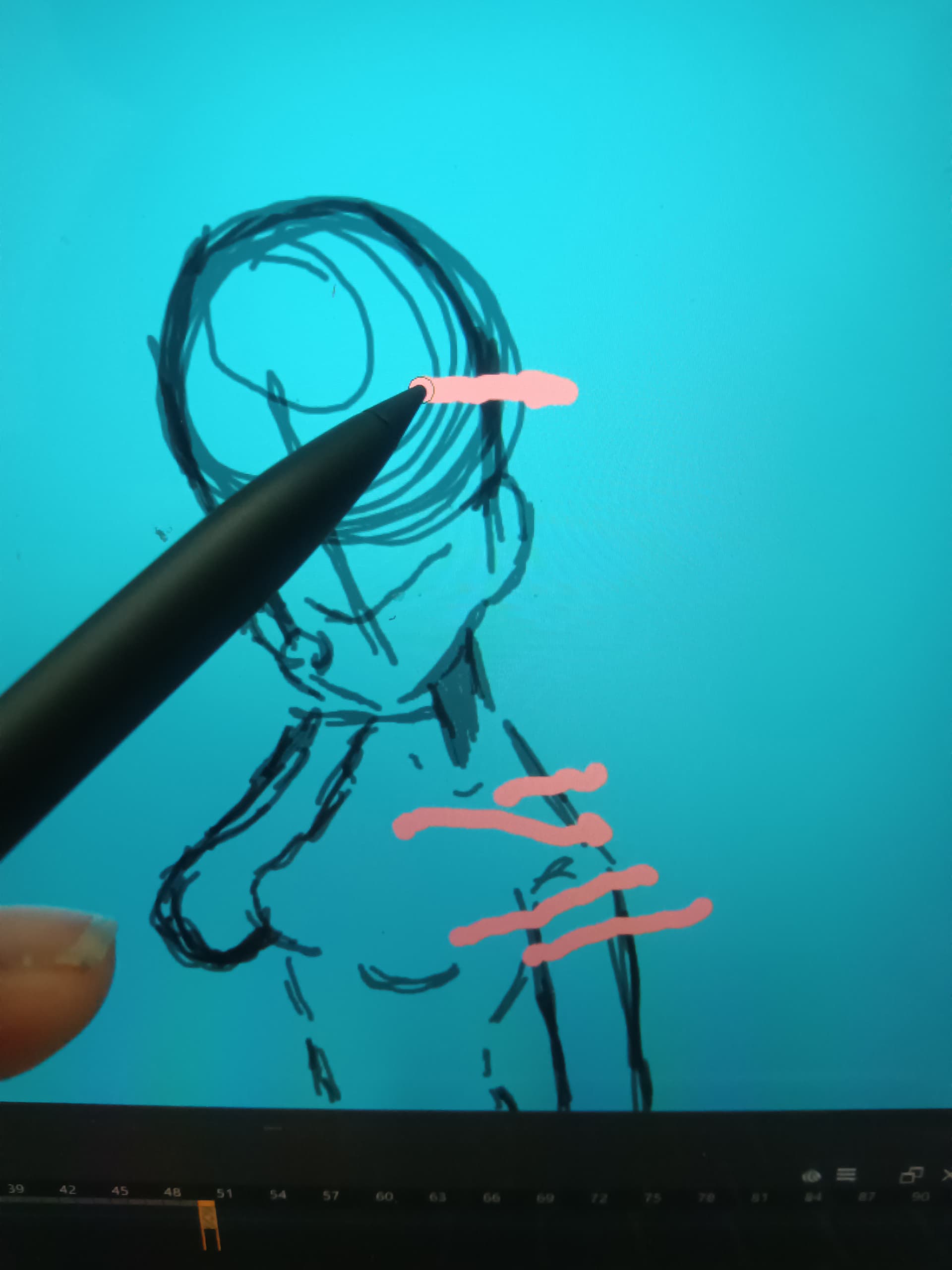
Every single time when I try to use my eraser, it always paints it. I am using a Windows laptop. Instead of my eraser erasing, it’s always painting. And I am using the eraser preset. I tried to use different types of eraser presets and all of them still paints. And I don’t know why. I tried restarting my computer but that didn’t fix anything. I tried to go to the presets, that didn’t do anything either. Did I break my eraser?
 Hello @Ice, and welcome to the forum!
I’m not quite sure what you’re painting on. Are you using your laptop display and the pen that comes with it to paint with Krita, or are you using an external graphics tablet or an external pen display and the pens that come with it to paint with Krita?
Please also tell us which version of Krita and which Windows you are using, and if you are painting on your laptop please also tell us the manufacturer and model name of it and if you should know it also the name of the pen model, and in case of an external solution please also tell us the manufacturer and model name of the external graphics tablet/pen display.
Have you been using Krita for a long time, and if so, also for a long time on this laptop or did you just switch to it? Did erasing with the back of the pen work in the past, or has it never worked?
If it’s a laptop pen, does it have its own driver program, analogous to graphics tablet driver programs, where you can assign different functions to your pen buttons?
Michelist
Edit/Add: Hello Ahab! 
Hello and welcome to the forum
Can you upload a full screen screenshot while you are trying to erase?
Also, are you using a double ended stylus with an ‘eraser end’?
Hello @Michelist - you were faster than me
Sorry, that was not intentional.
Michelist
Question, are you painting on a layer, or are you painting on the background ( or are you painting on a layer that was filled? )
If so you may be erasing down to the layer below, which would appear to be painting.
Just asking incase it is a layer thing happening, instead of an eraser issue.
I have a laptop display with a pen that comes with it. My windows is a Microsoft surface laptop. I never use the back end of the pen. But when I did use the back end of the pen it did the exact same thing. I am actually pretty new of it. I haven’t been using it a lot. I don’t think my laptop pen has like a lot of functions. But outside of krita I think I can like erase stuff using the back end of my pen.
I am like painting on a layer? Like if I were to erase the background it would have black and white pixels. But if I were to erase something that has been drawn on, it would just be like another pen but it’ll just be in a different color.
I have a pen stylus that has the eraser side yes.
I’m trying to take a picture of it but it keeps saying that the size is too big.
ahh okay, just checking. what happens when you select a paintbrush, and then click on erase mode? ( set Erase mode (e) ) button.
Can you erase like that?
It acts exactly like the paintbrush. I can’t erase it. Like at all.
How do I figure out which version am I using…?
You have in the Windows Accessories folder inside the Start menu a tool called “Snipping Tool”, if you create the screenshot with it and then paste it into the program “Paint”, from the same folder and save it as JPG is it still too big? It’s there specifically for screenshots.
!!! Please do not post so many single posts! New users have a limited number of posts. If no one has replied to your posts yet, edit them and attach additions! Otherwise, you lock yourself out and can only continue writing tomorrow.
Michelist
Ah ok. By the way it is a Windows 11
When Krita starts, the Version is shown in the splash screen.
For your screenshot, please include the whole Krita-Window including toolbars and status bar.
Consider editing one of your above posts to save postings.
Michelist
Add/Edit: I’m out for at least 90 minutes, but maybe until tomorrow. Sorry.
I have a suspicion that you have a white ‘background’ layer underneath and you’re erasing paint on your paint layer to reveal the white layer underneath it.
Can you upload a screenshot with the Layers docker showing?
Also, are you making an animation and are you using onion skins?
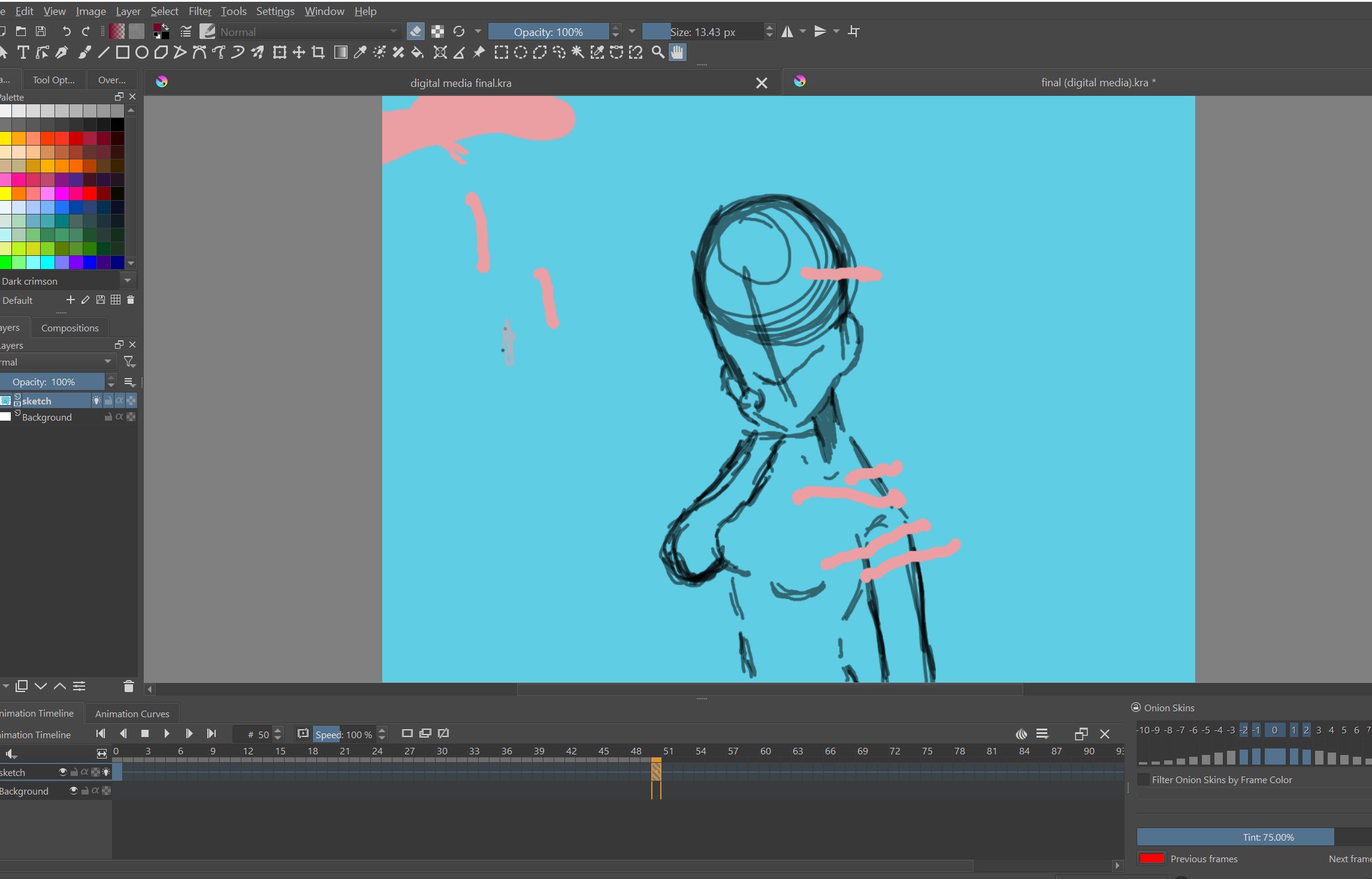
its ok. im using 5.0
Did you flood fill your sketch layer with some kind of background colour or are you sketching in black on an initially transparent layer?
P.S. Please reply by editing previous replies using the ‘pencil’ icon, or as @Michelist said, as a new user, you’ll run out of the ability to make more replies.
I colored it in with a random color. Was I not supposed to do that?
That’s what he meant? My bad.
Oooh i-  my bad. I messed up completely. I thought I broke my eraser for a second. Thanks.