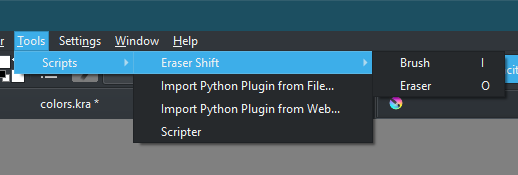
But that would make it toggle between two states with both keys. Instead of activate the respective state with the respective key. If I made it like that it would just be the eraser key toggling between presets and would be just a toggle state to replace the shortcut key E. here you can have harmony even using all 3 keys at the same time if you want even.
And mimicking the Brush tool and Eraser tool behavior from other softwares was the whole point.
True it would be contrary to the original purpose, still I really like the plugin, I just wish it would remember the brush that was used in both modes when starting the program again.
I don’t remember but I think the Three slots plugin could do that, I am attaching it for reference only.
It’s my go-to plugin now for brush switching, thanks very much @EyeOdin
Overall, I think this is a very elegant plugin.
I do like @SchrodingerCat’s proposal to also switch to the previous preset of the active slot if you hit the hotkey for the slot again. That said, it could be a feature that you would have to enable in the plugin’s settings.
Is it possible to add another slot for the clone engine brushes or the distort engine brushes to get quick access to such tools too? That would be very convenient to get to specialised brushes.
Could you make make sure that the shortcuts explicitly switch to the brush tool? If I have the rectangular selection tool active and hit the Brush/ Eraser hotkey, I’d like to activate the brush tool too.
1, I can do that but it will have to be a new shortcut.
2. I not gonna do that. I use the API I am not one to hack the UI and cause extreme lag.
3. My first version did that but then it did not work with other brush tools as noted by Schroedinger so I took it off for compatibility.
Is it possible to implement that the plugin also jumps to the brush tool if its currently not selected?
Right now if you use for example the lasso tool, you would need an extra shortcut to go to the brush tool and than you could use these two shortcuts.
Better would be if i press the shortcut for the eraser that it also in the first step checks if the brush tool is selected or not and if not it select it and than goes to the ereaser mode.