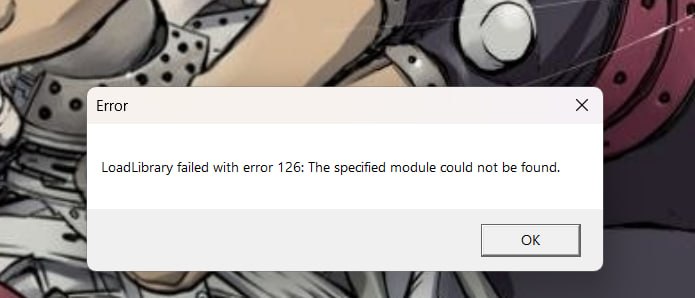
recently, my krita just won’t open and i get an error 126 (although earlier it opened and worked normally). i did try the tutorials i could find, but nothing helps
maybe there’s a specific way to fix it for krita? i’ve got windows 11
recently, my krita just won’t open and i get an error 126 (although earlier it opened and worked normally). i did try the tutorials i could find, but nothing helps
maybe there’s a specific way to fix it for krita? i’ve got windows 11
Hello @pouuu and welcome to the forum 
Which version of krita are you using and where did you get it from?
Where is this ‘error 126’ shown?
Is it purely a Windows system error message or does it appear after krita tries to open and run?
Is there any other text associated with the error message?
Did you install krita as a normal user or as Administrator?
Do you use krita as a normal user or do you run as Administrator?
(Note: You should not install or use krita as Administrator.)
This is not really my ‘area’ but your answers to my questions above may be helpful for people who know more about it.
+forgot to mention but i got krita from the official website
According to the search engines, Error 126 is about the inability to find required .dll (dynamic link library) items.
There are various articles that claim to tell you how to fix that problem, some of them involve running the Windows Repair process. I’ve no idea if that is actually required in this case.
Please wait for someone who knows more about this to come along and give advice.