Hi. So if you look at the image below, I am using the bristles-2 flat brush. In the background, I was able to lift my pen and get smooth transitions between brushstrokes. However, I think I clicked something and now if I lift my pen and press back, it darkens the area beneath. Look at the red X spot on her arm, despite lightly brushing, when I brush over the stroke it creates a darker tone in the middle where they intersect. The brush is set at 100% opacity. If I go over the brush stroke without lifting my pen, it doesn’t get darker and I can get a smooth transition. But if I do lift my pen and go over it, it gets darker and makes making smooth vertical strokes impossible. Can someone please help.
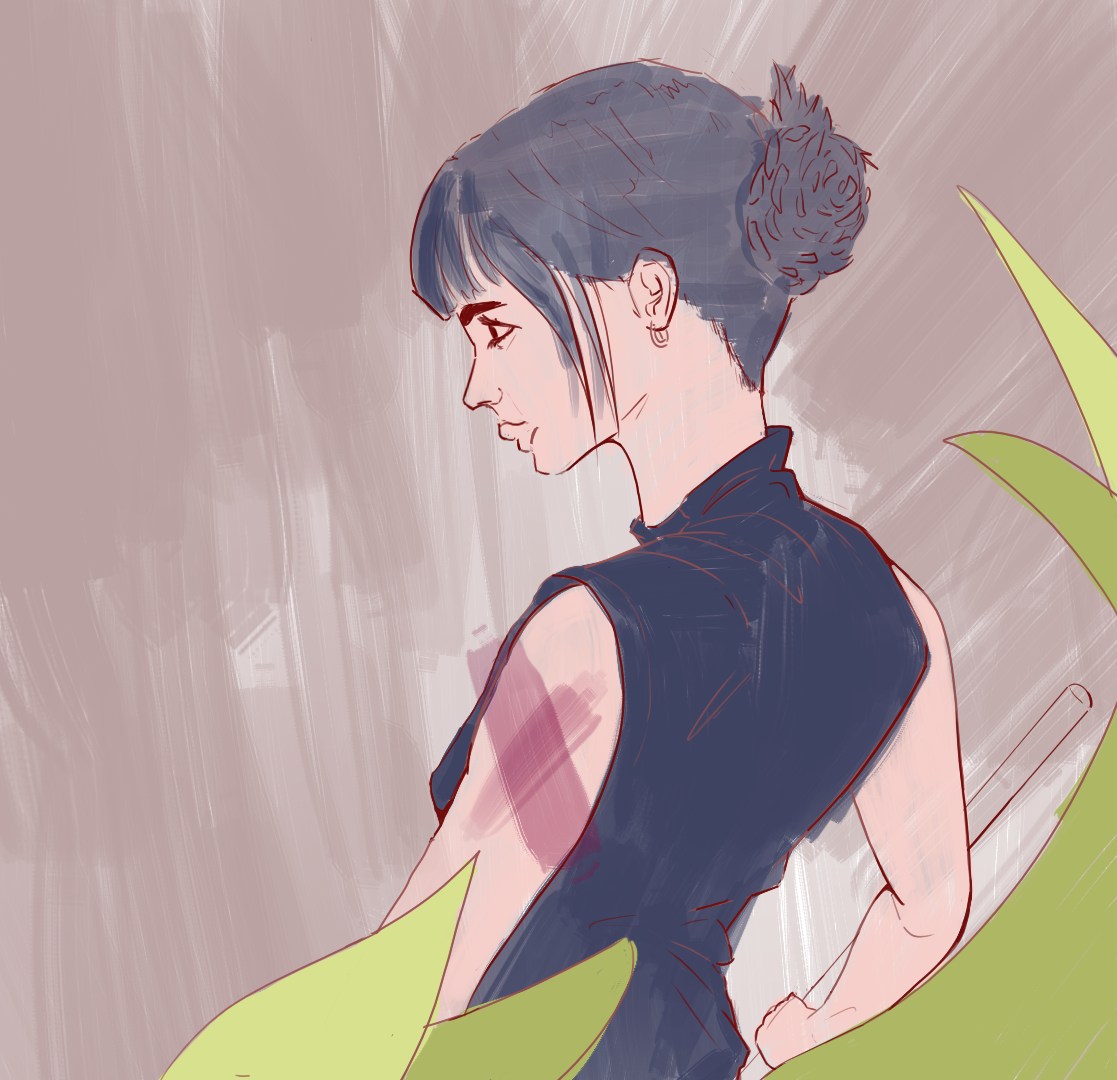
Blending mode on the brush perhaps? (bar at the upper part of the screen)
That’s normal behavior, opacity generally compounds across strokes. Go into the brush editor, change the Painting Mode to Build Up and the blend mode to Greater. That will make the brush not draw if the opacity of the stroke is lower than what’s already on the layer. If you’re using the 5.3/6.0 beta, there’s also the Marker blend mode, which will do the same thing but still mix colors normally.
1 Like
Do you know why was it behaving differently when I painted the background? Is there a hotkey I might’ve accidentally pressed? I was using the same brush.
It appears to behave the same? I can see strokes getting darker where you put multiple strokes over the same place.
If the brush is putting down the wrong color, then the above mention of blending modes is likely to be the cause, on your brush or on the layer. They should both be set to “Normal”.
This topic was automatically closed 30 days after the last reply. New replies are no longer allowed.