I have a Google pixel tablet and recently downloaded Krita from the Google Play store but I’m having an issue. When first opening Krita, I get the error stating “Could not initialize the resource cache database. Connection error: unable to open database file Error opening database” And when I hit okay, it states “2. The resource location at / is not writable.” and then the app closes after hitting okay a second timel. I want to use krita because it seems like one of the best options on a budget. Any help would be highly appreciated!
That’s awful.
A couple of years ago there was a version that was throwing that error and it was solved with a bug fix release. I haven’t personally seen it reported since then.
Are you able to sideload apps from places other than the play store? If so, you could try 5.2.11 from the Krita attic. You have to know if your device is x86 or ARM so that you pick the correct apk.
I don’t think using a slightly older version will help, that code hasn’t been touched since 2022. The reason the error happens seems to be that Krita can’t get access to any directory to store its data in. Google’s documentation says that this can happen when storage is “currently unavailable”, whatever that means.
I’ve attempted a fix for this by falling back to the application-internal store if this happens. That means you won’t be able to move Krita’s data to an SD card or similar, but obviously still better than it just spewing an error and exiting.
Please try installing this APK to see if that fixes it for you: https://invent.kde.org/graphics/krita/-/jobs/3588721/artifacts/file/_packaging/krita-arm64-v8a-5.2.14-1544423a-debug.apk
(Uninstall any other versions of Krita first, download the APK file, then open it in your files app to install it. If it asks what to open it with, choose “Package Installer”.)
I tried the APK file you sent and it helped, now I’m just getting the second error “2. The resource location at / is not writable.” and after hitting OK it quits. Is there anything else I can try?
Hmm, I guess I probably have to patch more places so that they use the internal store. I’ll let you know when I got another APK to test.
2 Likes
Okay, I think I fixed that particular error as well and from a cursory look I can’t find any other places where I’d need to do so. Can you check how this behaves? https://invent.kde.org/graphics/krita/-/jobs/3590451/artifacts/file/_packaging/krita-arm64-v8a-5.2.14-0406fe21-debug.apk
If it does work, maybe also check if you can actually save and open any image files. Not sure if that’s also gonna be “unavailable” or not.
1 Like
Okay, so I don’t get any errors anymore but when I get in and try to draw to test the save/load, It won’t let me. I talked to a friend who said he might know the problem and when he tried to enter the “Configure Krita” menu in the settings it crashed. I tried deleting and reinstalling the app and it didn’t change anything. Any ideas?
I was able to make the crash happen with some chicanery, how does this behave? https://invent.kde.org/graphics/krita/-/jobs/3592664/artifacts/file/_packaging/krita-arm64-v8a-5.2.14-86b2e92f-debug.apk
This really shouldn’t be happening though, since it seems like Krita can’t get a handle on even temporary storage, which shouldn’t be happening. Do you have some kind of “security” software installed on your device that could interfere with other applications? Or anything that provides “global” stuff through accessibility, like special rotation handling or anything of that sort?
Also, what do you mean it “won’t let you” draw? What happens instead, are you able to use any tools and/or move the canvas around at all?
That new APK file fixed the crashing that I knew of, although I still can’t draw anything. The canvas is just unresponsive no matter what I try. I’m not sure if I’m just new to the program or if something is wrong with the app still. I do not have any global apps or settings that I know of, and no sort of security app unless the Pixel tablet has it built in. Anything else to try?
I don’t have any further ideas, I can’t manage to make any devices I own behave that way.
Maybe the log reveals something, although not sure if Krita can even manage to log anything on your device. In the top menu, use Help → Show system information for bug reports and Help → Show Krita log for bug reports and copy/save the contents somewhere that I can take a look at them. They’re probably too long for the forum, but you can put them in a Pastebin or Google Drive or Dropbox or whatever else of the sort.
Doc here is the document with the bug report
Thanks, as expected it can’t write a log file. I’ve dug around in the underlying framework and I think I found the issue. It does try to check if the storage is available, but doesn’t do it properly.
It’s tricky to fix this in Krita directly because rebuilding the frameworks is a days-long affair, but since Drawpile uses the same framework, we can test if my fix works that way. Please try the following.
First, download the last beta version of Drawpile (2.3.0-beta.4). That uses the exact same version of the framework as Krita. The APK download is on this GitHub page, scroll down to “Assets” and then get the “Android APK 64 Bit”.
Then install and run that. I would expect that you won’t have any brushes, just a big gray rectangle on the left like this:
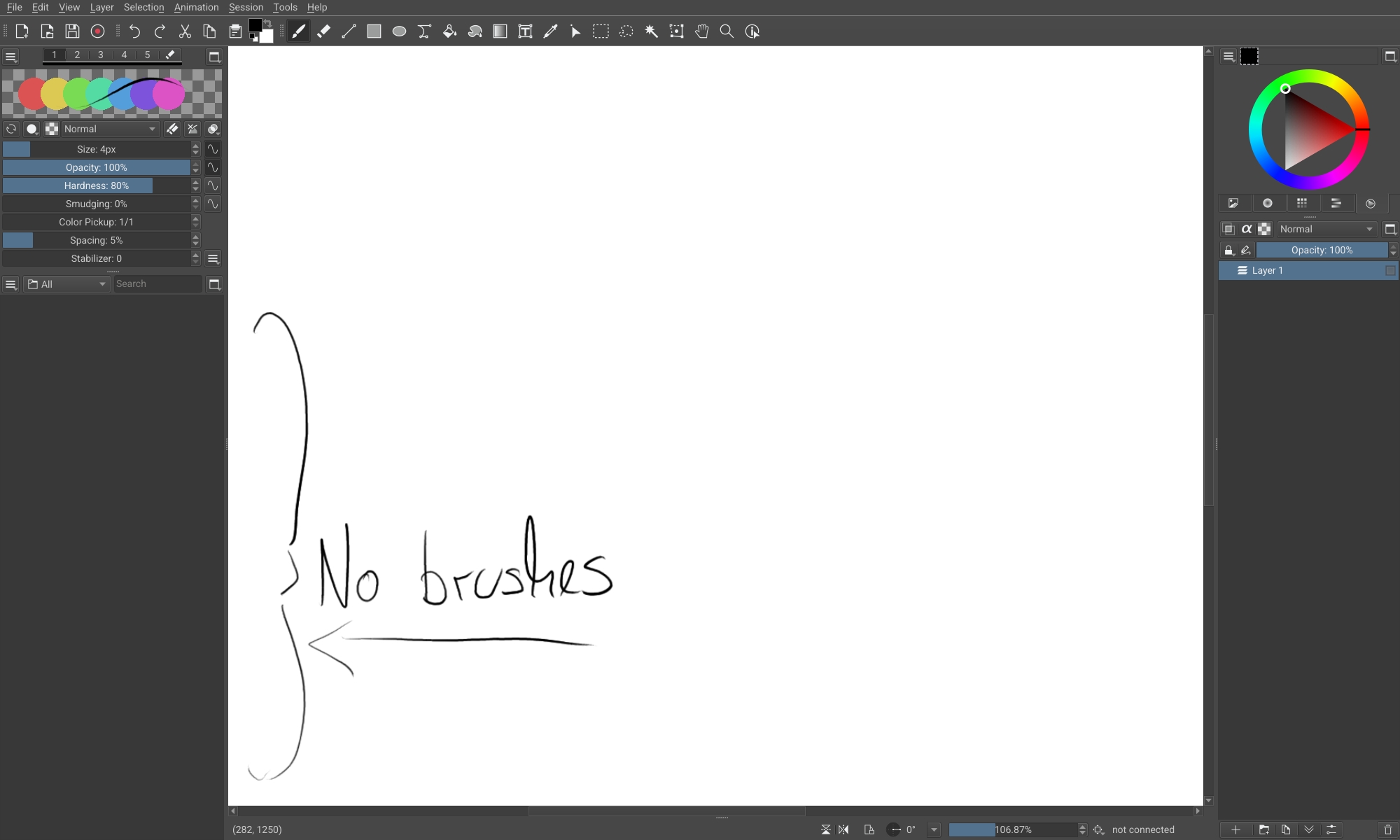
Then uninstall that again (don’t keep any data when it asks you) and grab the latest version (2.3.0) from the Downloads page on drawpile.net, the button that says “Drawpile 2.3.0 APK”.
Install that and run it, check whether you have brushes in that spot now, like this:
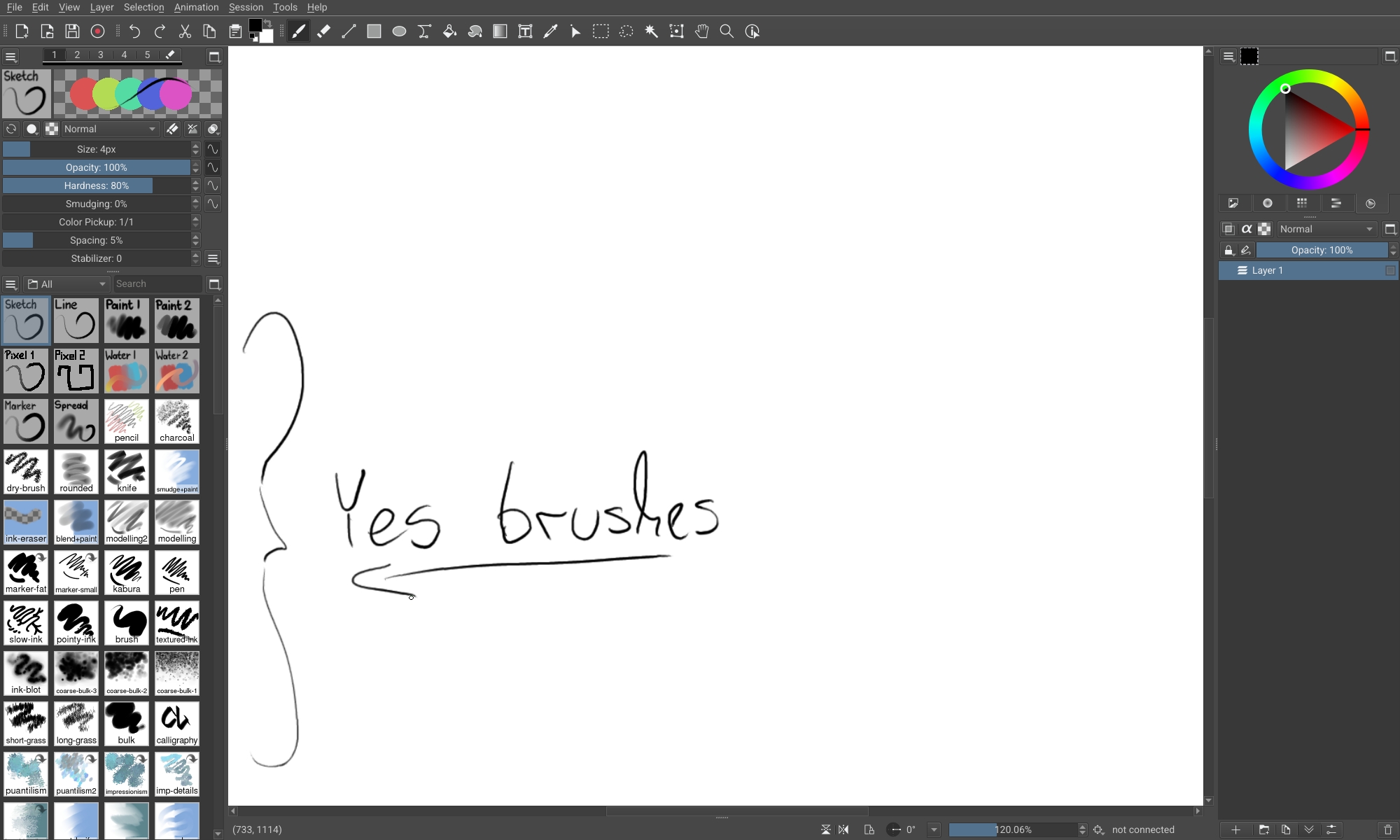
Also, if possible, go into Tools → Developer Tools → System Information and copy everything there into a Google Doc again, then I’ll check if everything looks as expected.
If that works as expected, then I’ll also put my fix into Krita. That’d probably take a few days at minimum though, possibly longer.
Alright, I will try that and get back to you. It will probably be a day or two because my next days are packed.
1 Like
The next version of Drawpile has released meanwhile that contains this fix, I’ve edited the post accordingly to correct the links.
@Sherb we’re trying to decide whether to release the next Krita version with this patch included or not, could you check whether this makes a difference?
Apologies, I’ve had little to no free time lately. It worked! I had brushes and all the ones I tried drew
Thank you! We’ll include that into 5.2.14 then.
1 Like