Goal
add colors to a palette by pressing ctrl
current behavior of adding color to palette, only works with tool color picker.
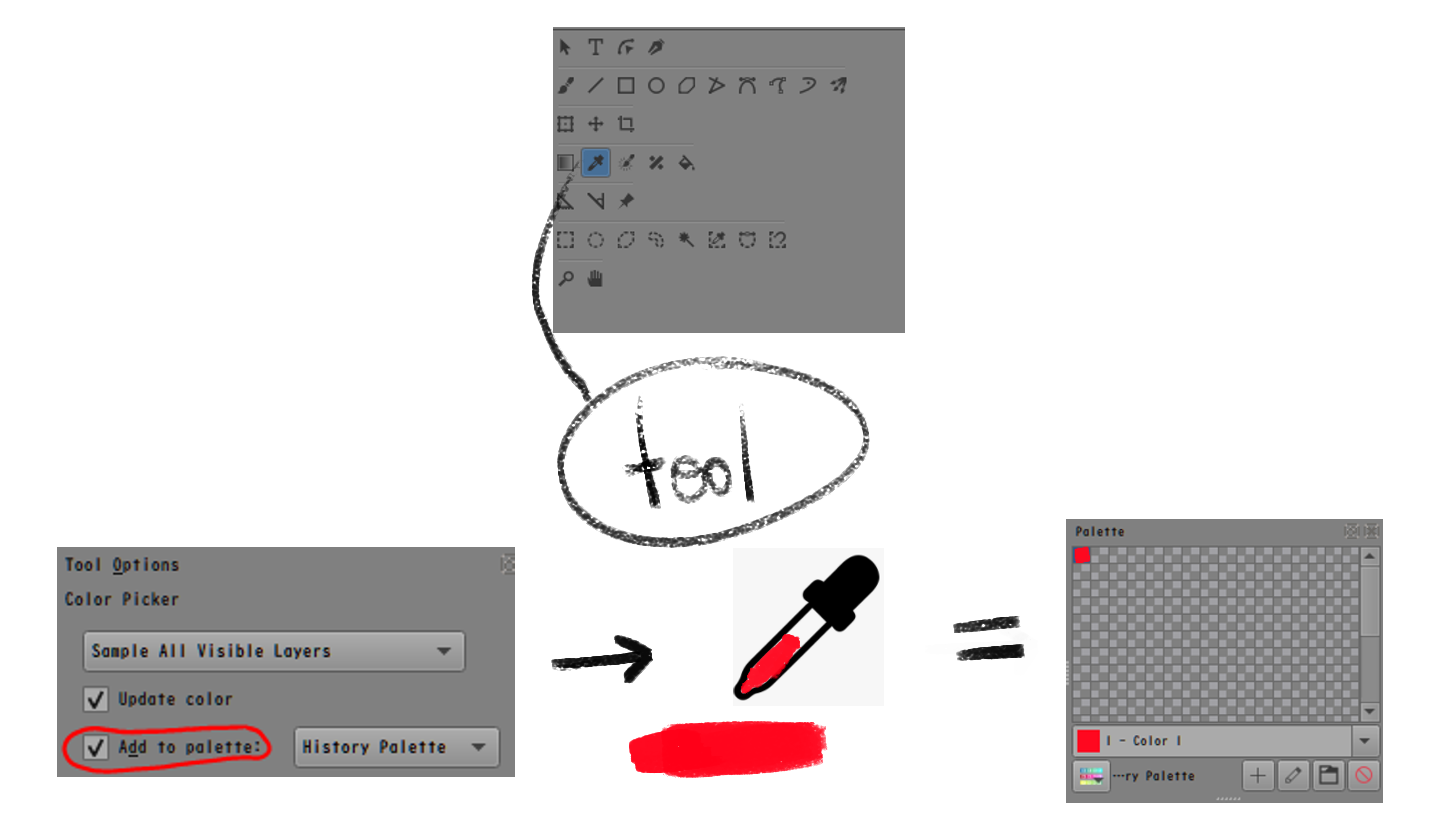
feature request for [ctrl] color picker to add to palette too! 

Problem
-
press color picker tool
-
check add to palette in tool option
-
choose a palette
-
go back to brush and try ctrl to pick color and draw
-
no color added in palette
Solution
- default, no color is added to palette
- user need to pick color picker (aka eyedropper) go to tool options and press add to palette and choose a palette
- user is using brush tool. when user ctrl then place down color (left click?) then the color is added. only color is added when the user place down color.
(1 ctrl + tap a color) + (2 left click/draw) ← color adds when 2 happen
why? if user activate eyedropper blend, that is a lot of color added to palette !! 
- if the user click the eyedropper/color picker tool, user can tap 1 time to add to palette. tap tap tap, very quick.
4, above, is in krita having 3 would be nice!
Why to add? Benefit to user?
this feature can create a history palette of all colors from many paintings. Very quick compare to brush tool → eyedropper → brush tool.
history palette is just a name for a palette, it could be its own feature too…?
HISTORY PALETTE BENEFIT
-
hmm…I do not know what colors to use…OH WOW there are nice color combinations in my history palette!
-
hmm…I forgot what colors I used for my character in that piece…it is in the history palette!
why don’t you just use “colors from images” option?
well it is much quicker to scroll a palette than open a file, press a button, pick each individual color, then go back to the new file 
-
you can use the history palette to keep consistency for your paintings, good for people on social media that wants to keep a theme for posts!
-
summary: efficiency and consistency in color storage!

if there is way to do this already or it is in krita 5 plans, let me know. making palettes and sorting colors is a part of my workflow
