@Drawpile Thank you for the test build! I have completed the testing on my Huawei MatePad Air (12-inch screen, HarmonyOS). Here are the detailed results:
Test Setup:
- Device: MatePad Air (12-inch, HarmonyOS)
- Peripherals Tested: Bluetooth mouse & Wired graphics tablet
- Software: Krita Debug build you provided
- Steps: Changed cursor settings in
Settings → Configure Krita → General → Cursor, then connected/disconnected peripherals to observe all tool cursors.
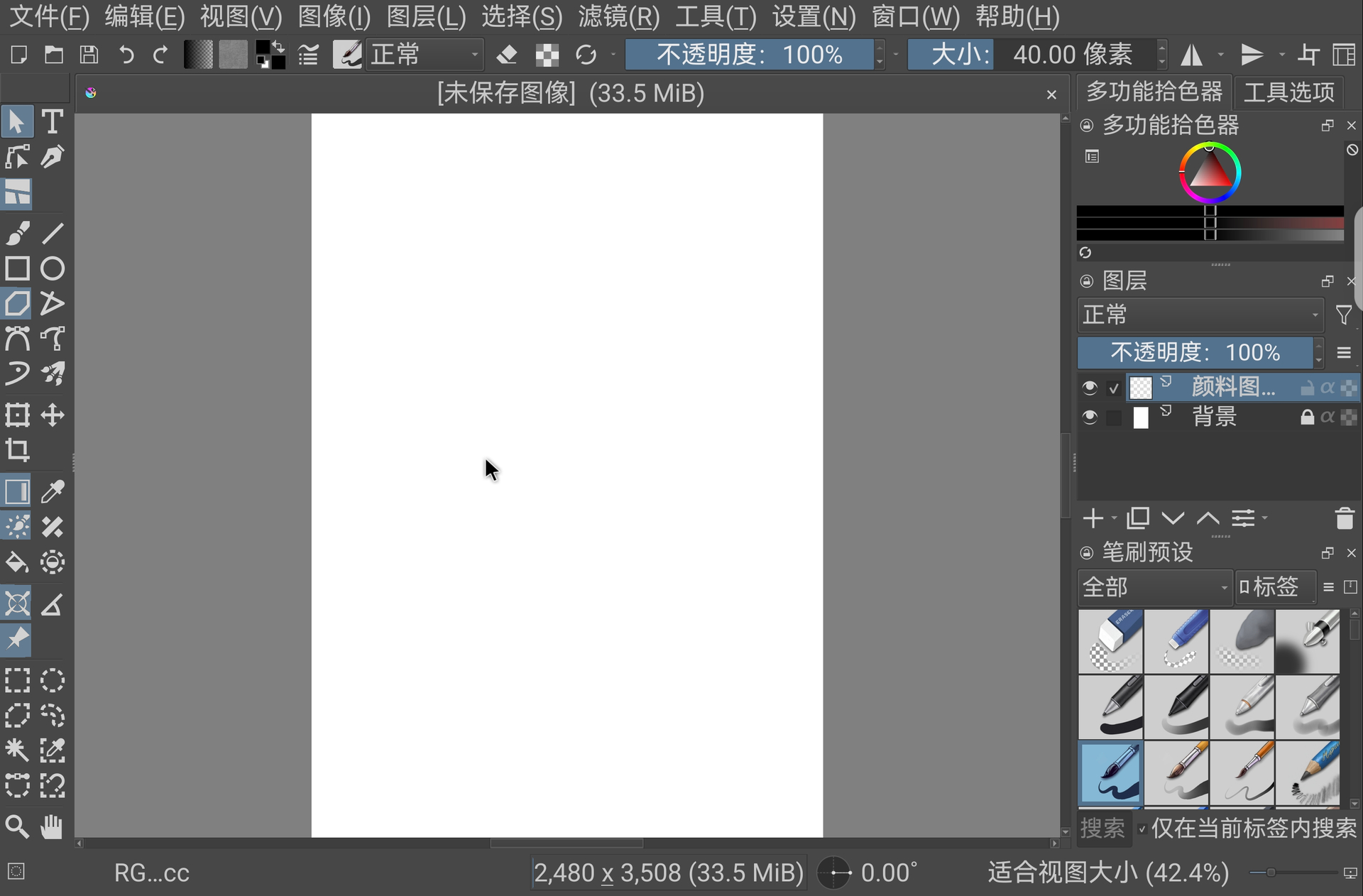
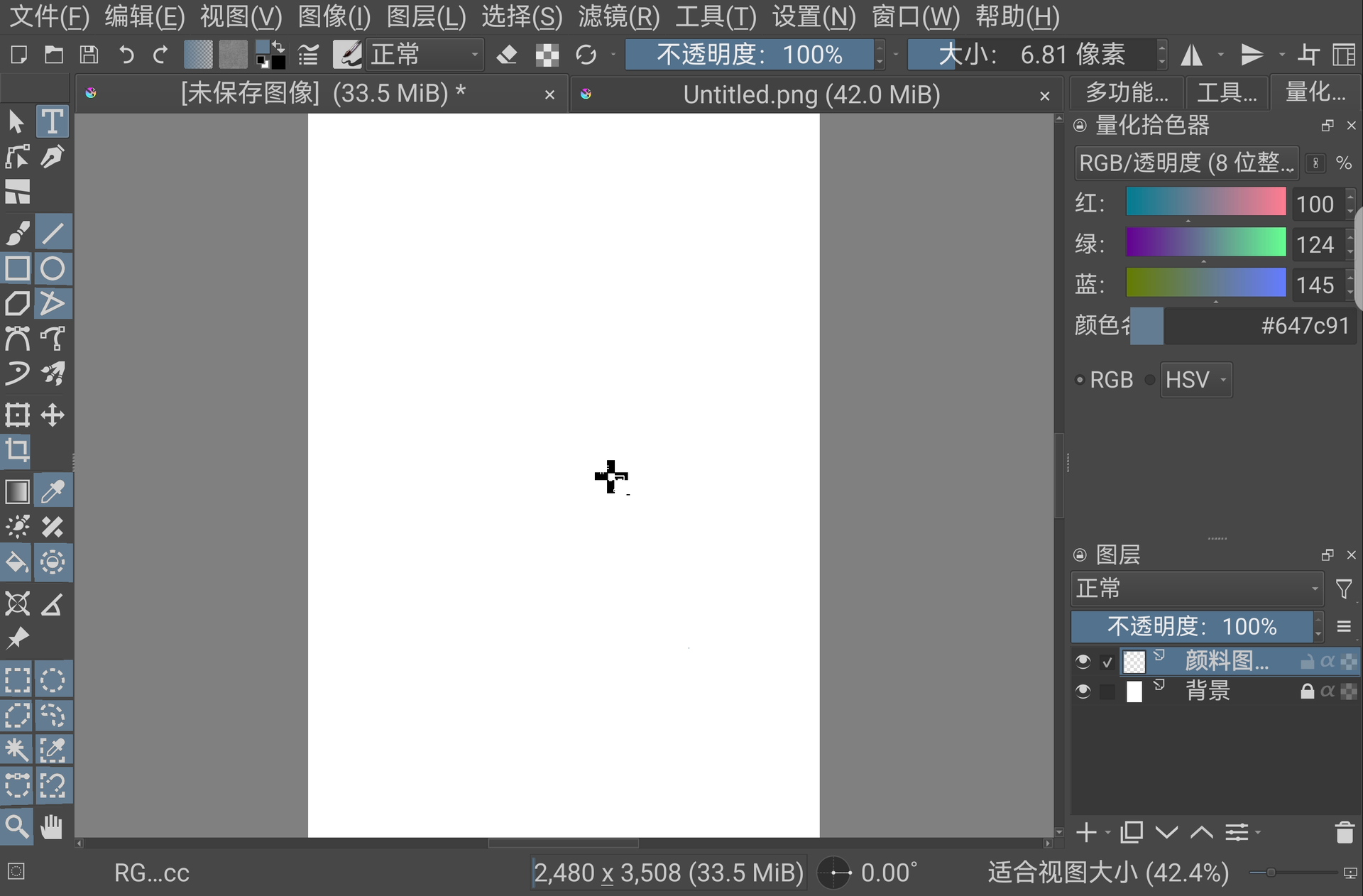
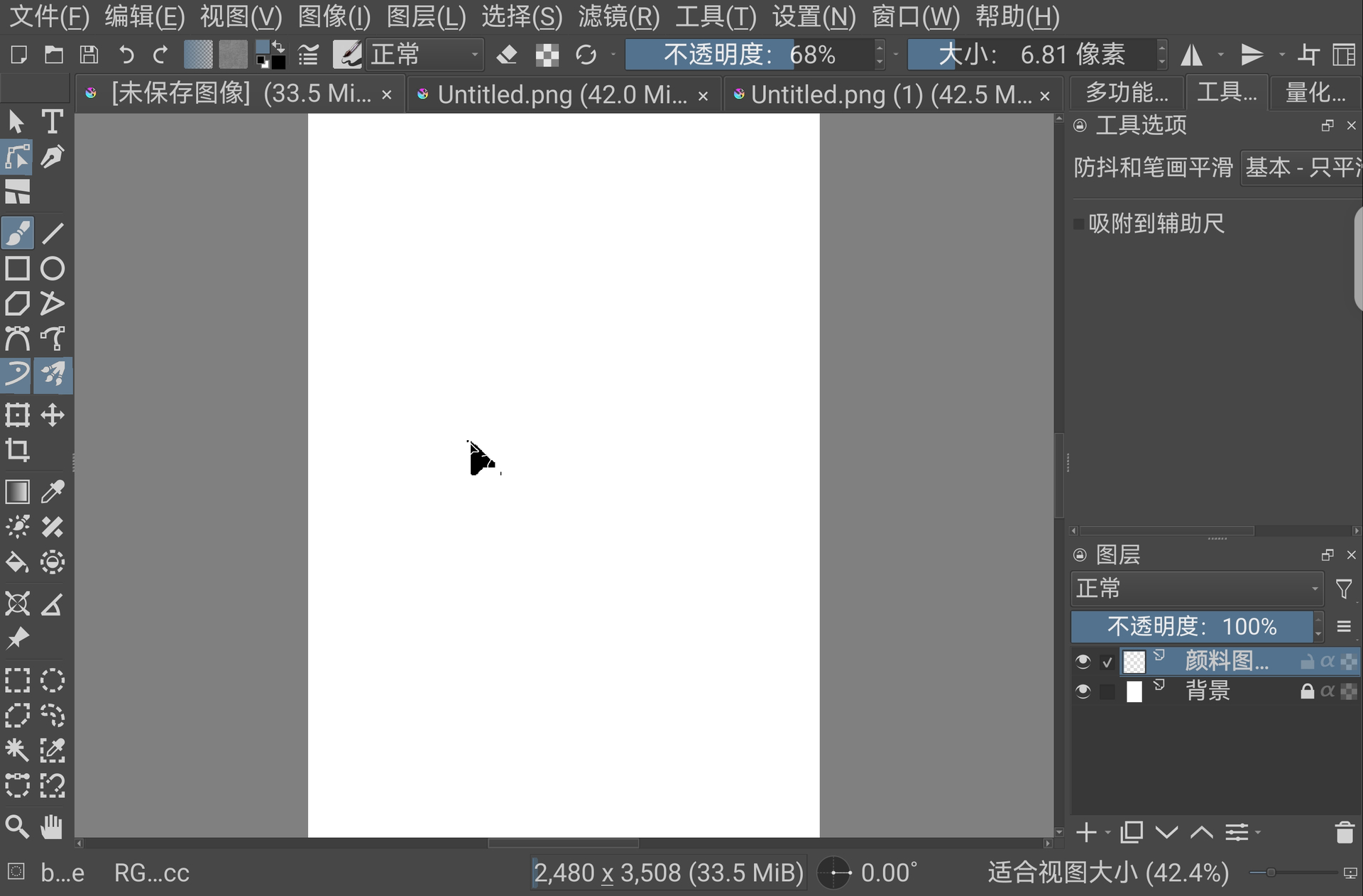
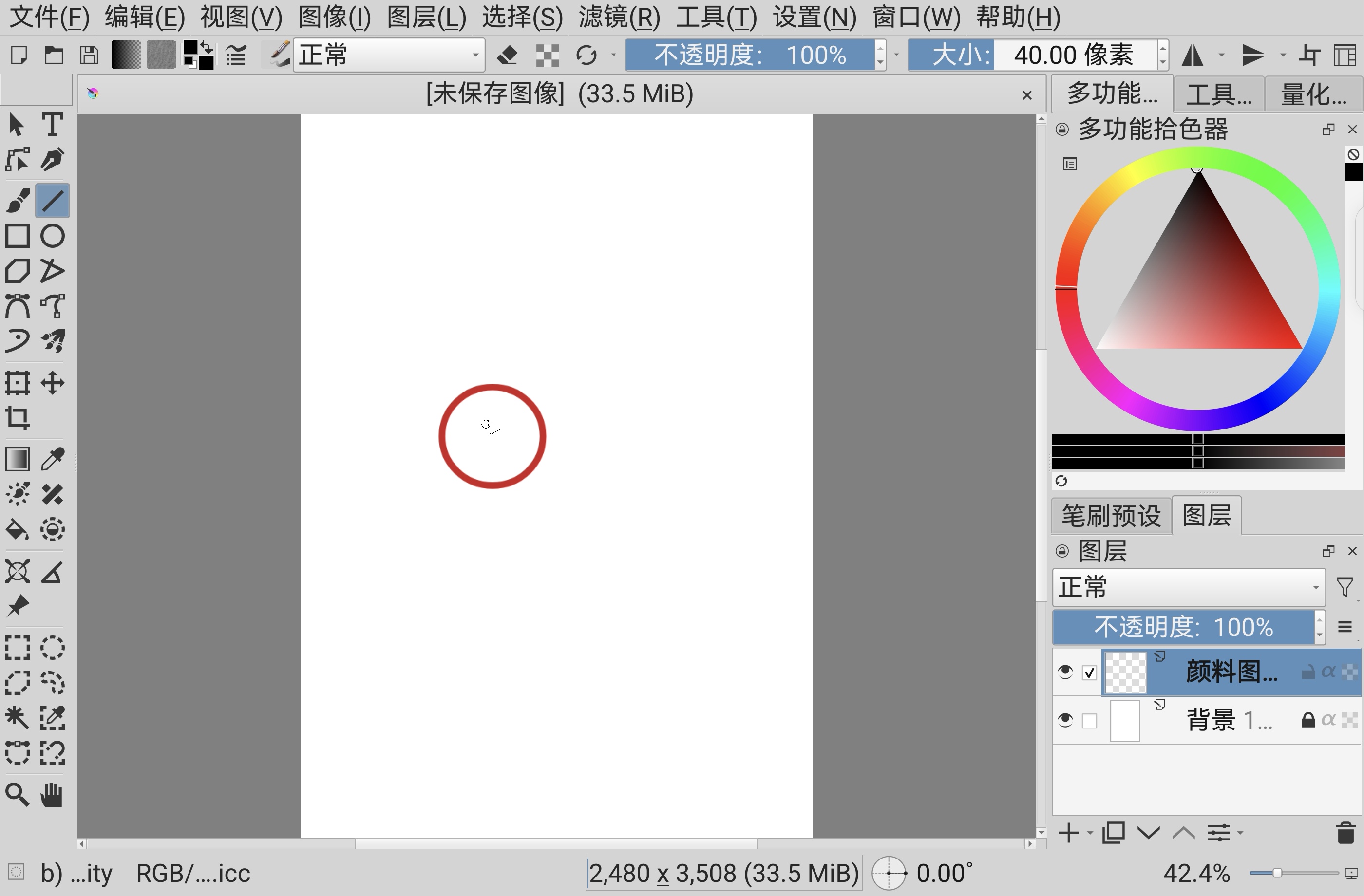
Observed Results (Refer to attached screenshots):
The cursors now appear in three different states, but the issue is not fully resolved:
- System Default Cursor: Some tools now correctly show the system’s default mouse pointer (an improvement).
- Large but Incomplete Arrow: Some tools show a large, incomplete arrow icon. On my 12-inch screen, it measures about 7 cm in length and width. While larger, it is glitched and not a proper arrow.
- Large but Incomplete Crosshair: Similarly, some tools show a large, incomplete crosshair icon, also about 7 cm in size.
Comparison & Conclusion:
- Size: The new cursors (7 cm) are significantly larger than the original tiny ones (which were about 1.5 cm). This confirms the scaling logic is being applied.
- Graphical Integrity: However, most are graphically corrupted (incomplete). This aligns with your observation on the Samsung device (“glitchy mess”).
- Device-Specific?: This suggests the fix is working in principle (making cursors bigger) but is encountering rendering issues specific to certain GPUs or Android/HarmonyOS graphics stacks.
Screenshots:
Thank you again for your quick work. Please let me know if you need any more specific information or testing from my device.