This is my first post related to a feature request, to summarize this feature that is mostly used in other softwares like Photoshop, Clip studio Paint, and Procreate (correct me if i am wrong pls)
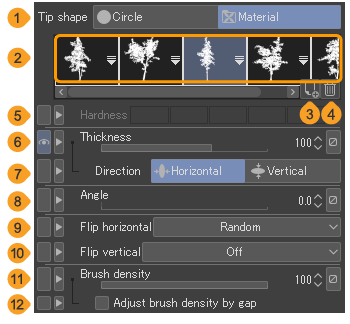
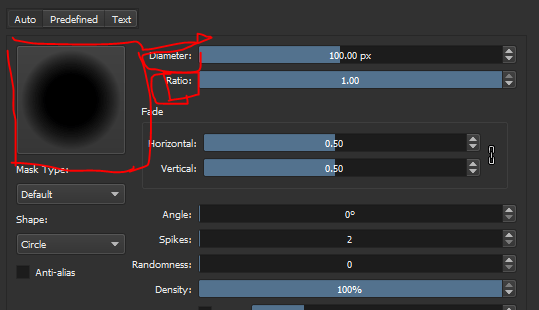
This is the example how other softwares are being implemented this feature inside of the brush settings.
In CSP you can change the value of the thickness with the sliders and even make changes such as flip vertical or Horizontal, for any brush tip that you want to imported or created.
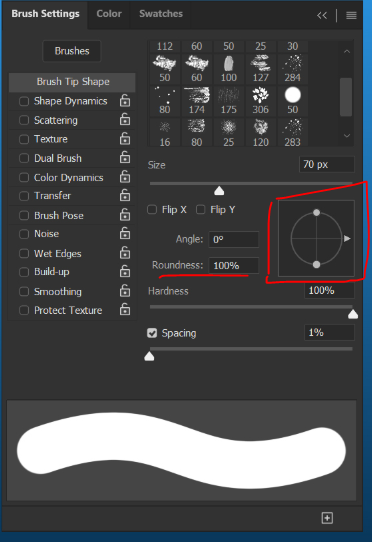
Photoshop:
The way of how they handled the brushtips are mostly with this widget that is linked with the roudness.
It allows you how to change the diameter or thickness of any brushtip too the same result with the example of CSP.
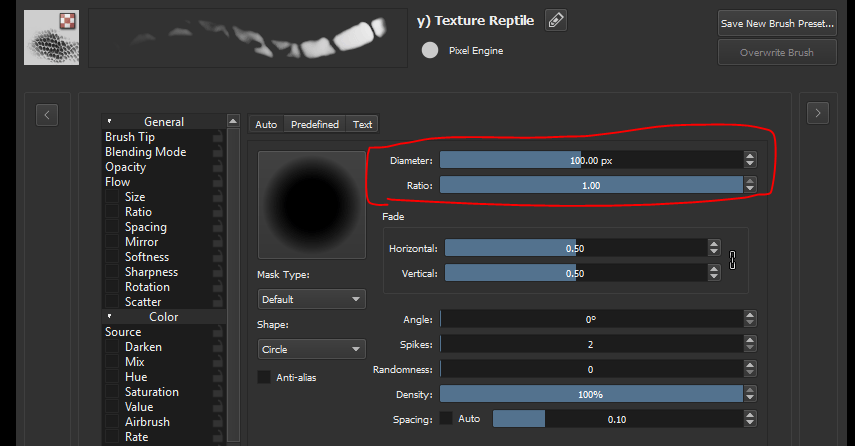
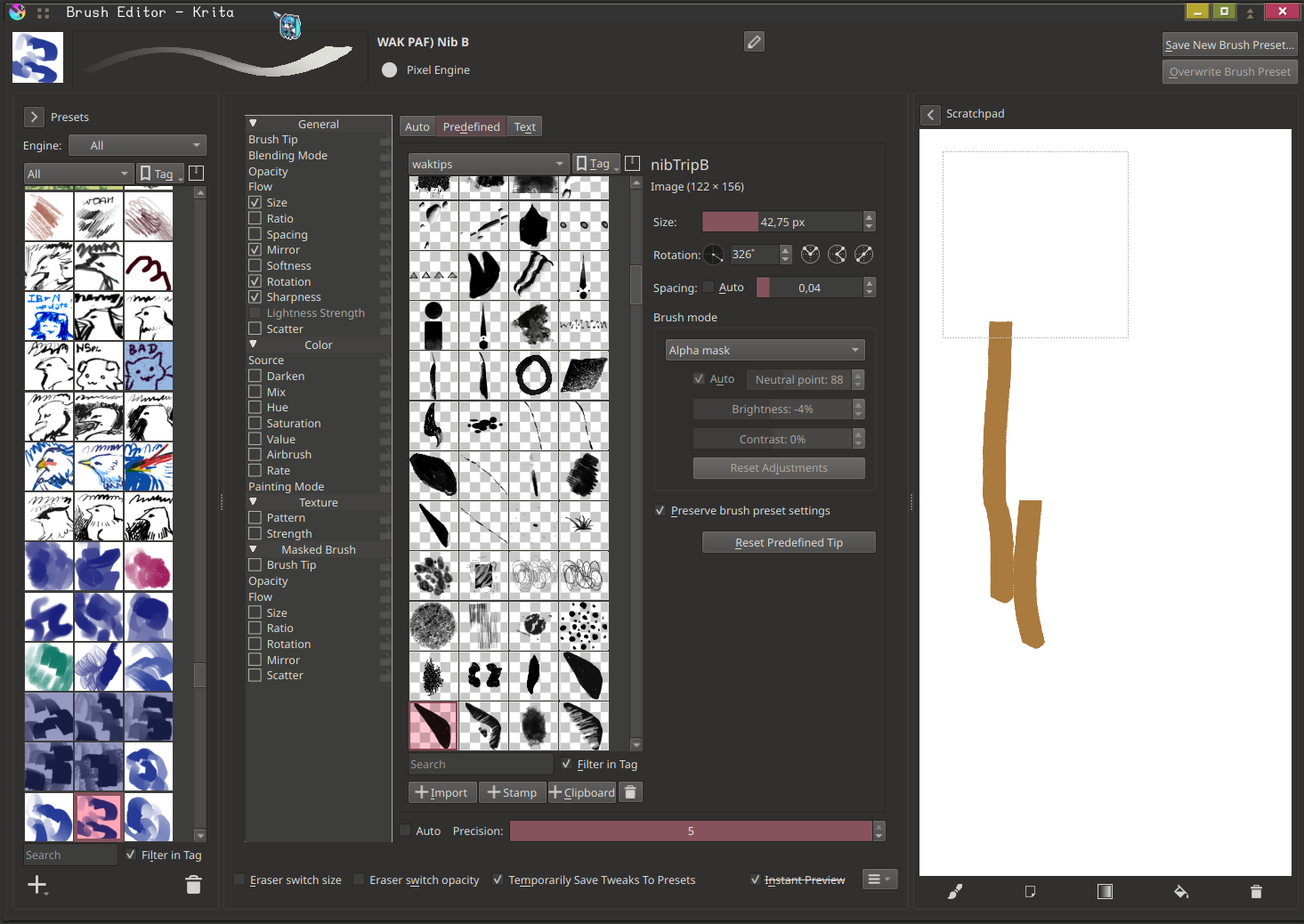
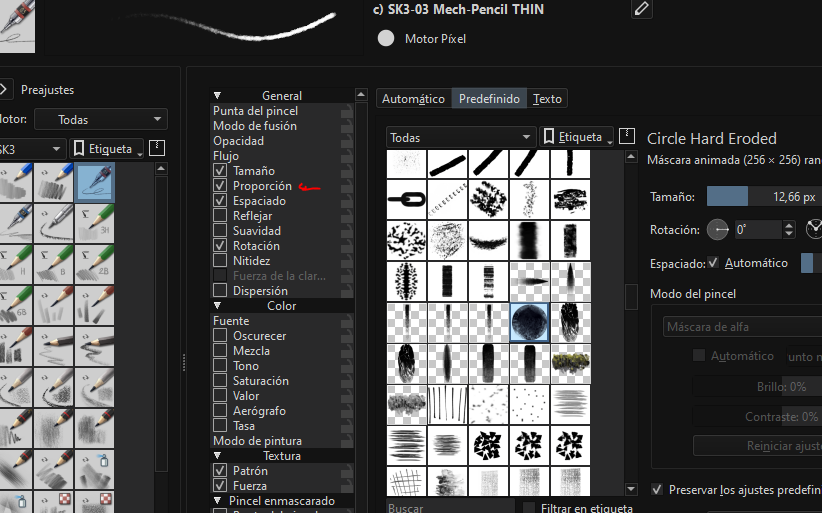
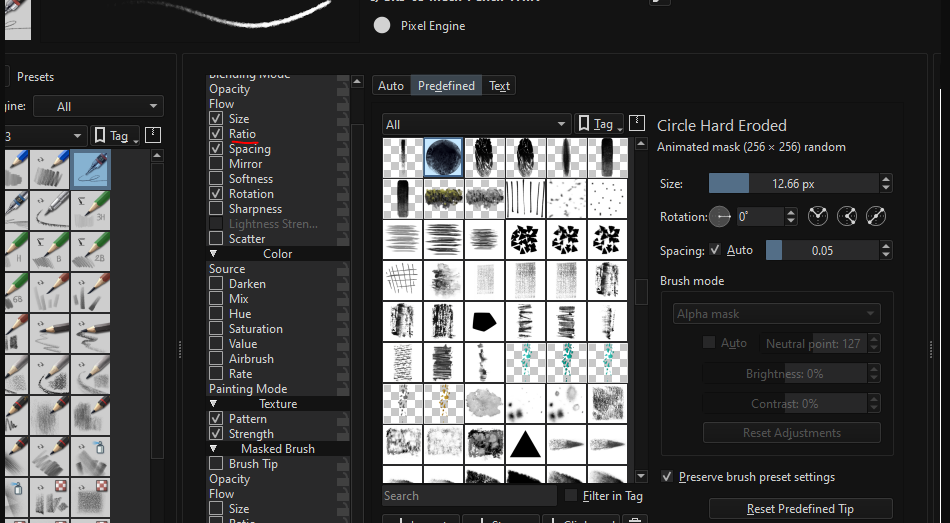
In Krita case, this options already exists but only limited for Auto Brush, which open the posibility of porting this settings into the predefined brushes for having a more and complete managable way of creating or changing the brushtips.
You cant change the radio or thickness with predefined brushes only with Auto brushes, that why i quote this thing for a better way to added in the settings.
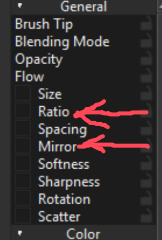
Also it seems that is only how csp allows to change the brushtip, i am not sure if we are talking about the same mirror that is set up in CSP because its labelled as flip horizontal and vertical.
I am not sure if i put the examples well, because i covered every part of the idea that i want to being added in the brush settings.
I’ve used CSP. It’s the same option, but allows for more parameter changes in Krita. “Flip vertical” will be the same as “Mirror Vertical”. They’re different words for the same thing.
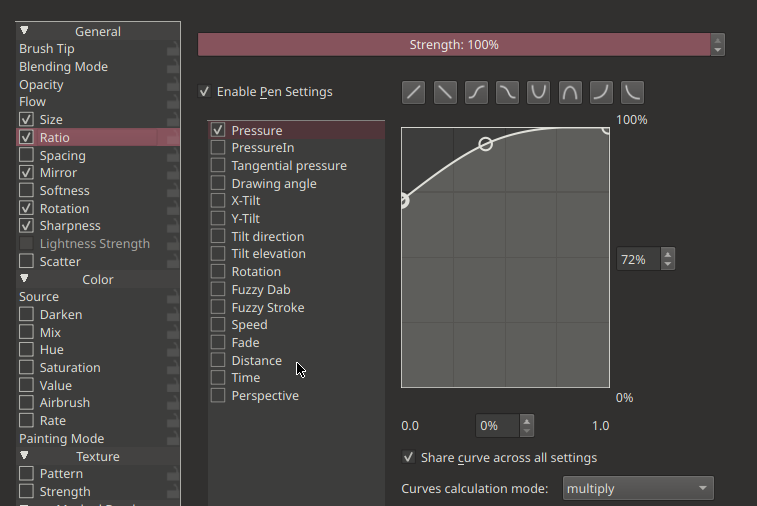
But again don´t you think its better if those option of changing the ratio or thickness (which is almost used or mentioned in every software) its much better to change it like those examples with sliders instead of guessing or figured out with the Graphs ? Even Krita with Auto brushes its a good example.
CSP also uses graphs, first of all. This is how they make things like ratio interactive.
Second of all, you can still change ratio with just a slider. Once you go into the options on the left, you can use the slider if you want a static, unchanging ratio.
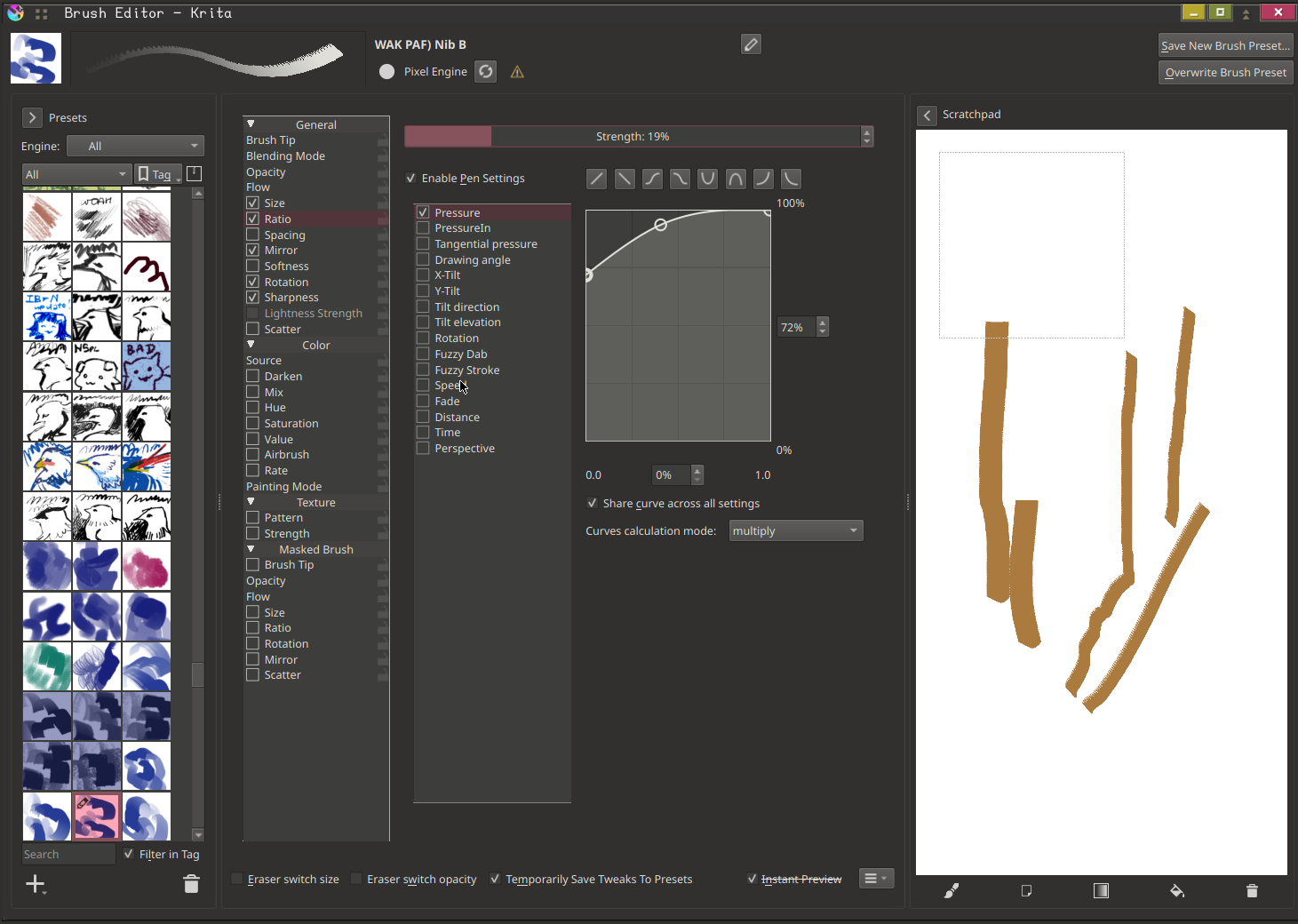
Can you give an example of that? because i was searching since 2019 how to do that, and i mean the graphs its annoying to see how is the result of the brushtip. Because with brush predefined it makes very hard to guessing.
The thing that i trying to make more clear its for having a better idea of an imported brushtip would result. Because with the graphs its like guessing.
In the case of CSP the thickness you can change it with sliders and the graphs too. Which again its like 2 possibilities.
You have all the CSP options right here. I can have my gripes with the current editor, but you’re implying these options don’t exist – which only really tells me you haven’t interacted with the brush editor enough. Everything is clear & in it’s own tab so you don’t have to go into 30 different places to set up graphs, ratio of the brushtip image, other parameters, etc.
In the case of generated brushtips, the ratio/diameter is needed there imo, because you’re not dealing with a brushtip that is static – you’re trying to generate one. So having a ratio in there just means you can make it how you would create an image. It makes less sense to have it in 2 different places, when you have chosen a ratio already when making a brushtip.
Its seems if i change the language of Krita i get a different name for Ratio, and the Thickness its related to the diameter of the brushtip. so this option of diameter its not avaible for predefined brushes for changing its only available with auto brushes. But Ratio its avaible in both cases, my mistake for putting the red mark for ratio.
the idea its more related to the diameter, which i believe its related with the ratios direction i guess.