@raghukamath Thanks
[quote=“Rigognos, post:4, topic:5543, full:true”]
If anyone is familiar with the one stroke painting by Donna Dewberry, this feature would be very useful in replicating her techniques.[/quote]
Thanks for the imput, that is the basic Idea even though this is not the effect I was thinking of.
I don’t really think that would be the best place to put you efforts in. It could all be too resource intensive and not pay off in the slighest.
I suggested it in the other thread because I think it’s an extension - a possibly time consuming one - of the concept of the RGBA brush implementation.
Here is the look I what thinking of:
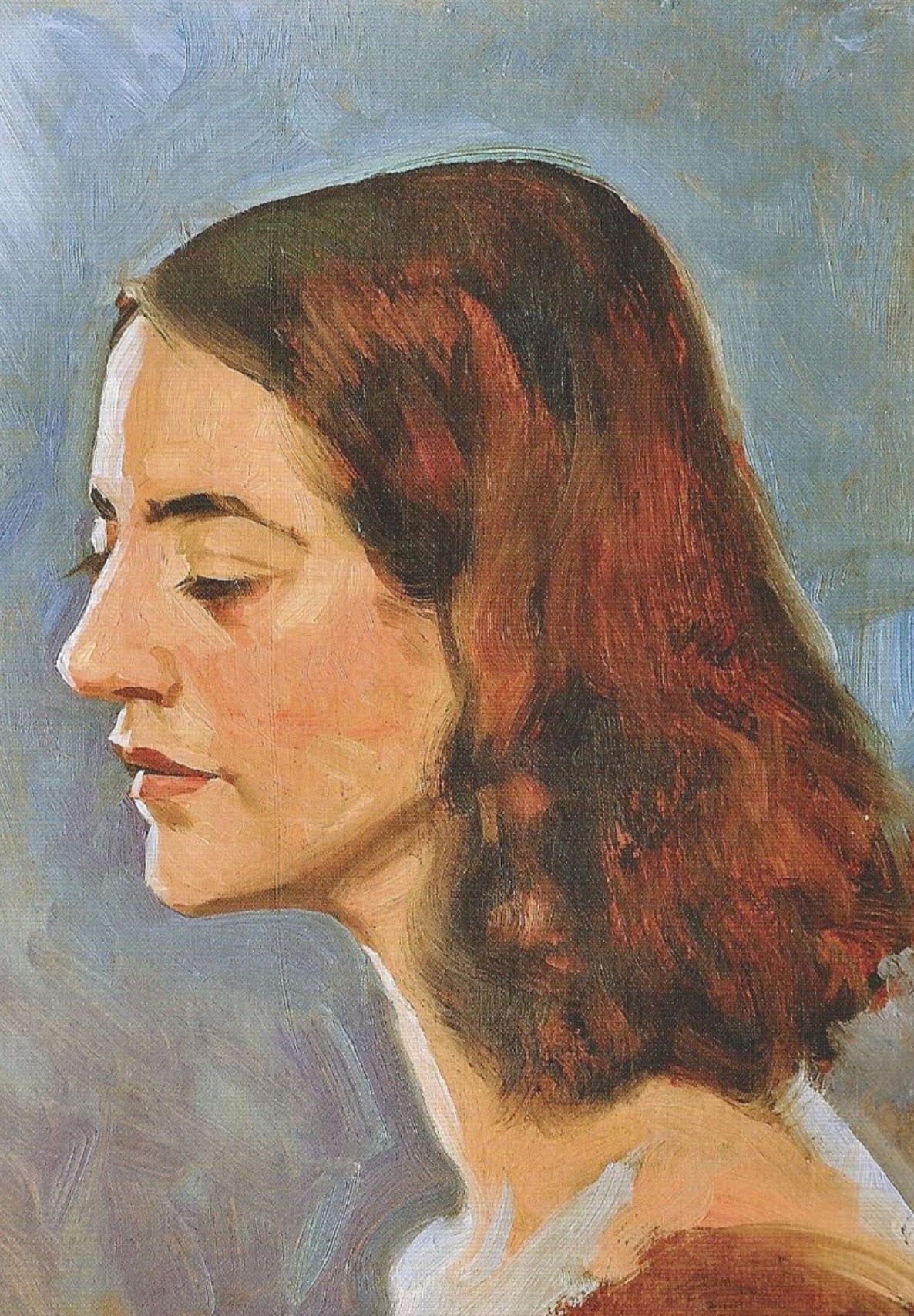
[30 minute study by James Gurney]
You can see in the backgound paint that was problably mixed on the canvas - wet on wet - but on the face - specially on the cheek - it’s possible to see places where the paint was applied not being very well - and you can see it doesn’t need to be - some parts of the same stroke carring more red, some others more yellow. And that convays a style.
I also think this technology could be used to represent the way thinned down paint looks like when applied to canvas. A round brush can more or less scrape the center of the stroke if the pressure of the brush is too strong (1) or naturally if the paint is thinned down (2) while leaving somewhat thick deposits of paint in the borders of the stroke:
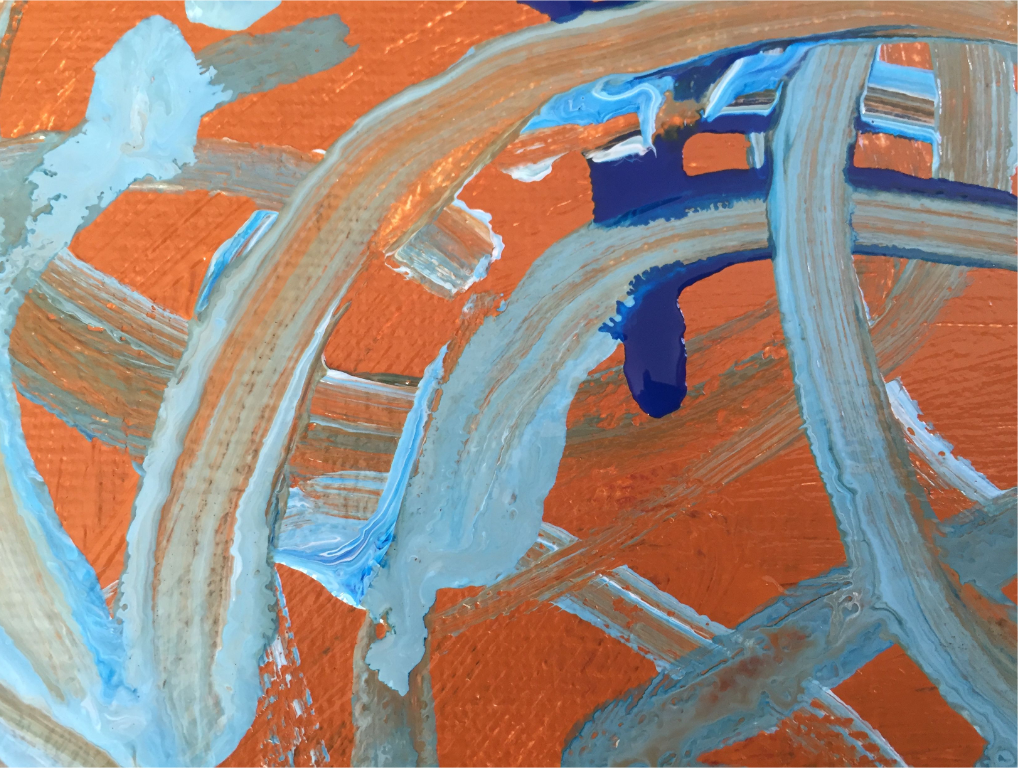
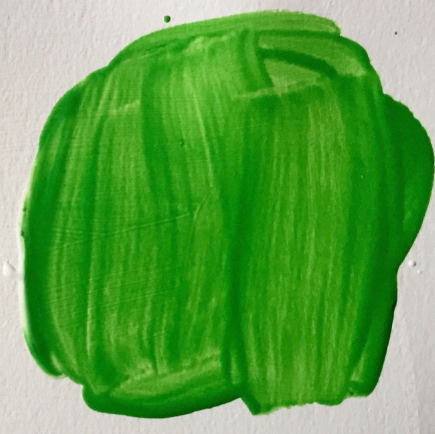
Saying like that it could even be a good alternative for watercolor brushes because the way it’s beeing handled under the hood in the brush engine right now id pretty similar but very resource intensive, but that is something to be seen in the future.
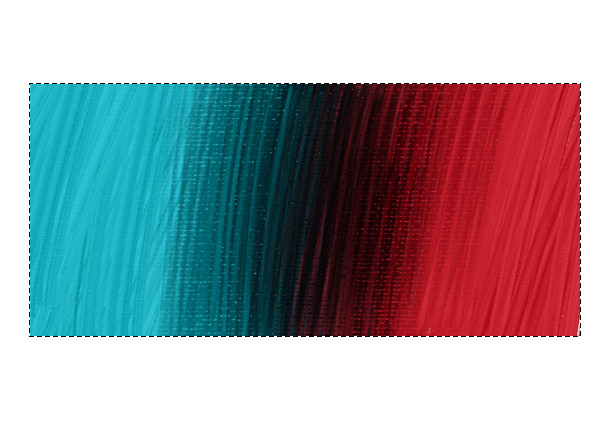
Why do I think this is an extension of the RGBA brushes and may be a problem if not implemented (I may be completely off base here): Offering other ways to interact with the alpha channel besides value but also hue, saturation etc just like the pen could prove very beneficial. And if @acc4 is reporting correctly and the mixing isn’t working very well that may be because the natural process is to be color picking mid tones betwen the colors to blend and if black is being contatly introduced to affect value all color mixing like this will tend to black:
Sleeping on it my three original suggestions I was tripping. now I think that it’s possibly more simple (for me as and end user at least) to put a new option to interect with either only the alpha channel or even all the 4 channels. [For example if the objective is to create thinned down paint effect it could be activated for the opacity, if to create un evenly mixed paint than the hue, saturation or value would come into play, etc.]
Here is a rough mock up (change options for settings for consistency):
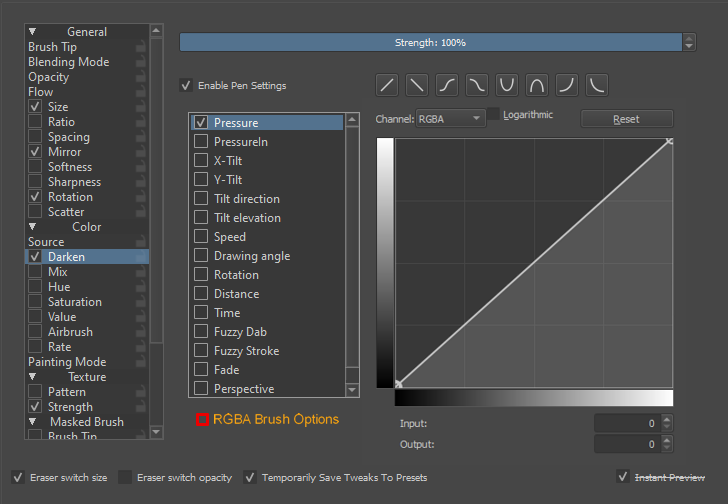
I “undertand” - not as a coder - that it makes sense to put the options under the brush tip, but allowing these parameters to be linked or not, by choosing, to all or none of the already very structured brush propeties would make the users understand, deal and create new brushes much more easily.
The dream implementation would be to have all the paramenters be relational to the foreground color als long as that color is the one that krita opens with (white or alpha, no really sure), but when a backgroung color is picked it would treat each one of the colors as the diffent ends of the spectrum [maybe clipping the color space to the space between the two piced colors] to make intentional gradient making as the videos @Rigognos has posted that much easy - or probably not.
PS: I’m sory for being caried away by my own dreams and wishes for krita and possibly making the life of coders much more difficult. It’s just fun to dream about the possibilities.