I’ve tested the latest nightly of Krita Plus and found that there’s still a bug concerning loading the correct texture pattern with some brushes. But I think I’ve found the problem! The patterns
(4-paper-soft-grain_testdark-black55.png)(280x280)
(4-paper-soft-grain_testdark-black15.png)(280x280)
(4-paper-soft-grain_testtweak2.png)(280x280)
appear to be missing from Krita 5. I can’t find them when I search for them in Krita 5 or from the resource folder. Maybe that’s why the brushes couldn’t either load any pattern or automatically reset to 01_canvas.png, the first pattern indexed in Krita
In the latest nightly plus, when I select these brushes no texture loads. The .png next to it is the pattern it’s suppose to load
f) Dry roller - (4-paper-soft-grain_testdark-black55.png)(280x280)
h) chalk details - (4-paper-soft-grain_testdark-black15.png)(280x280)
g) Dry Brushing - (4-paper-soft-grain_testtweak2.png)(280x280)
k) Blender textured Soft - (4-paper-soft-grain_testdark-black55.png)
The brush “y)Texture wood fiber” appears to load the correct texture(4-paper-soft-grain_testdark-black15.png), but editing any attribute of the brush causes the texture to reset to 01_canvas.png

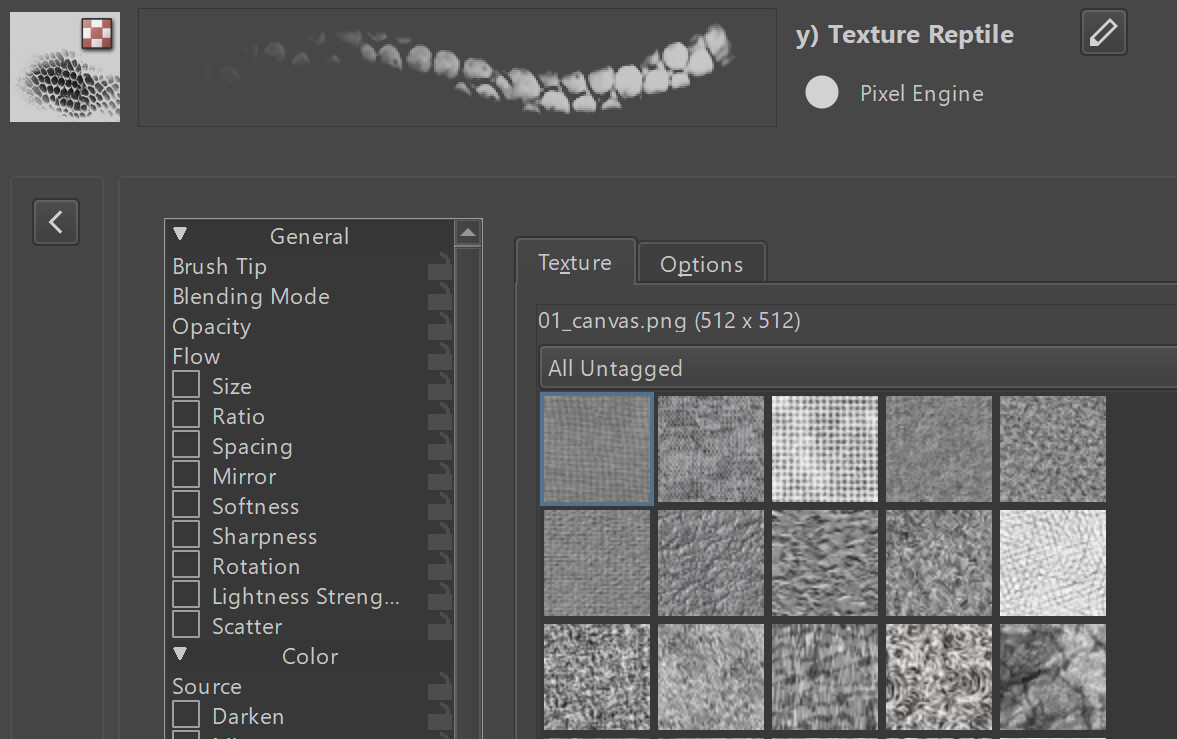
The brush y)Texture Reptile uses none of the those patterns but for some reason it lags and resets to 01_canvas.png when editing any attribute of it. Selecting 22_texture-repile.png fixes the lag
Something weird I discovered about using these brushes in Krita 4 is that none of these missing textures will appear in Krita 4, until I select the brush that uses the texture. Then the texture appears in the program
The gif explains it better
