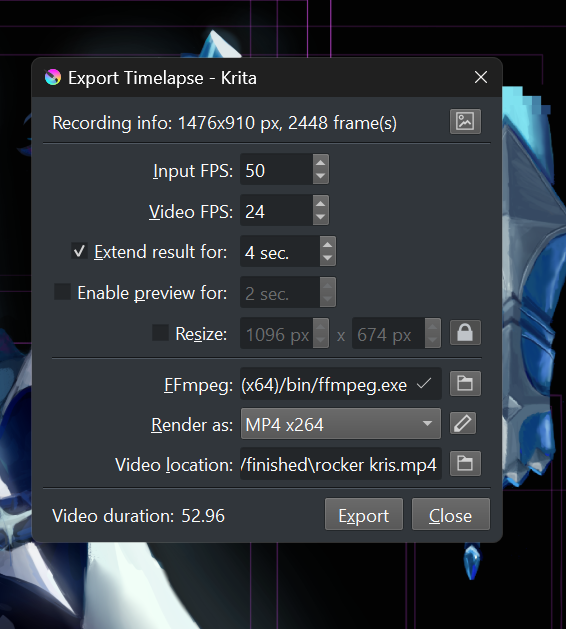
hi!! im using the newest vers of krita with windows 11. im trying to export the recording/timelapse of my art, but for this specific file it keeps bugging. the recording only uses the last thousand or so frames of the timelapse. it also doesnt last as long as it should.
a few things to note: i manually deleted a few frames from recording in the folder, but ive renamed them all accurately. ive tried using other formats besides mp4 and the issue is the same. ive repeatedly cropped the canvas so many frames are different sizes. however, that hasnt caused issues for me before. none of my other files have this issue. lastly ive checked for other issues like using png instead of jpeg, or large canvas size, to no avail.

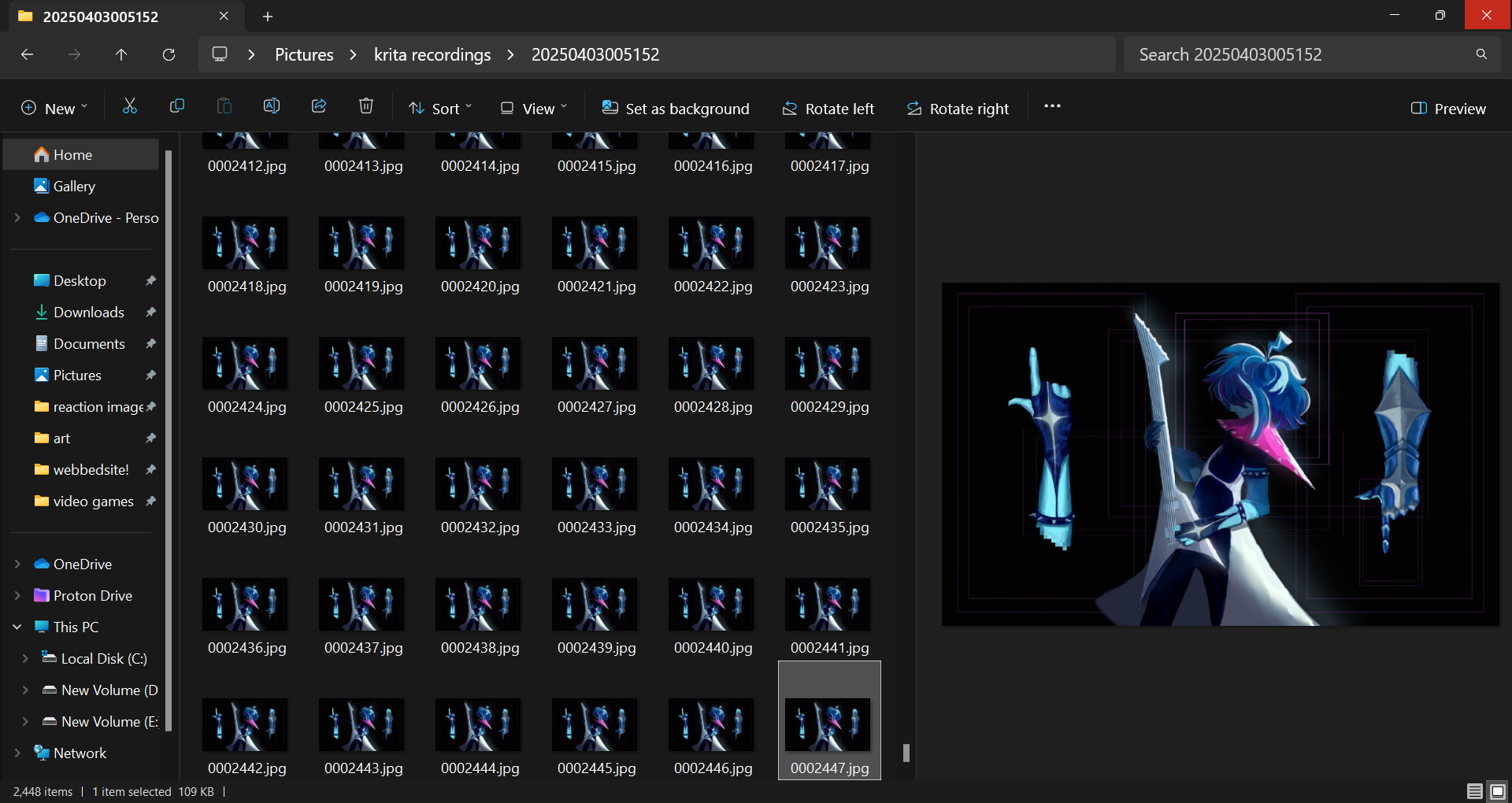
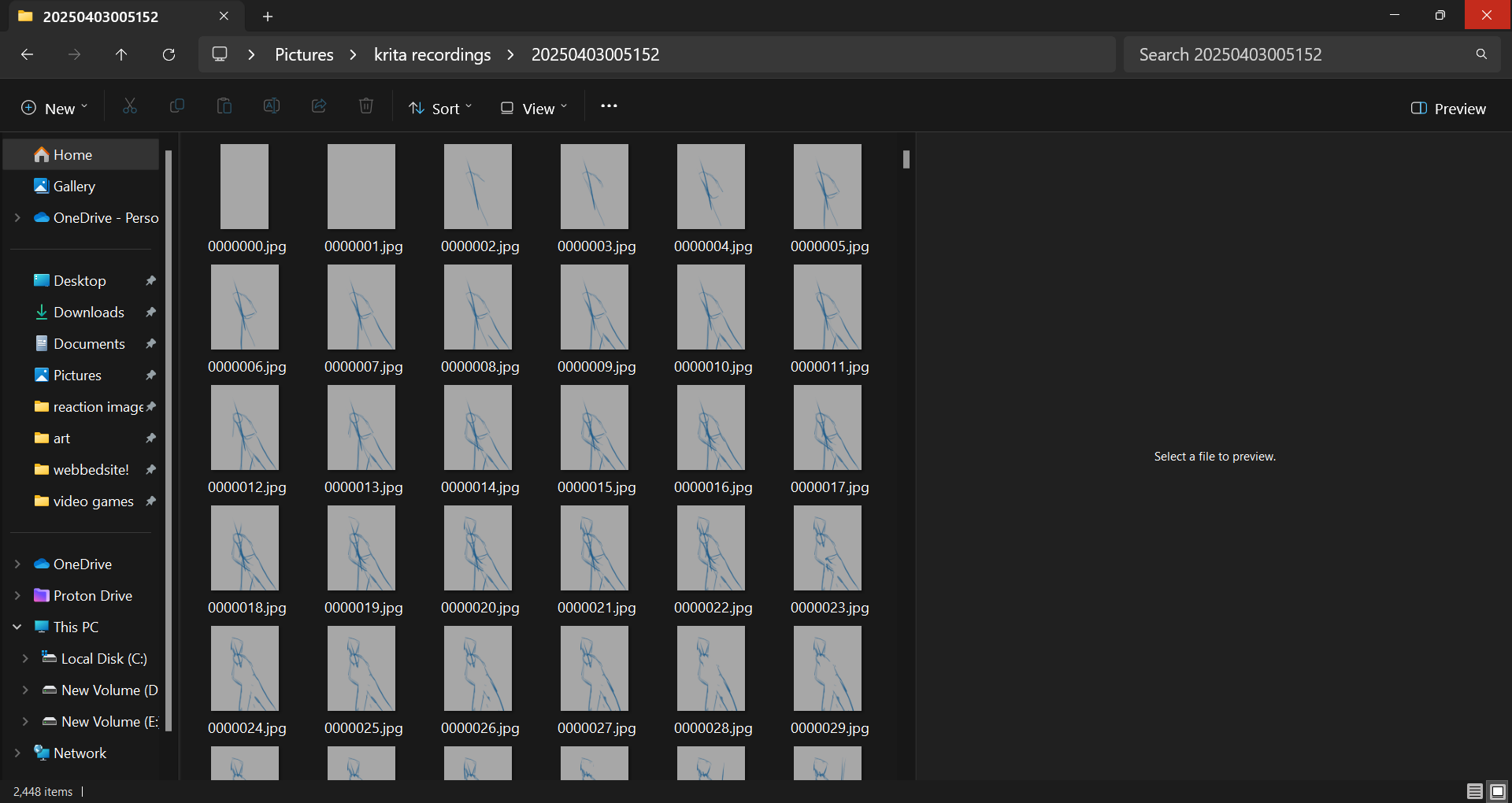
You mentioned that you renumbered the frames after deleting a few. My only guess is that something went wrong with the numbering sequence - for instance, after the removals, were you able to renumber every frame following the deletions?
In the screenshots we can see that they are consecutively renamed, that seems to be correct. So I don’t know what the issue may be.
I can’t tell anything about changing the size of your work midstream, but if it worked before, as I understand you, then this should work now too.
Did you try to stitch together your pictures with a different software? This would be a way to work around the current issue.
Michelist
I can confirm that changing the canvas size during the recording session won’t cause rendering problems but it will skew (smush) the results. It might not be noticeable if the canvas size change is minimal.
ffmpeg should write a .log file next to output video location, in your case there should be .../finished/rocker kris.log (maybe log contains some better hints on what is going wrong.)
/AkiR
1 Like
i’ve not tried that yet, could u pls recommend a good program for this?
here’s the .log file. just scrolling through it, i noticed a lot of issues with image size (eg. 0x2156 size images), and not finding JPEG data. pls note that the images are saved as .jpg files.
thank u all for ur help so far <3
Many say that Da Vinci Resolve would be an excellent software for this job, I don’t know if there is a Linux version, but for Windows and macOS there is, and the best thing, for that job you don’t need the Studio version, the free version is perfect for 98% of all tasks a normal user can have, if not more.
Michelist
Looks like ffmpeg has hard time opening source images. Try opening some images from source image sequence in some image viewer.
Also you can try looking file properties in file browser (see if image properties have good width & height width)
Also ffmpeg expects that first image in source image sequence is -start_number 2448-1
so first image should be 00002447.jpg and rest of the images should continue from there on.
# edit ignore this
krita recordings\
    20250403005152\
        00002447.jpg
        00002448.jpg
        00002449.jpg
        ...
If image viewer and file properties fail to identify file as image file, then there is high probability that file is NOT valid image file.
/AkiR
Actually, no. That option/parameter statement is confusing though.
The image set does appear to be 0000000.jpg to 0002447.jpg which is correct if there are 2448 frames as stated in the Export window, and that is the case according to the File Explorer.
The value 2448-1 immediately after the -start_number is in fact the image index number of the final image in the input sequence, starting at 0000000.
Hmm, ffmpeg documention says differently.
start_number
Set the index of the file matched by the image file pattern to start to read from. Default value is 0.
ps. don’t know why there is -start_number 2448-1 suffix -1 does that change the logic to be reversed?
Edit: looks like start_number is used only in second input stream and is set to last image of image sequence, so that it can be used as preview image of resulting movie. So yes my bad, image sequence should start from 0000000.jpg and end at 0002447.jpg
/AkiR
This topic was automatically closed 30 days after the last reply. New replies are no longer allowed.