Hi, I enjoy the fact fifth KRITA was born, but… have some complaining about new
or improved (?) resource system.
As @tiar wrote to me in other thread:
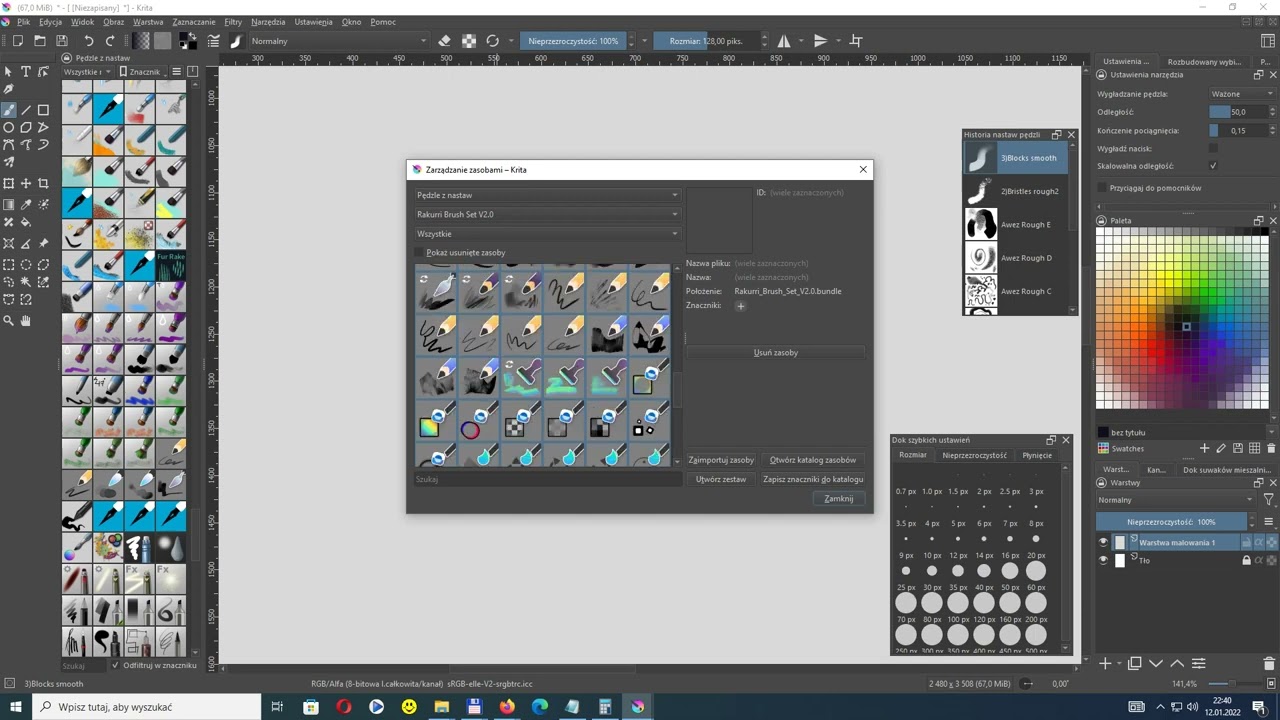
Easiest way is to go to Settings - Resource Manager - and then select that bundle, use the “All” tag, select all brushes and use the little ‘+’ button to add a category. Btw that category is called a “tag” (you’ll have an easier time looking through tutorials etc. knowing the terminology, that’s why I correct it).
I’m not sure whethrr it should add a category automatically nowadays or not… maybe not… but it’s easy to fix, at least.
Well, this works… almost or “so so”. I am not fully satisfied with it, to be honest. 
Nearly every one bundle I installed recently, is not visible (in its “tag” name" at upper sub-window) and seems to be hardly fixable.
For example, I wanted to have @Rakurri brushes v2 properly installed in my KRITA v5.02.
I installed the bundle but it didn’t show up in the list of brushes sets.
When I try to fix it like Tiar adviced above, it didn’t work at all (no reaction and no results).
What is getting worse, when I try to set completely new “marking” to this brush, Krita hangs completely in few seconds or more.
I have KRITA v5.02 on updated Windows 10 64-bit (32 GB Ram, i7-6700K processor, etc.)
What is wrong? 
Here is the small video about it:


 )
)


