Hey I have always had problems with how the fill brush works, and it’s that it just doesn’t work how a fill brush should. Has anyone noticed how the fill brush on the mobile drawing app ibis paint x handles the fill brush, it doesn’t go through layers and it actually fills inbetween the line art and has an option to ignore some gaps. I think that’s how it should work by default, and I actually beg the developers to make it that way. It would truly elevate my experience with coloring, especially when animating. I know there’s some complex way of coloring with a color mask or something, but its plainly easier to just have a good fill tool. Just that a simple free mobile app works better than a whole product, it doesn’t sound good. Please don’t ignore this, I really love this program and that missing function just ruins it.
I see you’re new to the community. Welcome. I’ve never seen a request for help get ignored here so no worries there. Can you post a pic of what is not working for you? Also, you’ll get better assistance if you share which version of Krita you’re using (click Help - About Krita if you’re unsure) and also your operating system and version.
Its windows 10 and have the newest version of krita on steam, 5.0 or something. Its more of a request since I cant find the option for the feature id really like
Hi
This feature has already been asked many times
Also, there’s currently some development in progress about the fill gap.
There’s already some topics about pro/con usage of this functionnality
You just have to configure the tool the sample all layers:

Grum999
I actually tried the sample all layers option, but it doesnt seem to work. I drew a circle with no gaps, made a layer below it and used the fill tool on the clean layer with the all layers options, but it just goes through.
you have to provide screenshot to let us understand what happen, with layer stack visible if possible
Grum999
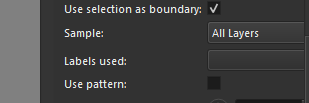
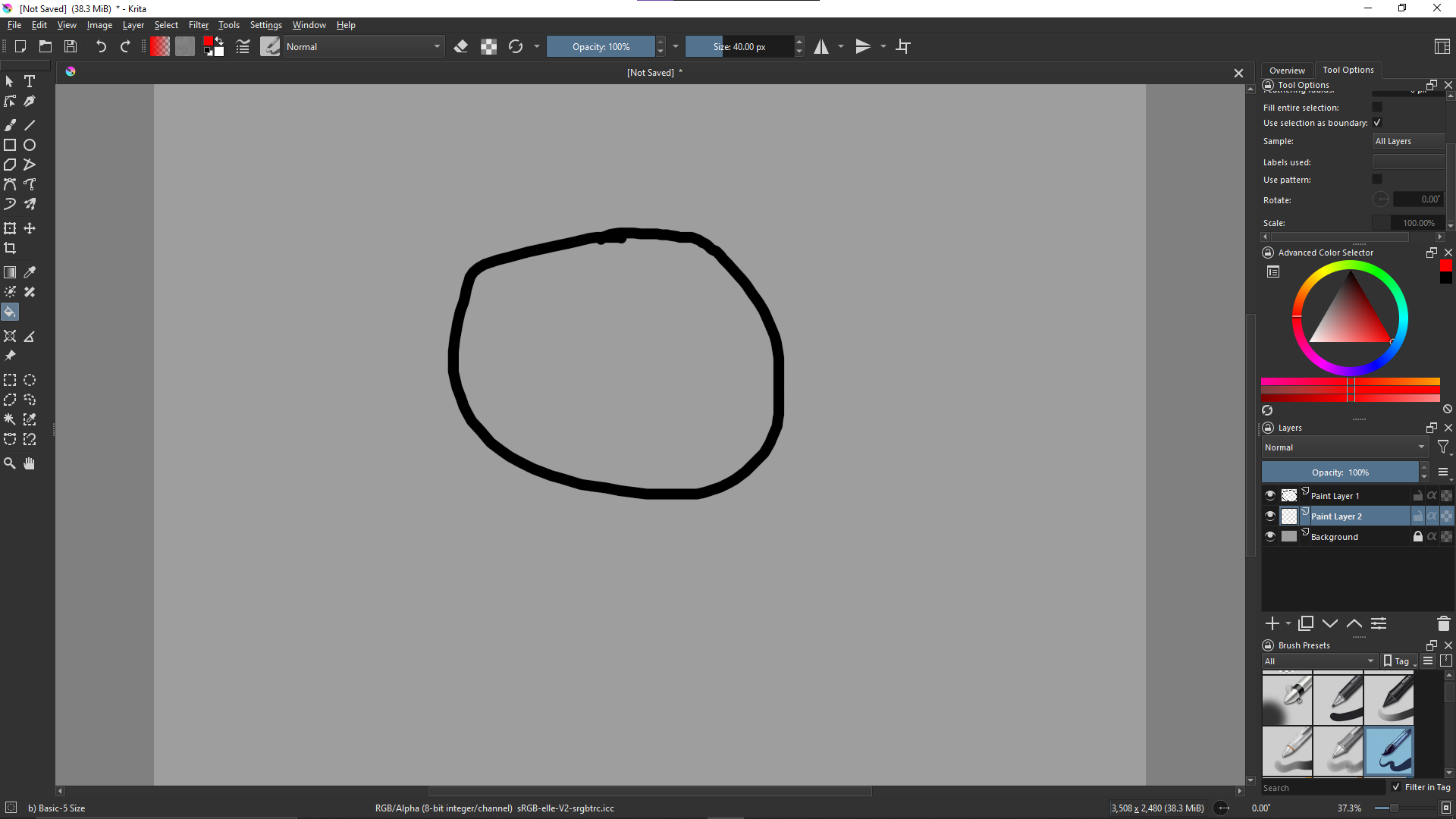
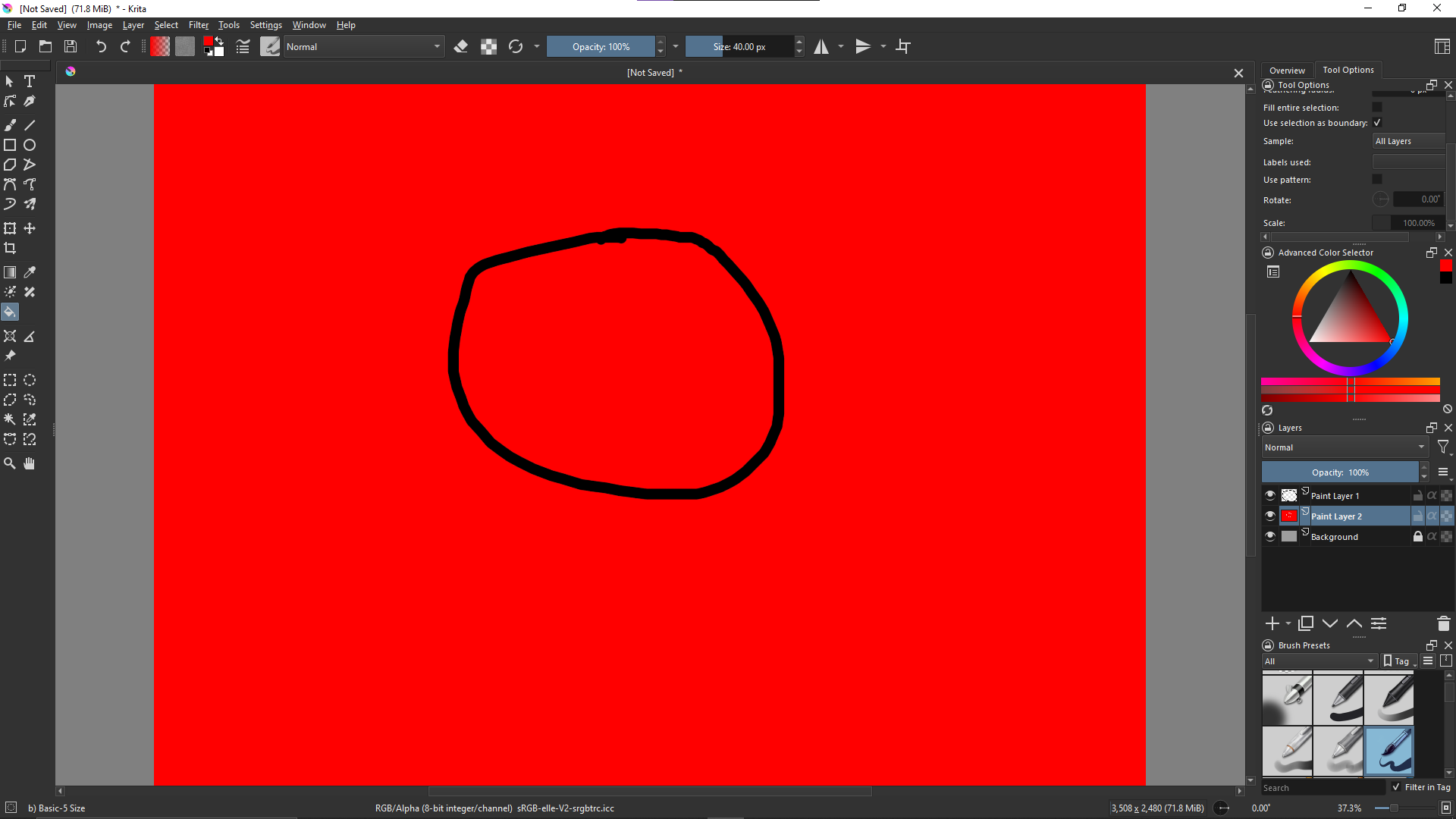

On my side, it works 
Can you show me the complete tool options?
Currently it’s partially visible and then I can’t check all options
Grum999
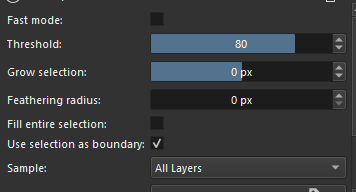
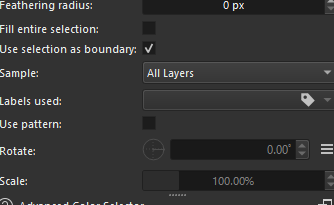
wow thats exactly what I needed, doesnt work for some reason
reduce threshold to 0
The thing is, with a grey background and black “circle”, a threshold of 80 for all layers is too large.
Grum999
so what do I adjust?
Set Threshold to 0
Grum999
Thanks, it worked but has an unfilled halo between the lines. Does it work better with a white background?

the black lines are antialiased.
then you have to “grow” the selection from 2 or 3 pixels.
Change setting Grow selection to 2 or 3
A white background won’t change anything except for the threshold value.
Threshold define the difference between 2 colors to determinate if a limit is reached or not.
black - white => high treshold
black - gray => lower treshold
Grum999
ah ok thank you so much man!
you’re welcome
Grum999
This topic was automatically closed 7 days after the last reply. New replies are no longer allowed.