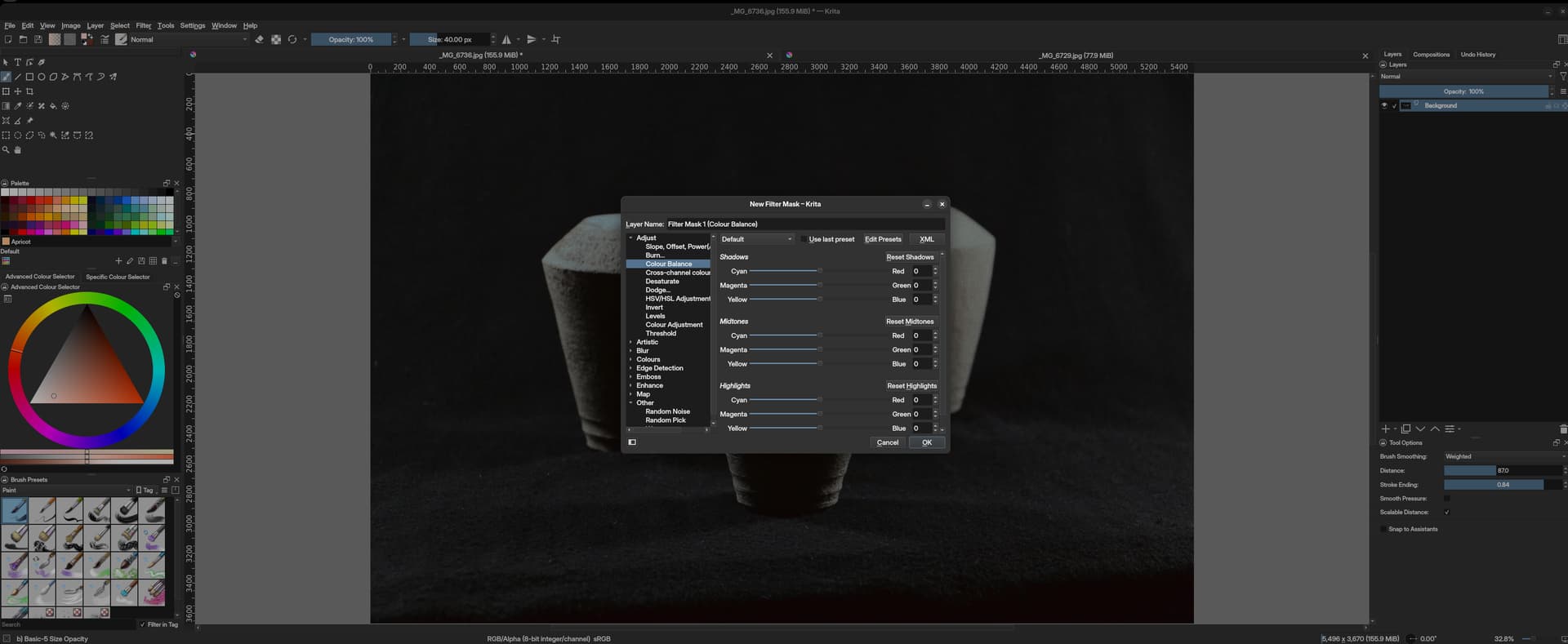
it might be a Gnome issue, but this makes it quite impossible to determine the properties of the filter you’re applying to the artwork:
a. because there’s a dialogue box in the middle of it.
b. the dimming changes the way we actually view the image
the other thing, that’s surely is a Gnome issue, is that when you try to move the dialogue box from the centre, it scales down the entire Krita window and it moves around with the dialogue box remaining in the centre. so ultimately, there’s no way to view the artwork when you want to manipulate it
even if it’s a Gnome issue, I use many other apps (like Inkscape or Scribus), which also use many dialogue boxes but they worked around it and this issue isn’t present.
This is the setting of the window manager/compositor you have to turn it off, it’s nothing Krita can do about.
In KDE it’s called Dialog Parent in Desktop Effects.
As for the dialog box, you should be able to just drag it away, just like any other window. It’s not a Panel or Docker, it will pop up just like every other dialog, that’s just how it is, I’m afraid. I don’t know why it behaves so strange for you, it works as expected on my KDE and at work on my Windows machine.
This dimming function is, at least using KDE desktops, a modal setting and can be disabled in the system settings for the appearance of the desktop environment.
Takiro answered this in between in more detail.
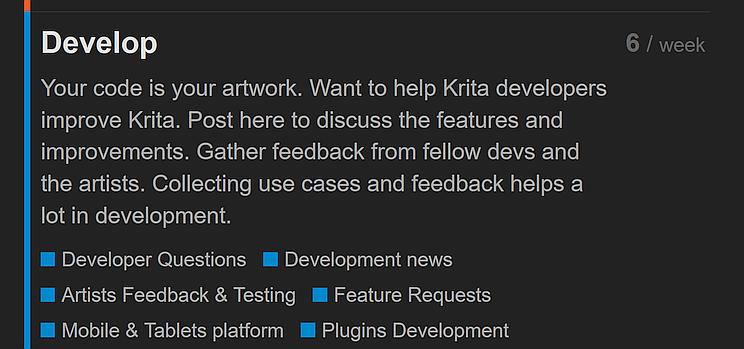
By the way, I had to move your topic into the forums support area, because the category you had chosen is dedicated to:
Your code is your artwork. Want to help Krita developers improve Krita. Post here to discuss the features and improvements. Gather feedback from fellow devs and the artists. Collecting use cases and feedback helps a lot in development.
Please be so kind to choose the right categories when posting. The forum helps you with descriptions of the main categories, and additionally you will find a description in every category, these are named after the following scheme: About the XYZ category, for instance, About the Development news category, which will help you to reduce the amount of maintenance work needed to keep this forum tidy.
Thank you.
I apologise for the wrong category, I got a little lost there. won’t happen again.
as for the proposed solution of @Takiro - I appreciate the suggestions but unfortunately, disabling the dimming in the window manager isn’t a solution to this problem, because I find it to be a very useful UX feature in any other app other than Kritra, when a dialogue box above a window is dimming its background, for the sake of clarity and legibility.
it’s not something I wish to lose system-wide and this is something the devs of other apps such as Inkscape have found a work around for, as I mentioned in my question post.
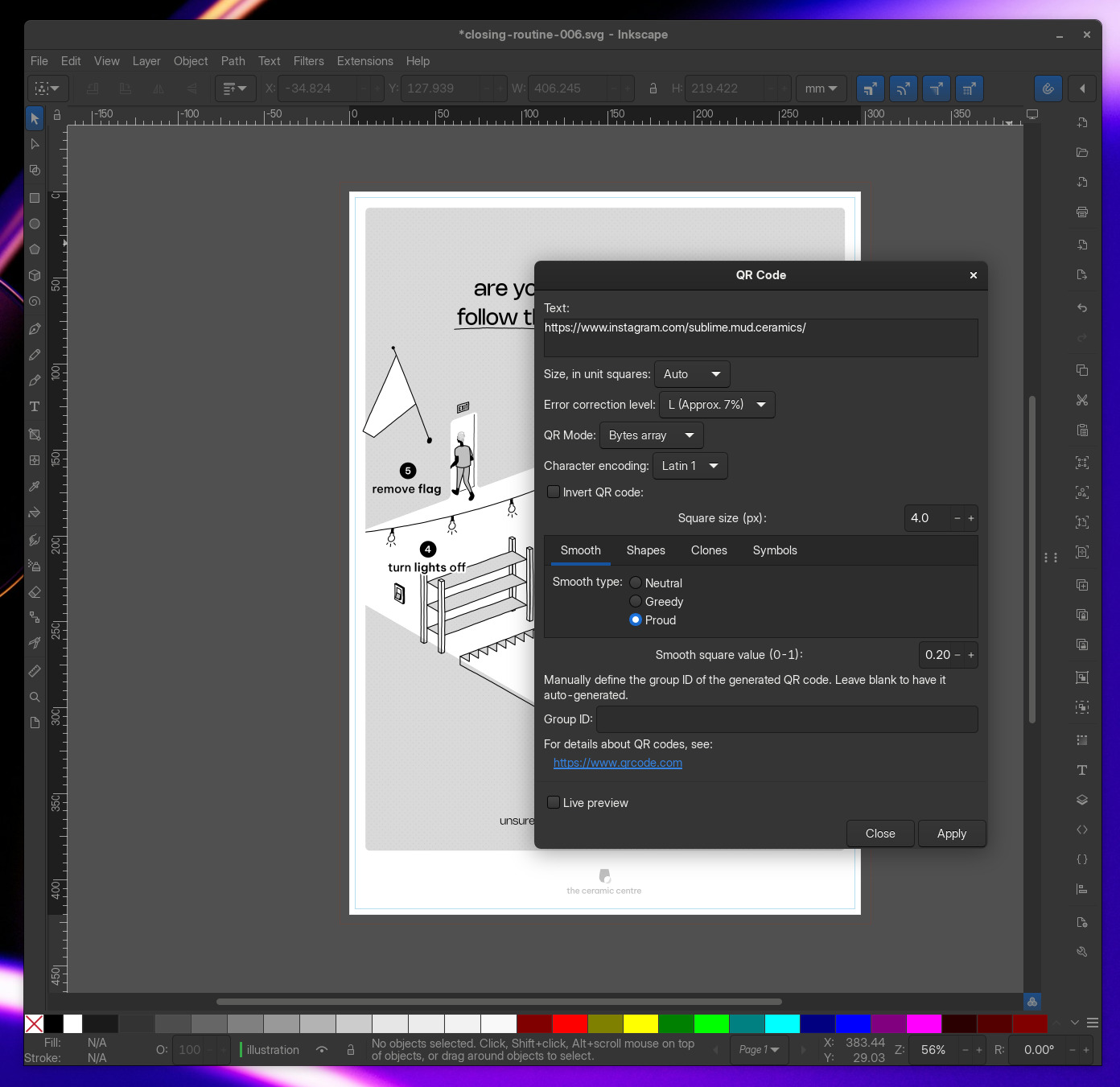
this is a screenshot of Inkscape with an extension dialogue above it, the box is entirely detached from the parent window of Inkscape. it’s not dimming the canvas and it can be moved around anywhere on my screen without affecting the UI of Inkscape, thus not abstracting me in designing the artwork below.
this is a splendid and well appreciated feature of Krita, that’s simply unusable.
p.s.
even if I were to find it a valid solution, I doubt that this is something that can be disabled on Gnome, which is the window manager I happily use. but as I said before, this is something I believe Krita should account for in the implementation of dialogue boxes, for the sake of user experience, rather than leaving it for the each user to workout individually.
And how about writing two small macros (e.g.: script, batch) that take care of this setting for you via a one-click solution?
I would add the first macro to the shortcut to start Krita so that it is automatically executed when starting Krita, and the second macro you have to run manually after you have finished Krita to reset the setting. Alternatively, you can use a program that monitors the states of other programs, in this case Krita, and activates or deactivates this modal setting depending on Krita’s previously defined state.
I know these watchdogs from Windows, as I used something like this many years ago for a different purpose, but I can’t remember the name of the software, so this could probably help you find something similar for Linux, but I am convinced that you can also find such a software for Linux.
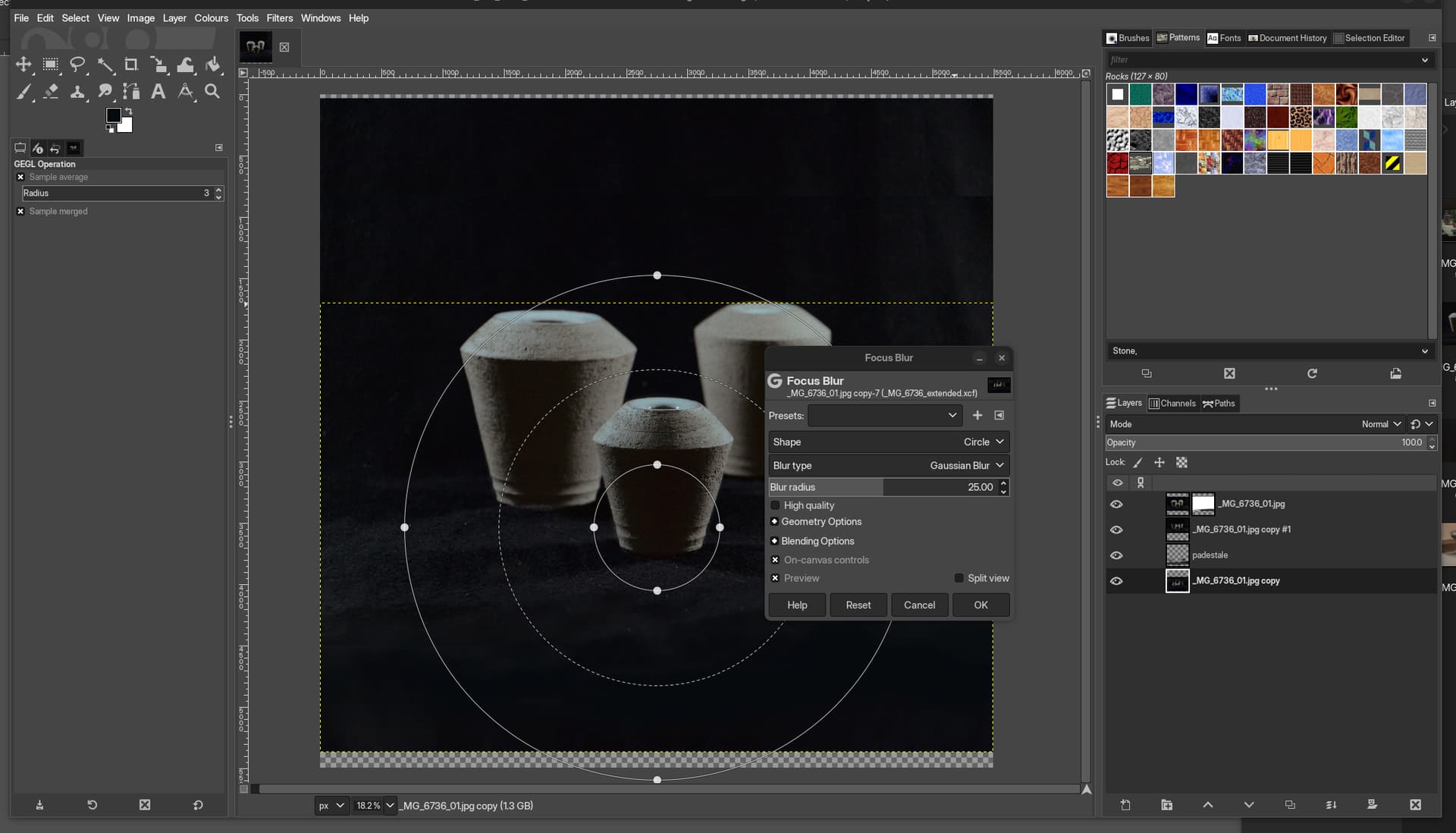
this is a screenshot from Gimp and as you can see same here, there is a dialogue controlling an effect, but unlike Krita, it does not dim the background and can be moved around independently across my screen, as in Krita, whereas the boxes are locked to the centre of the parent window.
I cannot tell you what differentiates between the way Krita implements its dialogues vs the way programmes like Inkscape or Gimp do. the only thing I can think of is that both are gtk apps?
You can’t find this anywhere, you have to create it yourself.
To make it easier to understand, on the one hand there is the possibility to switch a setting via a (self-created) script¹, on the other hand there are so-called macro recorders that allow you to record a chain of actions consisting of mouse clicks and keystrokes and then play them back, similar to how an industrial robot can play back previously written work instructions (drill 3 holes with diameter X starting from point Y to the points marked Z) over and over again.
With such a macro recorder, you then record once how you activate this setting yourself by hand and create a second recording to deactivate it. Now you can either always start these files (script/macro) manually to quickly change the setting, or you can use a watchdog software that executes the macros or scripts for you when you start or end Krita, theoretically you could also always run the scripts/macros when you leave Krita to do something in another software in between.
The important thing would be to find such a watchdog software to automate the switching if you want to. But, as said above, the scripts and macros can also be manually started, the watchdog is only a convenience feature.
Michelist
¹ Just like the installation and setup of your operating system is usually controlled by such configuration scripts. These scripts are often much faster than macros.
Krita doesn’t have a own dialogue implementation from what I know, it’s just Qt. The difference between a modal and not modal window is that a modal windows don’t allow you to interact with anything outside of it (or only the other parts of the application they belong to), that’s why Gnome thinks its a good Idea to lock them in place and dim the background to make you understand.
I understand. not to be rude but this seems like an oversight of Krita’s development, failing to considerate the UX consequences of a certain type of module in a very popular desktop environment. perhaps Krita shouldn’t use a modal dialogue and just a pop up box instead that the DE wouldn’t see as such high priority so that it must be pinned to the centre of the window.
the reason I’ve given the examples above is because you can clearly see other apps, also used to make graphics, potentially using a different type of modal but in anyway, taking into account the fact that the user must see and be able to interact with the canvas when they’re manipulating it using filters.
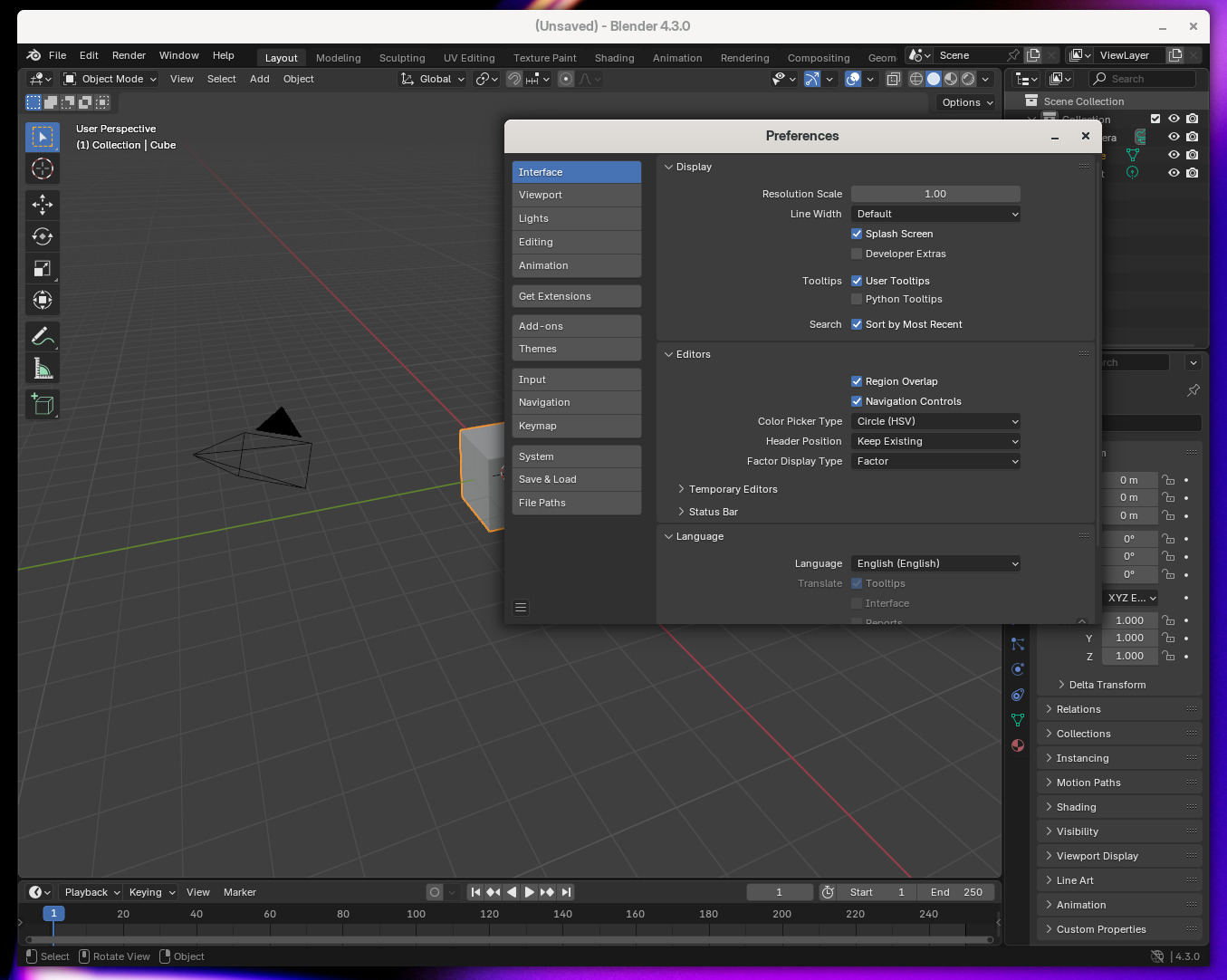
there’s another example from a daily driver of mine, Blender
the preference window on top can be moved around independently from Blender and all the UI elements behind can still be accessed while this box is open.
I don’t know. Normally there is a very good reason to make a window modal, usually to prevent the data the window operates on from being altered while the window/dialog is open. I can’t tell you if it is really just a mistake or not, if it is a problem for the filter properties window, when someone messes with the settings of the main window or if it doesn’t really matter. I suggest making this a ticket on the official bug tracker.
Only thing I can think of right now why it is that way is to prevent multiple filter settings windows at once, but this can be prevented in other ways, too.
But the issue is is krita sets its to modal and then gnome just locks it and dims it, which is fair they think users should not be able to see the parent window or even move the dialog out of the way. But clearly you need to see the window and move the dialog out of the way. So there is no option to keep the parent window non interactive but only allow user to view and see the parent window without letting them edit the canvas. May be the toolkits need to take this use case in consideration. Krita users on windows or macos or android which have considerably higher user-base than linux or gnome do not suffer from this issue I wonder what these platforms do.
Also while other two apps like inkscape and gimp use GTK toolkit which is native to gnome so the problems are less there and a comparison to blender is not fair because blender uses it own homegrown UI stack. Moreover see if the windows they open are modal or not if they are not meant to be modal to begin with then this issue will not be reproducible in those apps. The screenshot of focus blur filter in gimp you have attached is not a good comparison because that is clearly not a modal dialog since it needs user to interact with the canvas.
Regardless as @takiro suggests you should create a bug report for this if there is no other bug report for it in the bug tracker - bugs.kde.org
The dialog is modal because if it isn’t, it’s too easy to run into race conditions that make Krita crash. Parenting it to the main window actually is intentional: people complained that it wasn’t so the dimming and locking didn’t happen. I don’t know why, but if that’s the way a desktop works, who am I to say nay.
Correctly parent the filter dialog to the mainwindow

So window managers that do stupid things like fix dialogs inside the
mainwindow can do their thing.
I have an ultra wide monitor so personally, I could move the canvas just enough so that the dialogue isn’t completely covering the image below. most people who have a standard full HD monitor (at least those using Gnome) will have their artwork completely obstructed by the modal that’s locked to the centre of the parent window of Krita by the DE.
you can see it best at 00:22, the levels dialogue hovers over half the content below, nevermind the dimming of the canvas that renders the colours inaccurately. I’m not sure exactly what the people complained about that made the Dev team fix the modal to the parent window but right now, you’re unable to get a full view of the piece you’re manipulating when using Krita’s filters.
when you try dragging the modal away, the entire Krita window gets minimised and it follows the modal around while keeping the it locked in the centre, hovering right above the piece you’re trying to work on. I bet this is different on KDE, the modals might not lock to the parent window. but on Gnome they do, and unlike KDE gnome doesn’t even allow you to change it. this makes this incredibly useful feature of Krita unusable on Gnome unfortunately.