I reserched many color selectors(contain plugins) in krita
But all of color selectors only support the Foreground Color.
The background color is also used as the Stroke color of the vector shape/path.
It seems that there is only one Modal Color selector dialog for BackGround color adjustment.
Moreover,the colors are not reflected to canvas in real time,so inconvenient…
(Support color space also RGB and HSVonly)
It’s also a hard to switch the foreground and background colors just to change the color it created.
Is it possible to give the BG color of more flexibility and usesr experience same as the foreground color?
FYI :
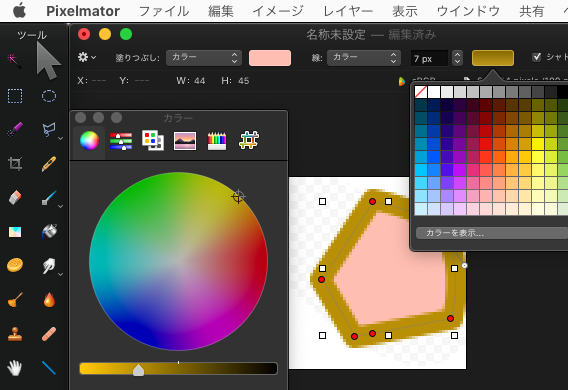
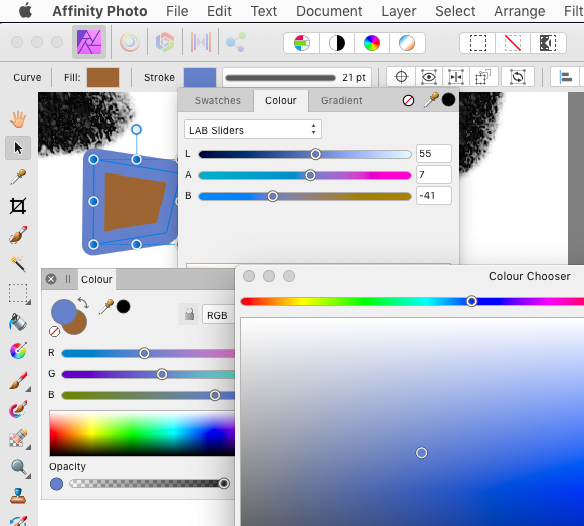
Pixelmator and Affinity Photo has multiple accessible color select multiple way to Background (Stroke color)
ooh i see my plugin hehe, unfortunately i nvr code the sliders to adjust background color since switching foreground and background around to select background color was sufficient for my own usage. the only way to apply color directly to background for my plugin is Ctrl + Left Click on the color history.
fret not, the advanced color selector allows you to select background color by right clicking on the color wheel. have you tried it?
@Lucifer,Thank you so much!
I tried of your advice, Both success in Advanced color Selector
and at your color select plug-in too.
I must have tried various things,
but didn’t notice the right click at all.
I had overlooked that…
I like your plugin which can choose flexible in many Color-Spaces.
And work well in MacOS too.
Regarding of ⌘+Left click in MacOS, used ⌘ key instead of CTRL key.
Again,Thank you tell me usuful tips,and create great plugin!!
Oh my god,The problem I had was resolved…
But I hope that there are hints that users will notice from UI tips.
So we can move your request out of the Feature Requests category into a suitable support category? Or do you want to see your request implemented anyway?
Okay, I moved it because you previously marked it as solved and because your response to close it suggests that the request should not be pursued further.
Yeah I was about to say pigmento works in foreground and background colours perfectly fine, but that is not my sliders after all. It is confusing to identify and help.