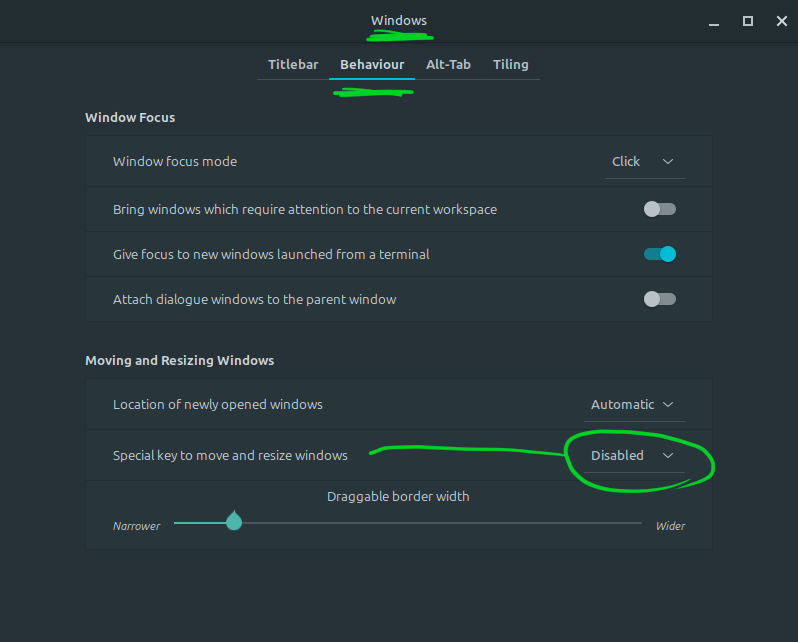
When using the freehand selection tool, you would expect to be able to add or subtract to a selection using either the shift or alt keys. The shift key works when I want to add to a selection, but the alt key does something weird when I want to subtract. It instead drags the whole of Krita around the screen.
Many thanks - this was driving me crazy! Because I use Krita and not much else on my computer these days, I hadn’t realised it was a broader problem that affected everything else
Yes, It’s Mint Cinnamon - I’ve been using it for only a couple weeks now, having spent a whole 6 months fighting against Zorin’s big glitches. So far it’s pretty good and definitely seems more stable!