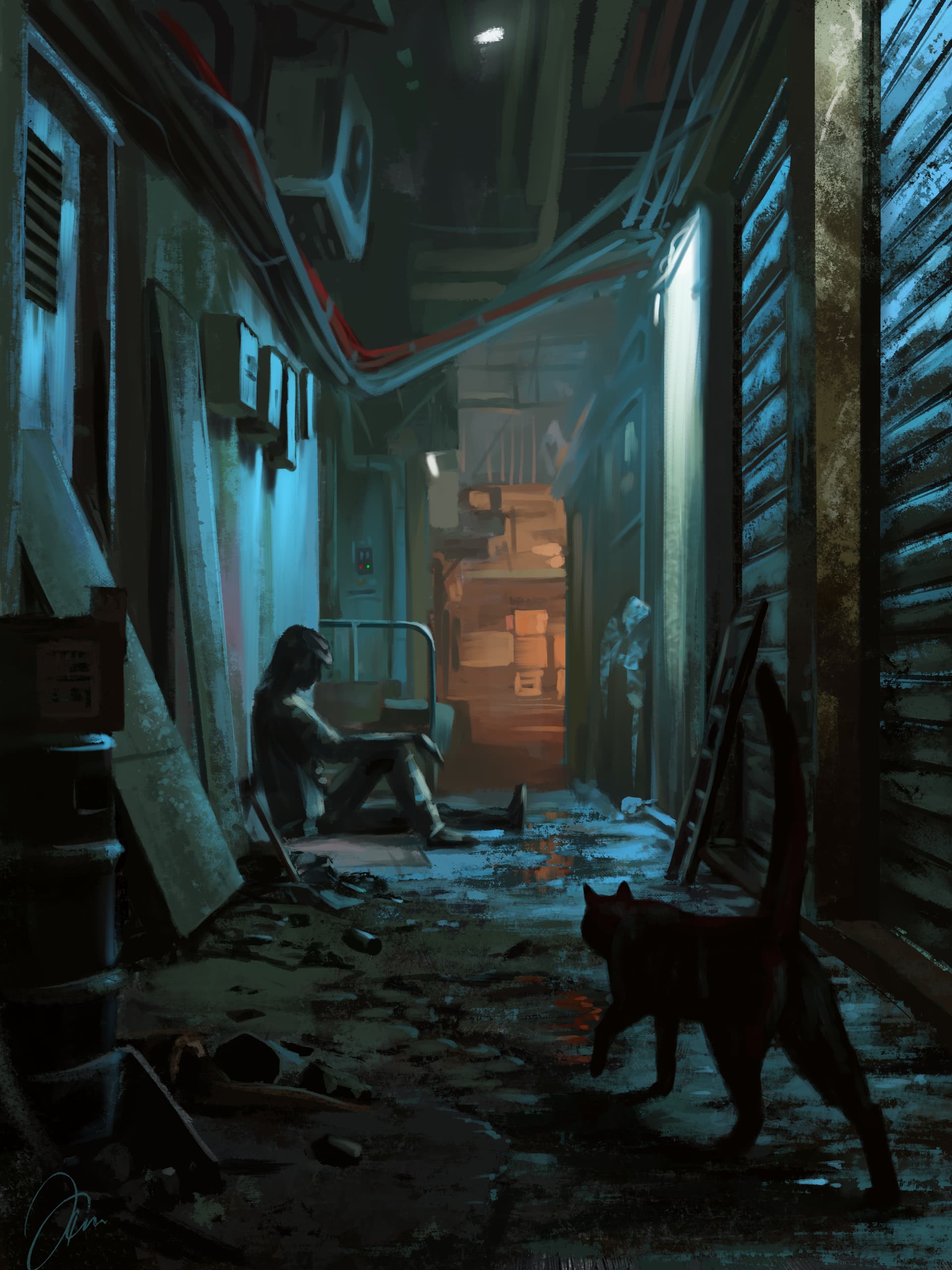
I tried out the vanishing point assistant for the first time with this painting. I was impressed with the ease of drawing reference lines for perspective. Partly inspired by the video game “Stray”.
I love it! (and the cat in the foreground!)
About the assistants, I’ve used them quite extensively in the past.
There are things I wish to see some day for it to be incredible:
Brush size to be dynamically influenced by vanishing
Manipulating 3 vanishing points setups and distortion as one element (as if handling a camera and setting it up)
Having a snapping threshold setup, or the possibiliyt for the stroke to change snapping assinstant as it goes (for example you start a stroke to follow vp1 but because of the start’s inaccuracy, it catches vp2)
@MangaTengu Yes! Brush size changing with the vanishing point would be really helpful. As would all your suggestions. Have you turned that in to the suggestion topics?
I didn’t use a topic at the time, it was more direct talk iirc and I didn’t feel It reached peoples’ interest.
I’ll try to make a nice topic expliciting the suggestions’ added value soon!
Unfortunately, the perspective grid doesn’t replace a system with several vp nor does it implement distortions.
I’ve already played extensively with all assistant params combinations, but they don’t provide the behavior I describe:
You can lock to snap to single assistant. BUT, when you start a line, it’s really super hard to accurately determine in which direction you are going, especially when several vp have nearly overlapping lines. It often ends up locking on the wrong vp. It happens so oftent that I got used to work around it by making lines that always go to the vp rather than radiate from it (almost garanteed to fail).
A really handy solution would be single assistant snap, but the vp you want to snap to is reevaluated as you trace your stroke, not determined at the begining.
This painting is really captivating, because there’s a story and of course the visuals are very interesting, with this moody and contrasting lighting.
Did you use many layers? One aspect of this style that I find challenging is defining and preserving edges over time. It’s nice to be able to work in one layer, but selecting the same area over and over is taxing, and separating stuff into layers to have well-defined edges can get out of hand too. I guess there’s a balance to strike between simplicity and accuracy.
@YRH Thank you! What you describe is exactly what I was seeing/feeling in this piece. I’m glad it came over that way to the viewer.
As for layers, I generally start with the background/underpainting layer, then a main subject layer or two, and have them set up as a clipping group. But for works like this one, I end up merging it all on one layer. Mostly because I jump all over the place in the painting and get tired of looking for the right layer to paint on
On my pet portraits, I fill in the subject with a local color first, then make it a clipping group. Makes it easier to do a nice background.
Most of my paintings’ layers get merged at some point though. Thanks for asking.
Congratulations! Your artwork has been inducted into the featured artwork gallery row.
May I have your permission to post this artwork on Krita’s social accounts? If yes, I will credit your K-A user name (or a different name that you specify). If no, no problem.