
Oops, I think you uploaded a still rather than an animation.
Must be my browser is not showing the gif properly.
ye I uploaded a gif but its not working?
I have seen working gifs from @Katamaheen - maybe they can comment on this.
huh, that is weird. have you checked if there is something weird going on with the FFMPEG?
No how do I check?
No idea what’s happening here… @Dime, have you oppened your animation and seen it animated? I also feel like you might have exported your animation like you’d export a picture. Even if you put “.gif” behind, it’s not gonna work; you have to render your animation.
How to dowload ffmpeg, scroll a bit dow, and you’ll also see how to render your animation:
I’m sorry if that wasn’t the problem 
Ah I see it now, I just just render my animation but it im not able to click on the file when im trynna upload it in this forum. It said it will be deleted or set if the frame have the same name scheme. Any Ideas?
Good that you were able to render your animation! But your current problem is really weird, never happened to me… what do you mean by "if the frame have the same name scheme”? Did you not export your animation as one file, but as single frames?
Can you post a screenshot of that message as well as a screenshot of your export settings, this may give us a clue what you have to adjust?
Michelist
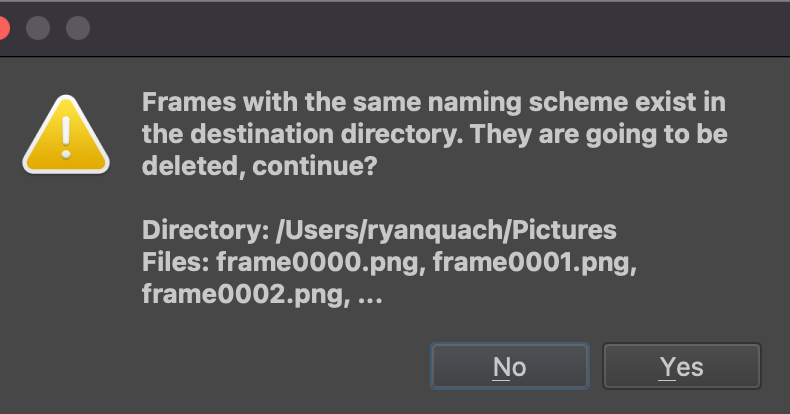
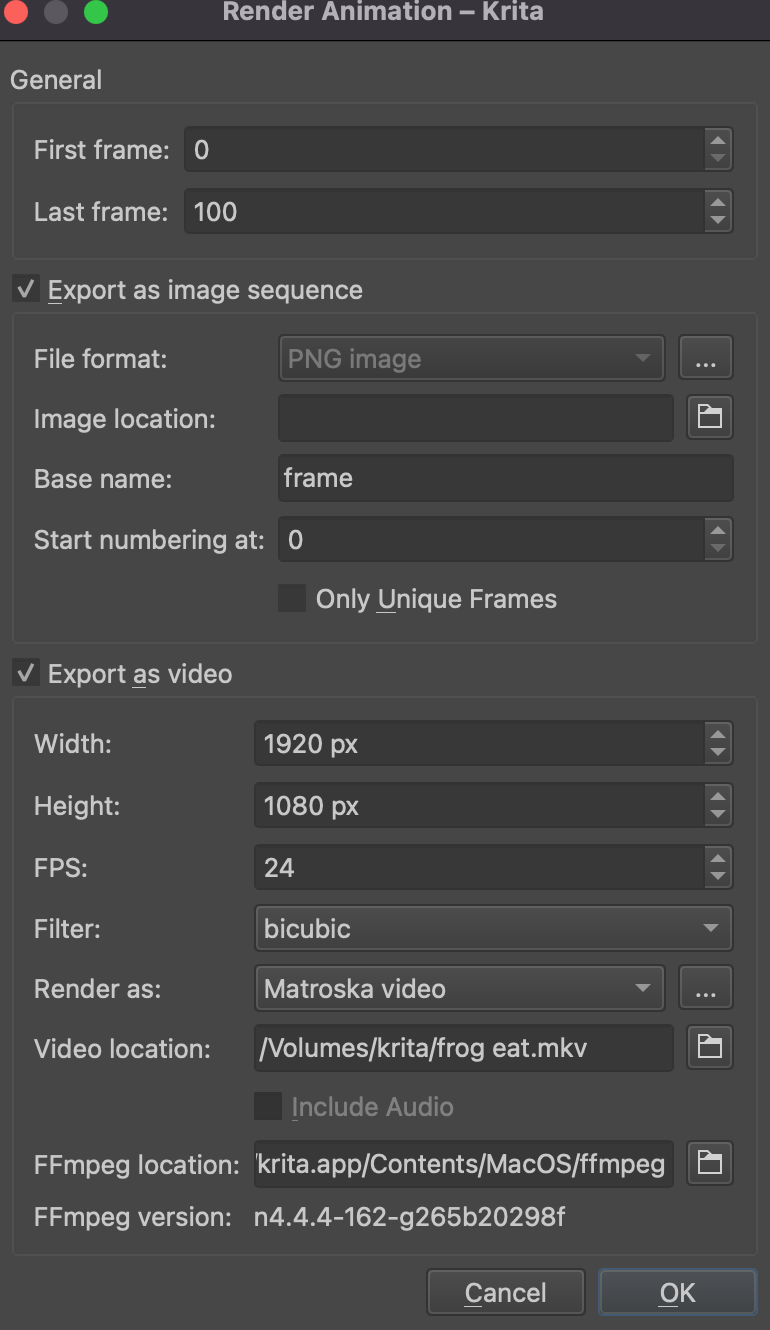
Thank you for the screenshots!
During your first attempt to render, the individual images of your video were probably exported to an unknown path, despite the path not being specified, because you did not uncheck the ‘Export as image sequence’ box. Now, during the second (third, fourth?) rendering, Krita wants to save the individual images of the sequence into the folder that already contains those from the first run. At least that’s what it looks like. Have a look in the folder in which you save the video to see if you can find the individual images there, and if they are not there, then have your Finder search for ‘frame0000.png’ across the entire hard drive and look at the images found. They should be the images of your animation.
Michelist
Dear @Michelist,
Thank you so much for your help! I had uncheck the “Export as image sequence” box. Now I was able to post my animations in this forum. Thank you for everybody’s help.
Dime