Nothing to complain, just want to share some experiment.
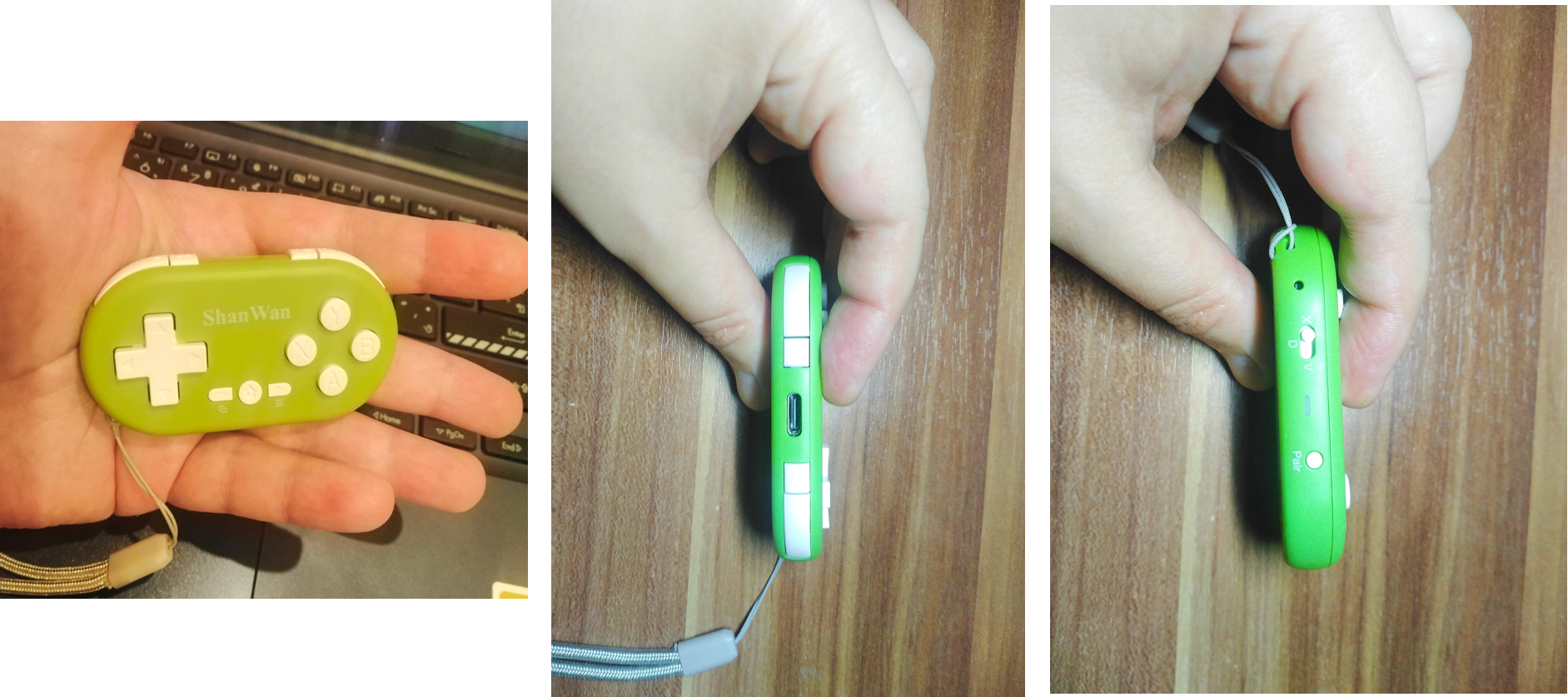
Bought clone of 8bitDo Micro. Shanwan Q36. Used it with Krita on Xiaomi Pad7. It cost me less than $4 and works with Keymapper pretty nice after some tuning but there’s some limitations.
ctrl, shift and alt don’t work correctly, you need to reassign these shortcuts as much as possible.
Keymapper doesn’t see R2 and L2. It’s a pity but not very painful, i’m only using 9 of 12 working keys now. You also can assign double press, long press or sequence to different actions.
Original 8bitDo have a special app instead of Keymapper. Wonder if ctrl-alt-shift works here.
In principle a cool thing, by the way, one we already have topics about with different directions, and because your topic being so undefined or unfinished, you say: “Hey, look this is possible!”, but don’t describe in detail how, I’m in trouble to say where it really belongs to, since Develop is the absolutely wrong category. As well as your second choice About the Artists Feedback & Testing category, which is meant for:
In this section you can call for artists to test your feature in development or get feedback on existing feature. Artists can also initiate feedback posts on existing features.
But okay, let us move it into Hardware Advice, which, with its description, comes at least near to your topic, because of being so incomplete it does also not fit into resources:
Earlier we had a hardware advice sub category in the Support and Advice category, but it became redundant and got merged in to other sub categories.But I think we need a dedicated place for people to ask about hardware. Since it is not regarding krita #lounge would be best for it.
So please use this category to ask about hardware and other stuff.
And for the future, as an aid to decide where to post, we have category descriptions, please try to use them as a support for your decisions where to post. I’ll add my template to decide this below:
You posted this in a wrong category, and that whereat it is usually is simple to distinguish the right categories like you can find in the template I once wrote about choosing the right categories:
To choose the right categories, every main category has a short description what its dedication is, and additionally you will find a description in every category, these are named after the following scheme: About the XYZ category, for instance, About the Development news category, which will help you to reduce the amount of maintenance work needed to keep this forum tidy.
Your code is your artwork. Want to help Krita developers improve Krita. Post here to discuss the features and improvements. Gather feedback from fellow devs and the artists. Collecting use cases and feedback helps a lot in development.
Please obey this for your new future topics. Thank you!
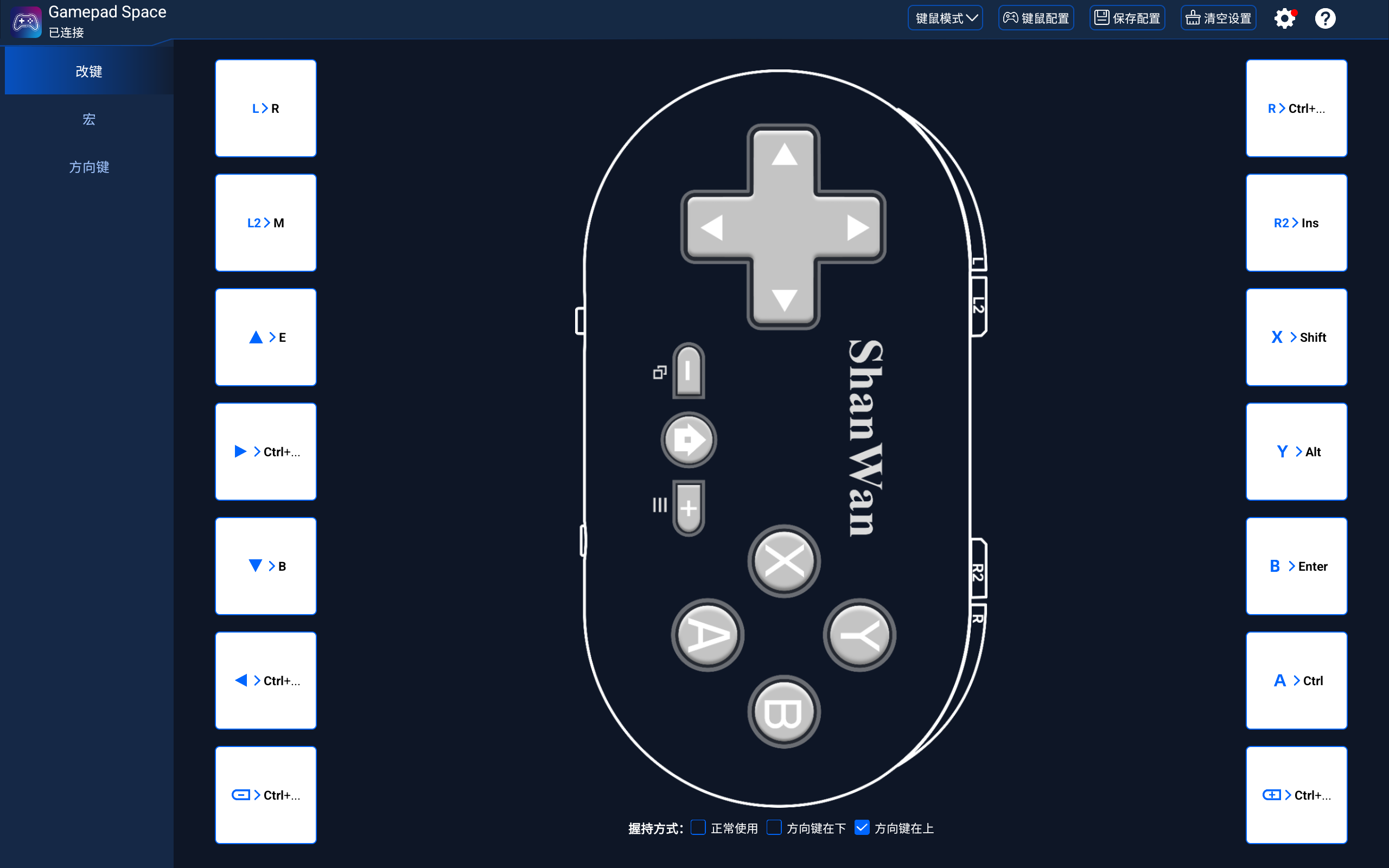
The software provided by this brand for setting up key mapping for the keyboard and mouse does not have a PC version.
After setting up the keyboard and mouse mapping and saving it in the mini controller (q36xkv), it can be used on different systems (Android, Linux, Windows).
Additional note: I haven’t tested it on a Mac. (Because I don’t have a Mac.)
The only downside is that it is slightly more expensive than models that don’t support keyboard and mouse mapping.
In addition, you may need to adjust the input method settings on Android in order to use it without interference.