This script has been made easier to use.You can run it from the scripter.
from krita import *

def find_toolDocker():
    application = Krita.instance()
    qdock = next((w for w in application.dockers() if w.objectName() == 'sharedtooldocker'), None)
    toolDock = qdock.findChild(QWidget,'KisToolSelectContiguousoption widget')
    return toolDock

def find_current_canvas():
    application = Krita.instance()
    q_window = application.activeWindow().qwindow()
    q_stacked_widget = q_window.centralWidget()
    canvas = q_stacked_widget.findChild(QOpenGLWidget)
    return canvas

def find_toolBox():
    application = Krita.instance()
    toolBox = next((w for w in application.dockers() if w.objectName() == 'ToolBox'), None)
    return toolBox

class GapClosing:
    def __init__(self):

        self.canvas = gapCloser.canvas
        self.pos = gapCloser.pos
        self.wobj = gapCloser.toolDock
        self.closerNode = gapCloser.closerNode.duplicate()

        self.ready()

    def ready(self):
        self.application = Krita.instance()
        self.activeDoc = self.application.activeDocument()
        self.activeLayer = self.activeDoc.activeNode()

        self.lineSe = None
        self.compSe = None
        self.preSe = self.activeDoc.selection()

        self.application.action('deselect').trigger()

        posF = QPointF(self.canvas.mapFromGlobal(self.pos))
        self.mouse_press = QMouseEvent(
                QEvent.MouseButtonPress,
                posF,
                Qt.LeftButton,
                Qt.LeftButton,
                Qt.NoModifier)
        self.mouse_release = QMouseEvent(
                QEvent.MouseButtonRelease,
                posF,
                Qt.LeftButton,
                Qt.LeftButton,
                Qt.NoModifier)

        # 選択のパラメータに対応
        self.buttons = self.wobj.findChildren(QToolButton)
        boxs = self.wobj.findChildren(QSpinBox)# 拡大とフェザリングの入力ボックス

        # 選択のモードのボタン入力
        n = 2
        while n < 7:
            if self.buttons[n].isChecked():
                num = n
            n += 1
        self.controlMode = num #選択のモード
        self.buttons[2].setChecked(True)# 「置換」モードにする

        # スピンボックスの入力
        self.box_grow = boxs[0]
        self.box_feather = boxs[1]

        self.box_grow_v = self.box_grow.value()# 起動前の数値を記憶
        self.box_feather_v = self.box_feather.value()

        self.box_grow.setValue(0)# いったん初期値にして動かす
        self.box_feather.setValue(0)

        self.activeDoc.rootNode().addChildNode(self.closerNode, None)#topNode指定は不要

        self.clipFillColor()#クリップボードに赤色を記録

        if gapCloser.flag_slow == 0:
            self.runAll()
        elif gapCloser.flag_slow == 1:
            self.runAll_slow()

    def click_canvas(self):# posがクリック位置の引数
        QApplication.sendEvent(self.canvas, self.mouse_press)
        QApplication.sendEvent(self.canvas, self.mouse_release)

    def clipFillColor(self):
        image = QImage(self.activeDoc.width(), self.activeDoc.height(), QImage.Format_ARGB32)
        image.fill(Qt.red)
        QApplication.clipboard().setImage(image)

    def makeSelection(self):

        self.lineSe = self.activeDoc.selection()#原始範囲 #自動選択クリック後の範囲
        self.application.action('deselect').trigger()#掃除

        self.lineSe.invert()# ここで線画の選択になる

        borderSe = self.lineSe.duplicate()### 線画の境界線を選択する
        borderSe.border(1,1)# えぐりだした線

        # 溜まり1
        gapSe = borderSe.duplicate()
        gapSe.grow(5,5)
        gapSe.shrink(5,5,True)
        gapSe.grow(1,1)
        gapSe.border(1,1)

        # 溜まり2
        needleSe = borderSe.duplicate()
        needleSe.grow(5,5)
        needleSe.subtract(borderSe)
        needleSe.shrink(3,3,True)
        needleSe.grow(2,2)### 前は(1,1)だった

        # 破れ枠
        gapSe.subtract(needleSe)#穴があく
        gapSe.paste(self.closerNode, 0, 0)#クローザー設置

    def expand(self):
        def parameter(selection):
            # 選択の拡張
            if self.box_grow_v > 0:
                selection.grow(self.box_grow_v, self.box_grow_v)
            elif self.box_grow_v < 0:
                selection.shrink(abs(self.box_grow_v), abs(self.box_grow_v), True)

            # 塗り拡げ(フェザリング)
            if self.box_feather_v > 0:
                selection.feather(self.box_feather_v)

            return selection

        self.closerNode.remove()


        se = self.activeDoc.selection()

        for i in range(3):## 2~4?
            se.grow(1,1)
            se.subtract(self.lineSe)

        self.compSe = parameter(se)

    def mixSelection(self):
        if self.preSe:# 前の選択範囲が存在するのなら
            if self.controlMode == 2:
                self.preSe = self.compSe
            elif self.controlMode == 3:
                self.preSe.intersect(self.compSe)
            elif self.controlMode == 4:
                self.preSe.add(self.compSe)
            elif self.controlMode == 5:
                self.preSe.subtract(self.compSe)
            elif self.controlMode == 6:
                self.preSe.symmetricdifference(self.compSe)

            self.compSe = self.preSe

        self.activeDoc.setSelection(self.compSe)

    def afterCare(self):
        self.buttons[self.controlMode].setChecked(True)#選択モードを元に戻す
        self.box_grow.setValue(self.box_grow_v)
        self.box_feather.setValue(self.box_feather_v)

        self.activeDoc.setActiveNode(self.activeLayer)#前のアクティブに戻る

        # self.application.action('fill_selection_foreground_color').trigger()###
        self.application.action('invert_selection').trigger()#アリの行進
        self.application.action('invert_selection').trigger()#更新が表示されない?

    def runAll(self):
        self.click_canvas()
        self.activeDoc.waitForDone()###

        if self.activeDoc.selection():
            self.makeSelection()

            self.click_canvas()
            self.activeDoc.waitForDone()##

            if self.activeDoc.selection():

                self.closerNode.remove()

                self.expand()
                self.activeDoc.waitForDone()###
                self.mixSelection()

        self.activeDoc.waitForDone()
        # self.afterCare()
        QTimer.singleShot(100, self.afterCare)

    def settingTimer(self, ms, func):
        timer = QTimer()
        timer.setInterval(ms)
        timer.setSingleShot(True)
        timer.timeout.connect(func)
        return timer

    def runAll_slow(self):
        self.timer0 = self.settingTimer(50, self.click_canvas)
        self.timer1 = self.settingTimer(800, self.makeSelection)
        self.timer2 = self.settingTimer(1000, self.click_canvas)
        self.timer3 = self.settingTimer(1800, self.expand)
        self.timer4 = self.settingTimer(2000, self.mixSelection)
        self.timer5 = self.settingTimer(2200, self.afterCare)

        def run():
            self.timer0.start()
            self.timer1.start()
            self.timer2.start()
            self.timer3.start()
            self.timer4.start()
            self.timer5.start()
        run()

class GapCloseSelect(QObject):
    def __init__(self, parent=None):
        super().__init__(parent)

        def new():
            QTimer.singleShot(2500, self.getReady)

        appNotifier = Application.instance().notifier()
        appNotifier.setActive(True)
        appNotifier.imageCreated.connect(new)

        if Krita.instance().activeDocument():
            self.getReady()

    def setup(self):
        pass

    def getReady(self):
        self.application = Krita.instance()
        self.activeDoc = self.application.activeDocument()

        self.canvas = find_current_canvas()
        self.pos = None
        self.closerNode = self.makeCloserNode()
        self.closeObj = None

        self.makeCheckBox()
        self.addCheckBox()

    def makeCloserNode(self):
        closerNode = self.activeDoc.createNode("closerNode", "paintlayer")
        closerNode.setBlendingMode("not_converse")#否定逆論理
        return closerNode

    def makeCheckBox(self):
        self.checkBox = QCheckBox("GapClose")
        self.checkBox.setCheckable(True)#トグルの場合
        self.checkBox.toggled.connect(self.eventCheck)
        self.checkBox.setChecked(True)
        self.flag = 0

        self.checkBox_slow = QCheckBox("slowly")
        self.checkBox_slow.setCheckable(True)#トグルの場合
        self.checkBox_slow.toggled.connect(self.slowCheck)
        self.checkBox_slow.setChecked(False)
        self.flag_slow = 0

    def addCheckBox(self):

        toolBox = find_toolBox()

        toolButtonGroup = toolBox.findChild(QButtonGroup)
        for button in toolButtonGroup.buttons():
            if button.isChecked():
                activeToolButton = button# もとのツール

        # 連続選択ツールを持つ
        self.seConButton = toolBox.findChild(QToolButton,'KisToolSelectContiguous')
        self.seConButton.click()

        # 連続選択ツールドッカーのレイアウトにパーツを追加
        self.toolDock = find_toolDocker()
        layout = self.toolDock.layout()
        layout.addWidget(self.checkBox)
        layout.addWidget(self.checkBox_slow)

        # 元のツールに持ち替える
        activeToolButton.click()###

    def eventCheck(self, checked):
        if checked:#Trueの場合
            self.flag = 0
            self.hook_event()
        else:
            self.release_event()

    def slowCheck(self, checked):
        if checked:#Trueの場合
            self.flag_slow = 1
        else:
            self.flag_slow = 0

    def eventFilter(self, obj, event):
        def resetFlag():
            self.flag = 0

        def selectAction():
            self.closeObj = GapClosing()

        if isinstance(obj, QOpenGLWidget):
            if self.seConButton.isChecked():# 連続選択ツールを持っているか

                if event.type() == QEvent.KeyPress:## キー(すべて)押下中は起動しない
                    if event.isAutoRepeat():
                        self.flag = 2
                    return False
                elif event.type() == QEvent.KeyRelease:## キー(すべて)押下中は起動しない
                    self.flag = 0
                    return False

                if event.type() == QEvent.MouseButtonPress:
                    if self.flag == 0:
                        self.pos = QCursor.pos()
                        return True
                    else:
                        return False

                elif event.type() == QEvent.MouseButtonRelease:

                    if self.flag == 0:

                        self.flag = 1
                        QTimer.singleShot(250, selectAction)

                        if self.flag_slow == 0:
                            QTimer.singleShot(1200, resetFlag)
                        else:
                            QTimer.singleShot(2300, resetFlag)

                        return True
                    elif self.flag == 2:
                        return True
                    else:
                        return False

                elif event.type() == QEvent.TabletPress:
                    if self.flag == 0:
                        return True
                    else:
                        return False

                elif event.type() == QEvent.TabletRelease:
                    if self.flag == 0:
                        return True
                    else:
                        return False

                elif event.type() == QEvent.MouseButtonDblClick:
                    if self.flag == 0:
                        return True
                    else:
                        return False
                else:
                    return False
            else:
                return False
        else:
            return False

    def hook_event(self):
        qApp.installEventFilter(self)

    def release_event(self):
        qApp.removeEventFilter(self)

    def closeEvent(self, event):
        self.release_event()
        if self.closeObj:
            del self.closeObj

gapCloser =  GapCloseSelect()
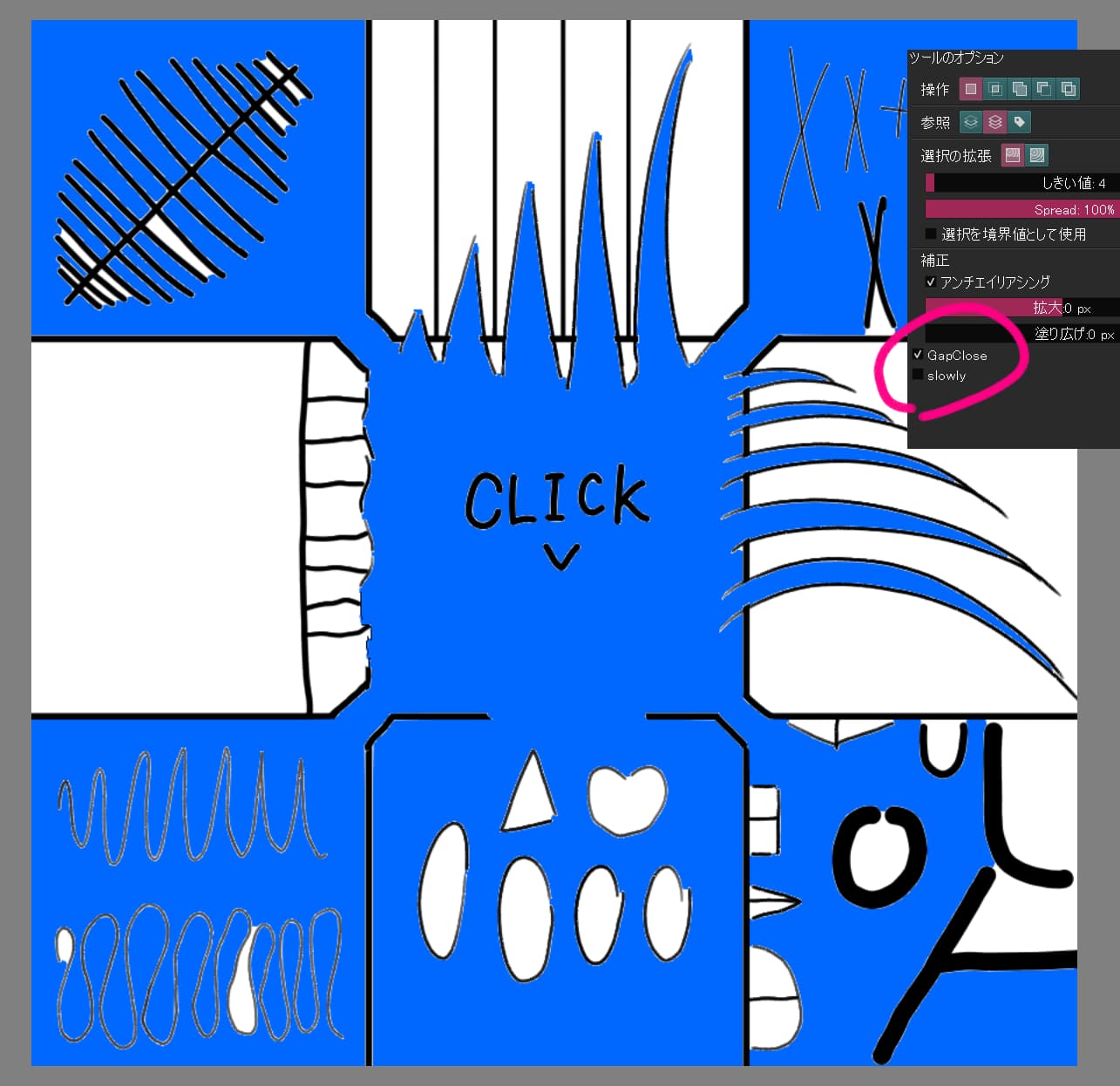
After running this script, the “gapClose” and “slowly” checkboxes should be added to the tool options of the contiguous selection tool.
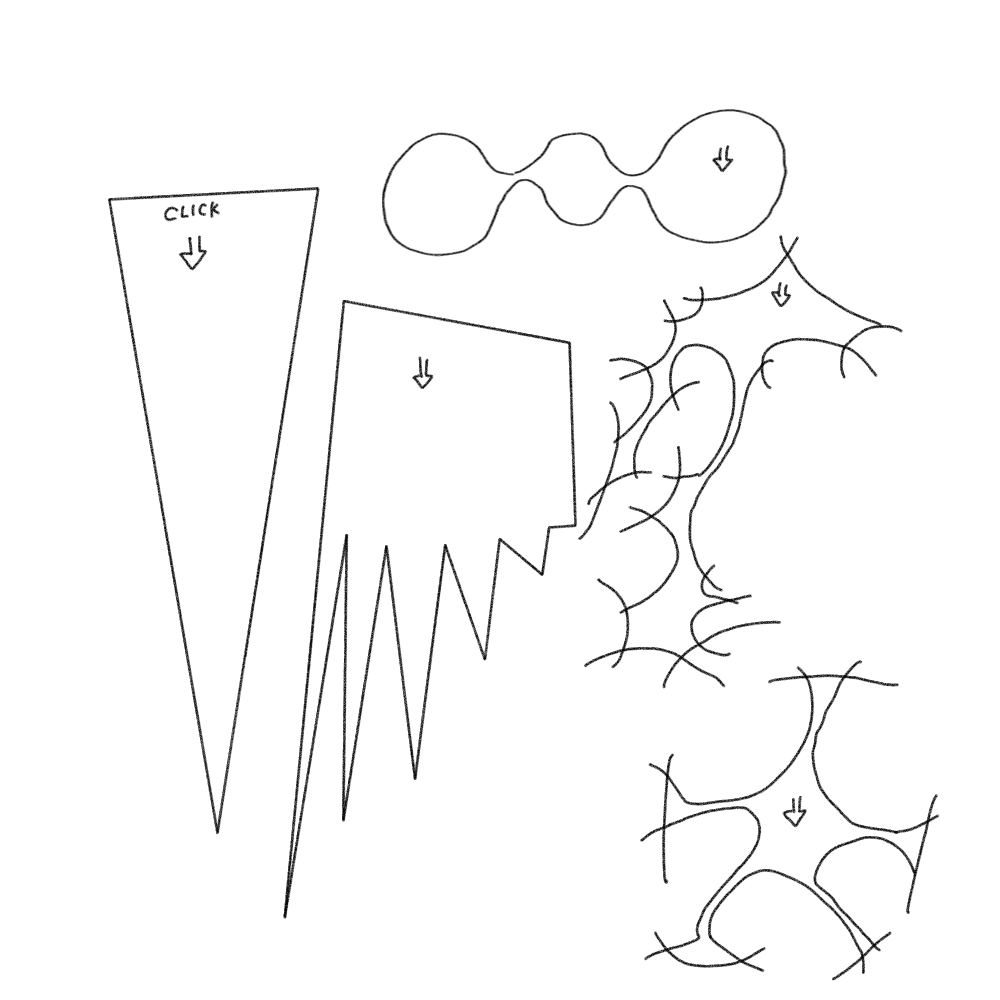
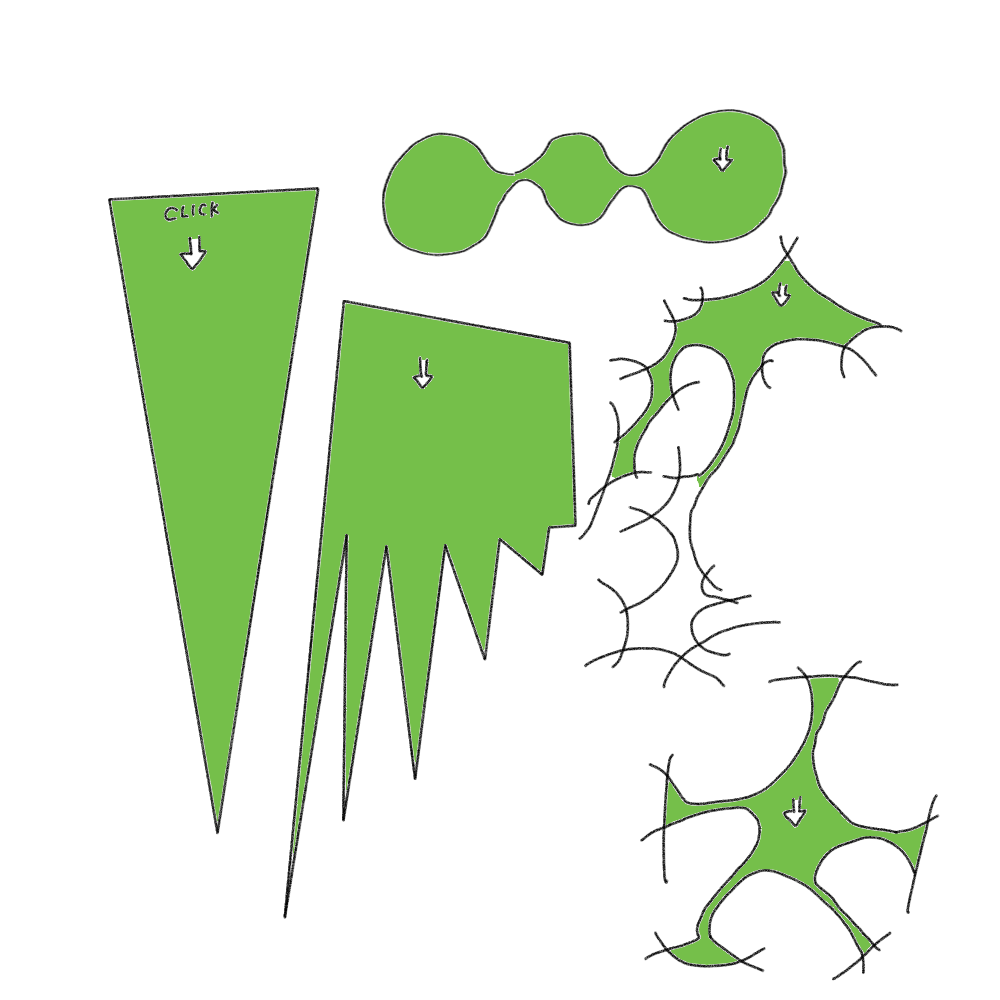
If you click and release the canvas with these checkboxes on, a continuous selection with closed gaps will be made.
If you are having trouble making a good selection, checking “slowly” and executing it slowly may help.
If a bug in Krita prevents the selection from showing up, you may need to update the screen by adding a new layer.
Conflicts with other plug-ins may disrupt the operation.
Other operations, such as clicking repeatedly before the scripted selection is finished, may break the operation.
Current functional issues include…
- Selection cannot be made on a single layer
- Shift + click to change selection mode is not supported.
- Gap size cannot be adjusted (this may be fixed in the future)
The script is unstable, to say the least, because it works in a way that hacks the Krita UI. At the same time, I am a novice in coding, so I am often unable to fix bugs when they appear. If you find a problem, I would appreciate it if you could tell me how to fix it with specific code. It is difficult for me to understand just the sentence, “You can fix it by doing A to B.” Of course, the bug report itself will help.
If it doesn’t cause any noticeable problems, I’ll make it into a Krita plugin and distribute it. I may not have to, though, since there are so few reports of this script being used in the first place.
Incidentally, I modified it a bit by changing the timing of erasing closerNode, so the selection is a bit more precise than the code shown above.

(Corrected ”viewCreated” to ”imageCreated” in the script)