Brand new to this entire world. I’m working on Christmas gifts and want to type and/or write in the program and gradient the colors of the word. Example: Merry Christmas that goes from red to green color across all the letters.
Gradients can be applied to Vector Shapes.
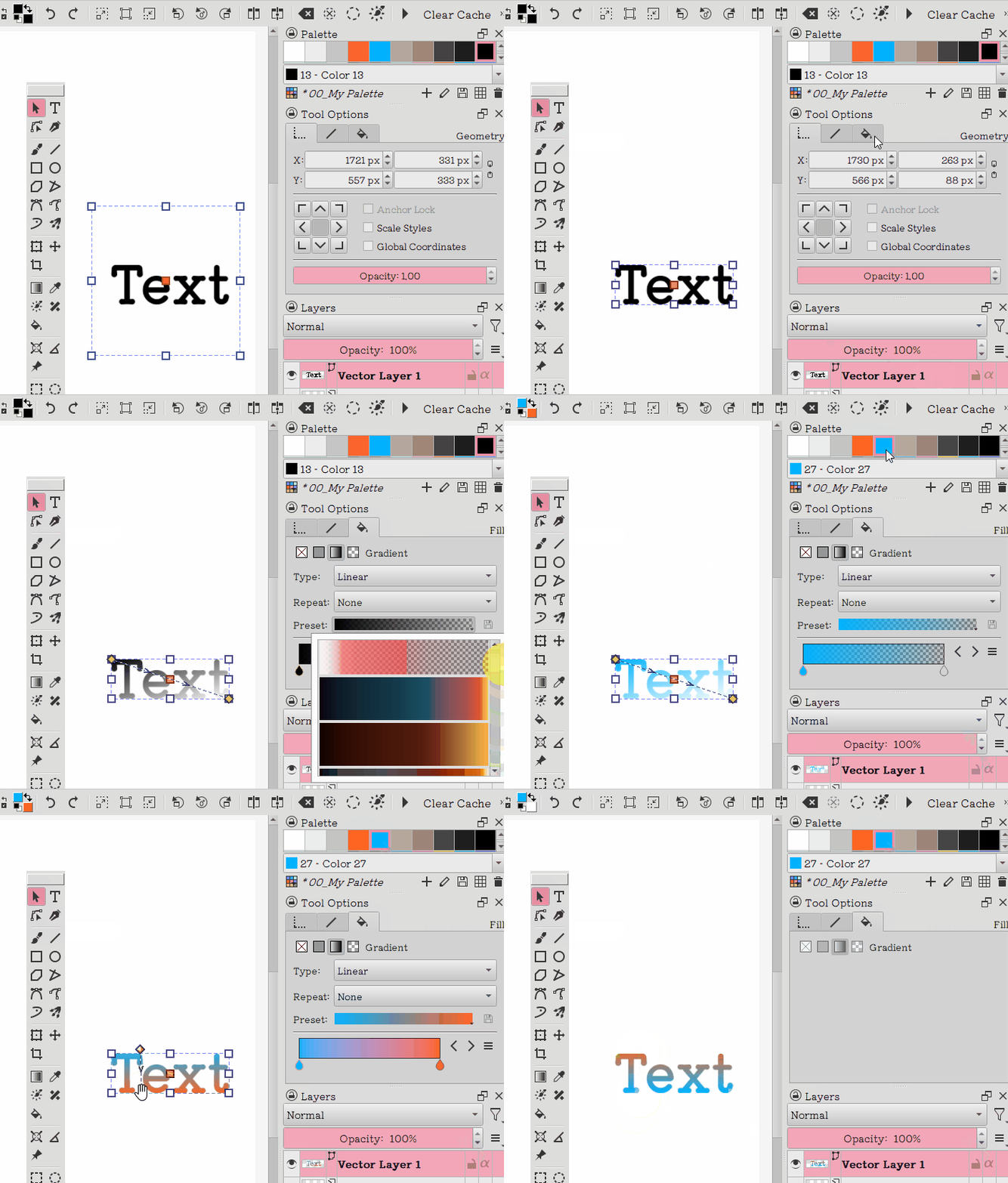
To apply gradient you need to convert the shape to a path first (Edit Shapes Tool → right click and Convert To path).
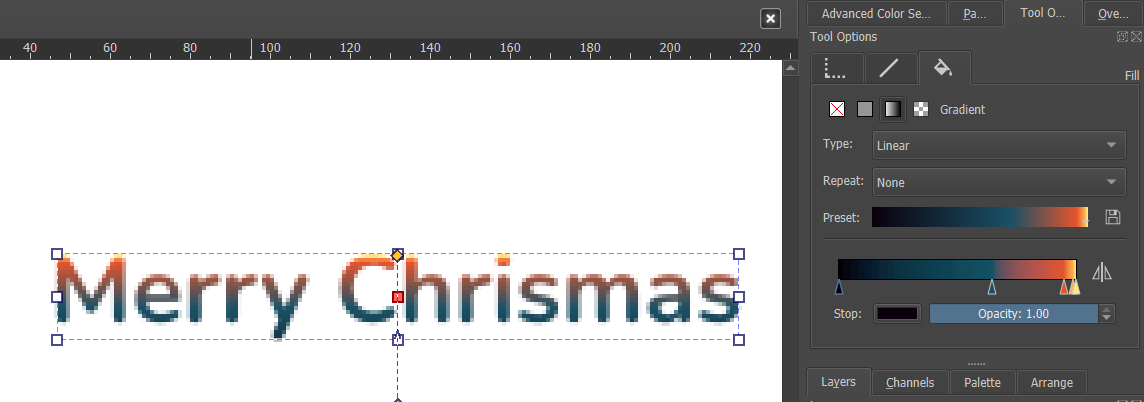
Then Select the shape and apply gradient on Tool Options
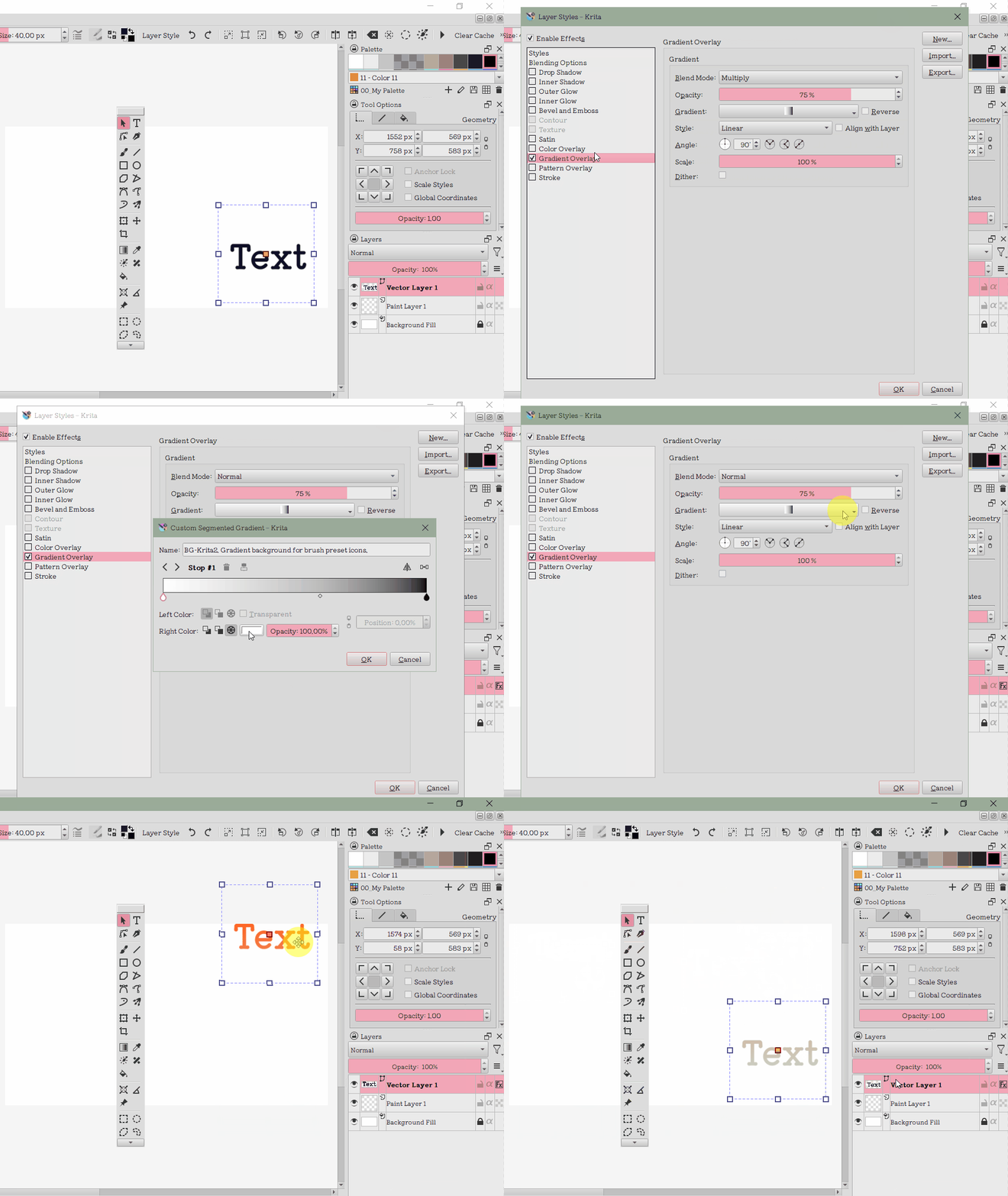
If you don’t want it on the text directly, you can also do it on an extra layer and leave the text unchanged. Just make a new layer above the text layer and make sure they are in a folder together. Click the small alpha icon right to the new layer. Then you can put a gradient on it, draw on it or whatever you like and it will just be within the text.
The alpha says the layer only draws on not transparent pixels underneath, which is the text layer in this case. So you can also add a drawing layer between text and gradient, to add some decor to your text by hand or whatever you like. You can also still change the text if you like. It will still be within the gradient.
Only disadvantage is that you need to fit the gradient manually. But it also gives you more control.
You can do it with as much layers as you wish and with anything you like, not just text. Just make sure the alpha layers always are on top of the non alpha layers. On the alphas you draw the color, on the non alphas you draw the shape.