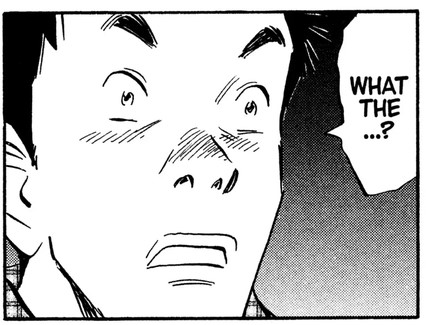
Hi! I’ve been wanting to create a background similar to the one in this panel, but I’m at a loss of how I can do so. Simply using a texture brush doesn’t replicate the gradient effect I need for this. Thus, I wanted to ask if there’s any way of making a color gradient that also comes with a tone effect? (Exp: A gradient of the “y) Screentone Pressure” default brush)
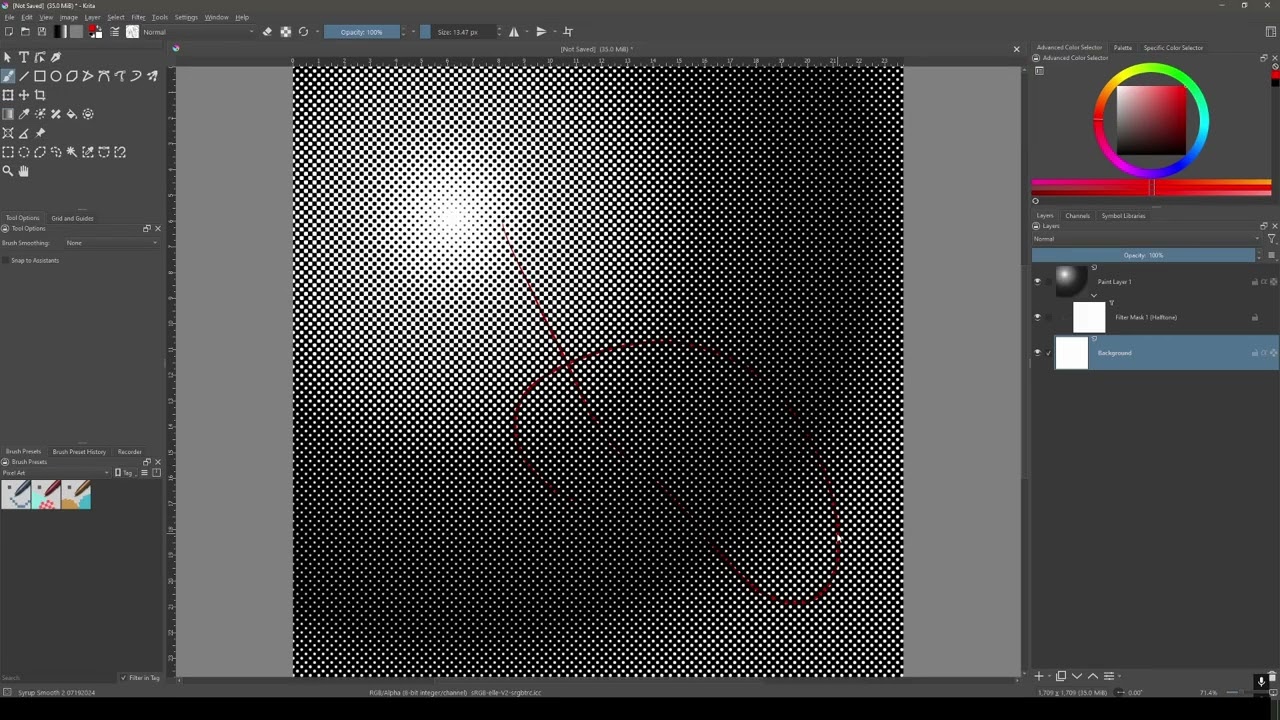
I’d recommend using Filter Mask or Filter layers for this. How you approach this will differ depending on which option you choose, and your choice of which to use may come down to the effect you wish to have.
I have a tutorial on YouTube, on how to create a Gradient Halftone here:
Hi @Ponteiim
Please add an artist credit to the image you shared. If it’s your work, please state that.
https://krita-artists.org/guidelines
Post Only Your Own Stuff
You may not post anything that belongs to someone else without permission. The exception is reference images, in which case every attempt should be made to credit the artist or photographer by name.
Thank you (and sorry), I will! I’ll add it as a reply
This is a panel from the manga 20th Century Boys, written and illustrated by Naoki Urasawa