Hi guys, I promised some of you a little tutorial on how I go from grayscale to color.
Note: the better your understanding of values, the better your result will be.
I went with something quite simple. But this methode can be applied on a large scale image aswell.
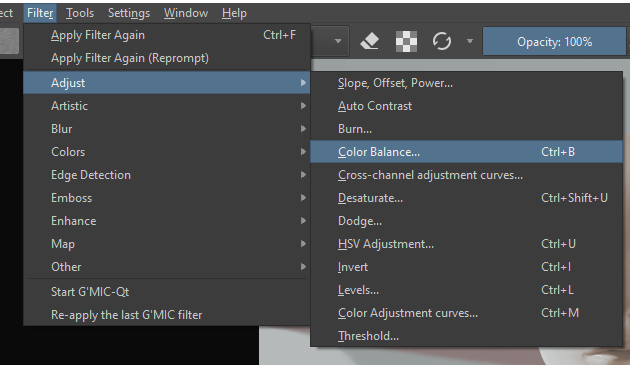
2- give your image an overall mood using color balance ( I suggest you have your elements on different layers, characters,background etc). Normally the overall mood will be the temperature of the image. A scene in a desert will give you something more redish/orangy.
3-above my image, i’ll make a clipping group. set that group to overlay. And within that group, I’ll just paint in the colors of the various materials and light.
occasionally i like to add a layer above all that, set to saturation. helps to bring out certain elements more. like the lips or the ear with subsurface scatering.
took me about 5 minutes ( excluding the grayscale painting) but I think It is possible to get an even better result if you spend some time testing and playing around with colors. and from here you can continue painting over or not. It’s up to you.
Hope this was helpful. feel free to ask me any questions If you need more details.
Thanks for the link, I was interested in this technique just to make sure I’m not missing something cool. I experimented with it a bit and I can see it working, although I have a feeling that for me personally starting with color right away may be easier still
I’m wondering though, in step 3, should it really be ‘overlay’ blending? I find it very unpredictable if the base value is not 50% gray. I had a much better experience with ‘color’ blending mode. I did the following experiment – taken a full color picture, turned half of it grayscale, and then tried to recreate the original colors.
I think the main challenge with this method is having a good intuition for values. It’s like the options you have when converting to grayscale. There are a few mapping methods that greatly affect the value of desaturated colors. So you kind of have to get it right while painting your grayscale version.
Yeah you are right, it takes a good understanding of values and colors to pull this off. The reason I use overlay, although color works pretty well, is because it gives me more freedom when it comes to layering colors on top of each other which is not possible when using color blending mode. If my image has a reddish mood to it, every color I overlay on top will get that reddish look to it, which is not the case with the color blending mode. But again, I never render my image 100% in gray-scale. I still paint over it after adding CV lors, otherwise it looks unnatural.