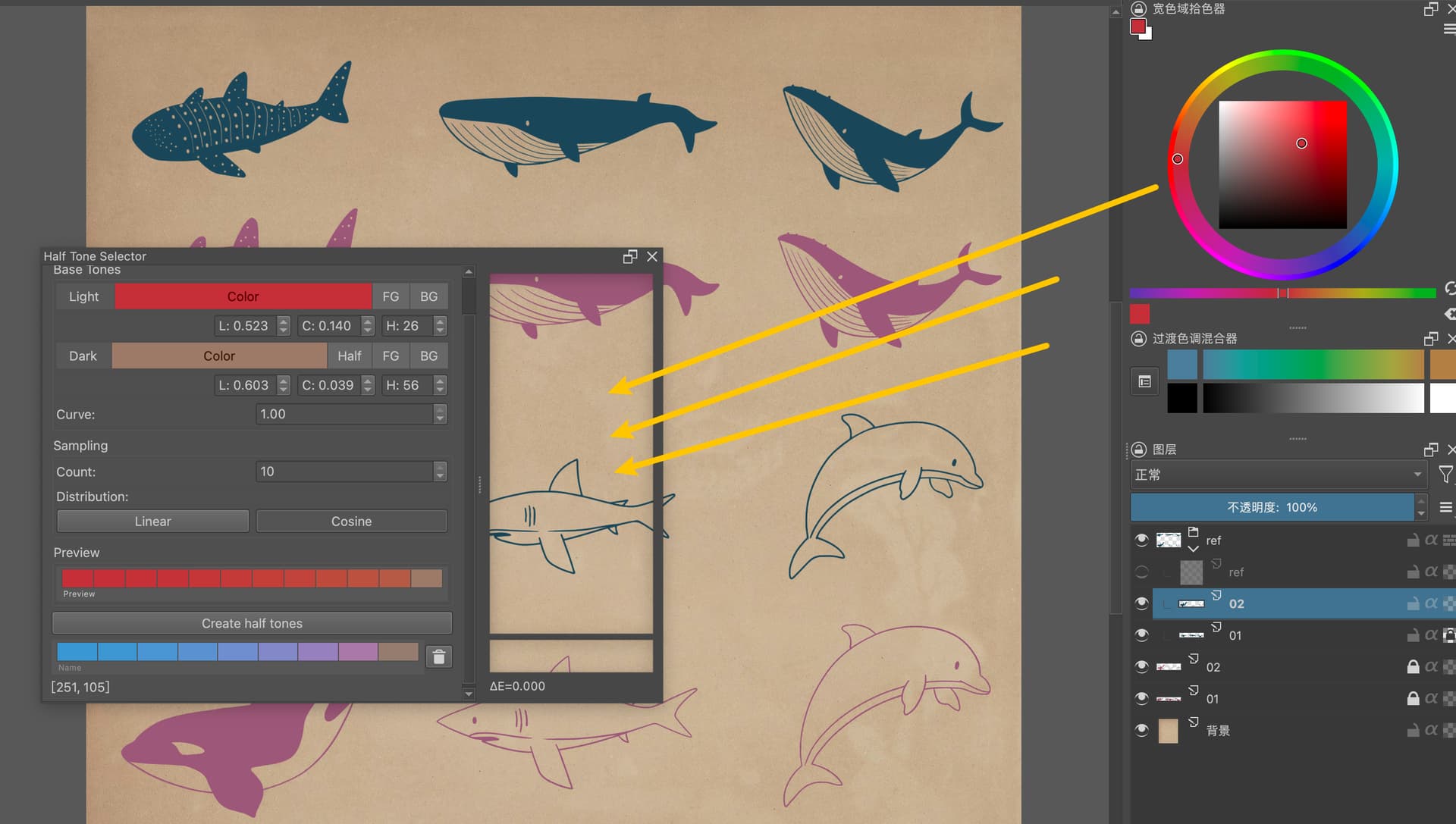
Half Tone Selector Plugin for Painting

Blockquote Inverse square is complicated since the curve depends on the distance from the light source. The question is how to make it intuitive for artists and how they might use it in tandem with cosine.

I use this used in photography too

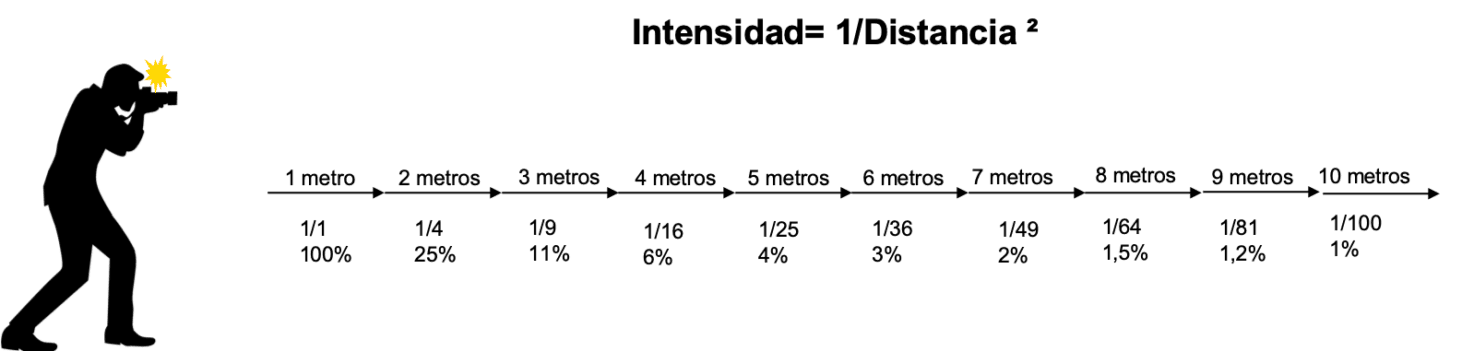
Intensity = 1/Distance^2
My way of applying this is by reducing the opacity according to the percentages of the distance
And I don’t get that complicated and what I do is after one meter take into account the opacity, nothing more.

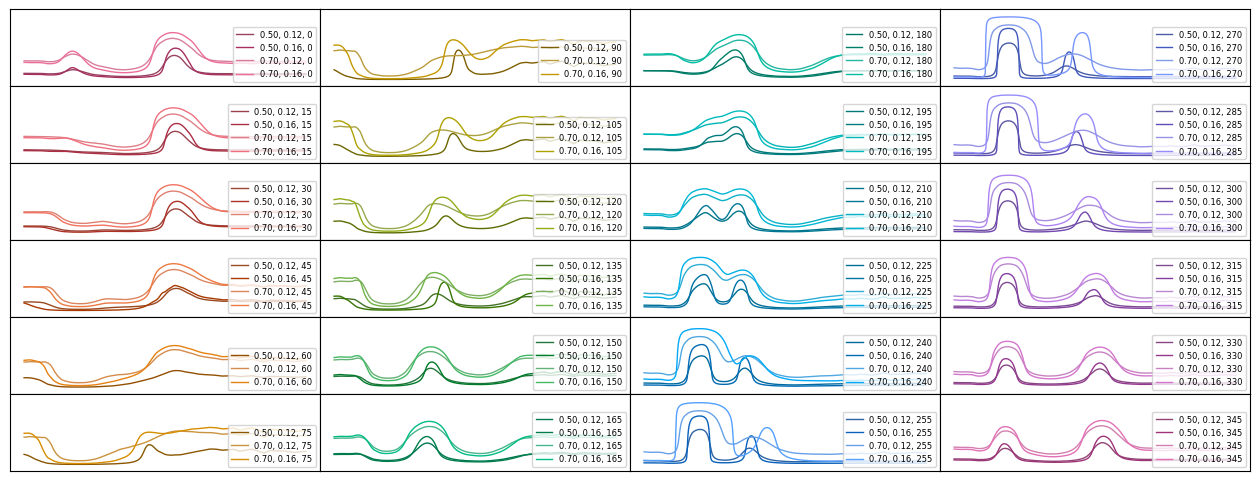
Blockquote One example is lighting a plane from a point source. Y-axis is lightness relative to the brightest point of the plane. X-axis is the distance on the plane from the brightest point. Inverse square is more influential than cosine in this case. The falloff is quick and is even more extreme the closer the light source.

That’s because the cosine law applies to Lambertian surfaces (ideal surfaces that are only affected by the angle of incidence of light) and does not take into account either the intensity of the light or its distance.

The truth is that I don’t know what you wanted to see with the graphs you made because I can’t tell you which curve is the closest to reality.

To implement this, what I had thought (and it is what I do manually) is to reduce the opacity according to the distance in meters, and unless you are in a dark room you will not see the light itself from the source but only the object that receives it, which is what matters, and it is what the plugin was already doing but with only the distance of one meter.

In summary, add a parameter called “light distance in meters” and by default it is set to one meter with the law of cosines, and when it is further away like 2 or 3 meters etc., change the amount of mixing (which would be the equivalent of lowering the opacity) according to the inverse square law and maintaining the cosine law in the same way.

So that’s it, tell me what do you think c:

1 Like

It’s been awhile. :slight_smile:

Feature update

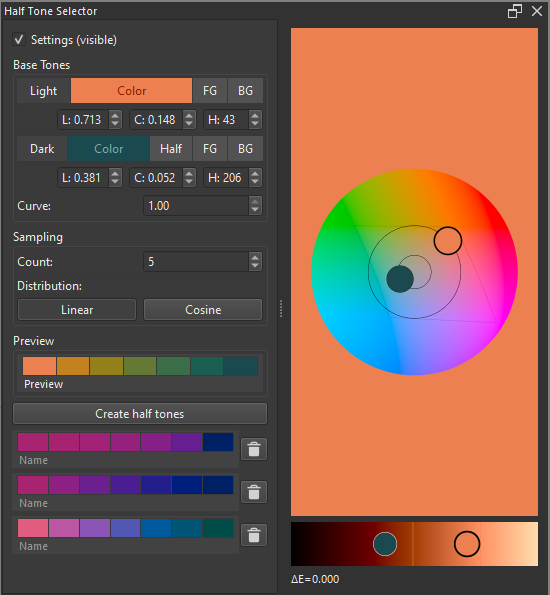
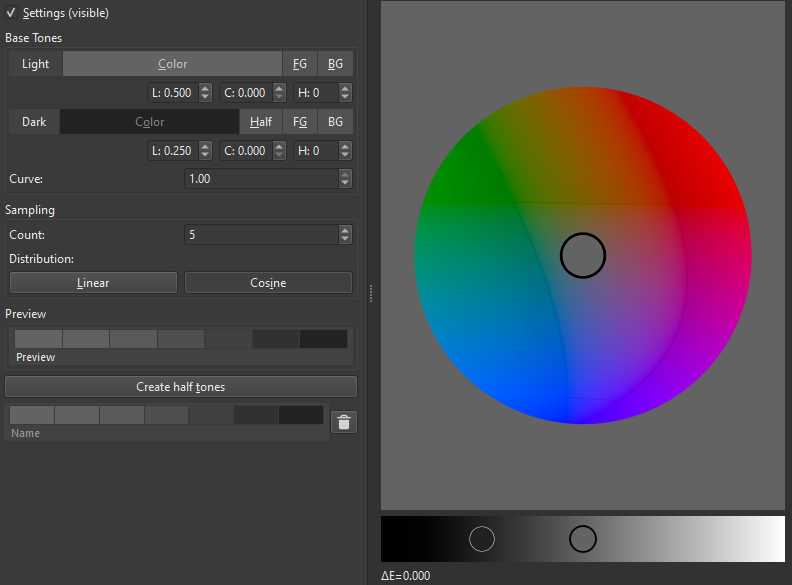
A visual color selector in the oklab color space has been added. It uses OpenGL.

Breaking changes:

Importing python plugin from file nukes the entire directory (<resource folder>/pykrita/half_tone_selector/). This is problematic since the data file is stored in that directory. I have updated the data file location from <resource folder>/pykrita/half_tone_selector/_data.json to <resource folder>/pykrita/half_tone_selector_data.json.

3 Likes

The color selector using oklab is a pretty good update. You have to get the hang of it because it’s not how other color pickers normally work, but it doesn’t seem complicated to learn

One thing I would like to tell you since you like all that stuff about color, I started researching things about color relativity and how light interacts with objects, in the end I ended up researching patterns by making different renders in a blender in different materials.

And I realized that it was very different from oklab, and very different from what comes by default also in drawing programs. Totally different rules in how some colors interact with others. I’ll give you an example that you won’t believe and then another with the oklab vs blender so you can see:


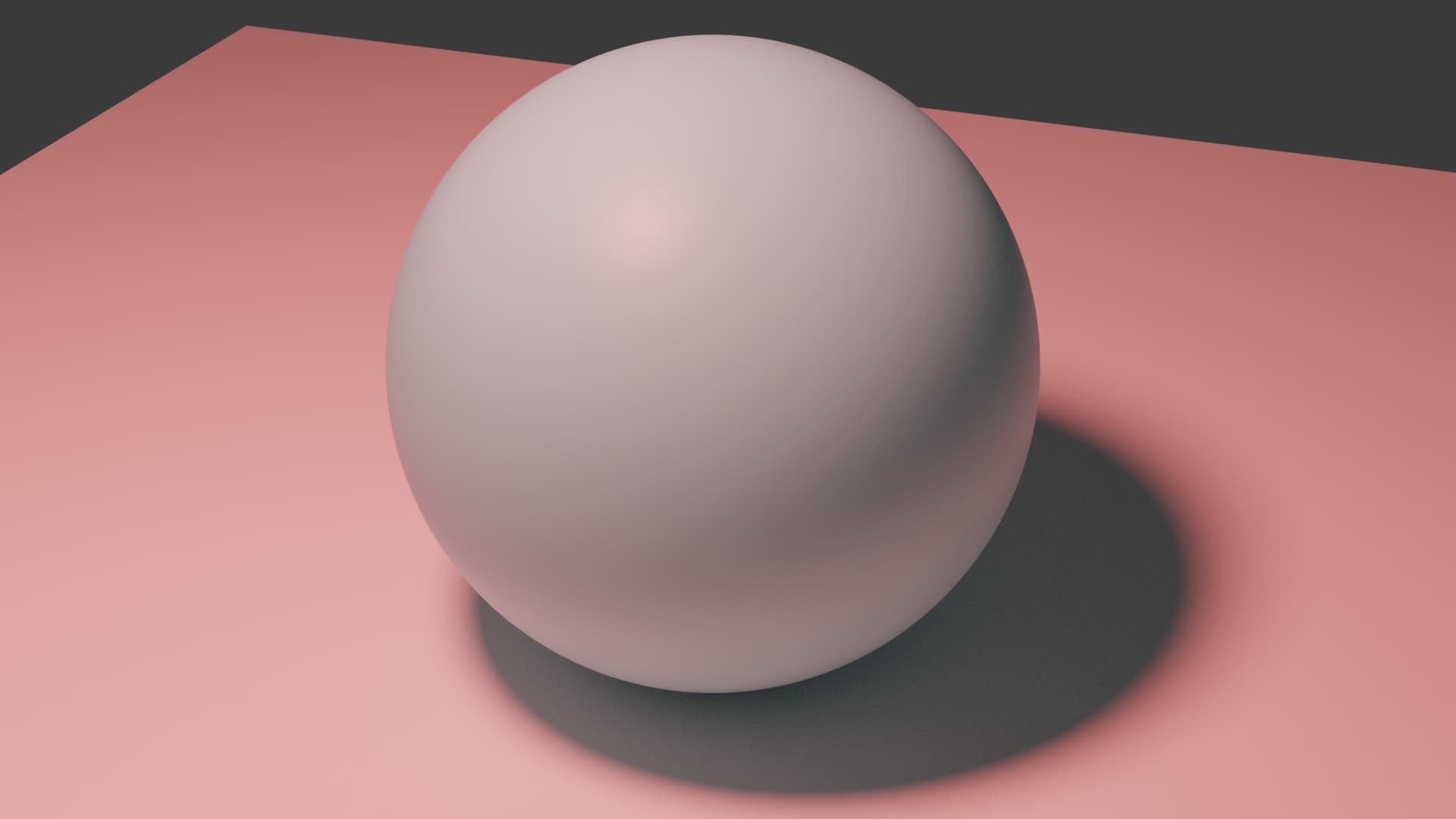
Cyan sphere, with red light illuminating it. It turns white because it is on opposite sides and is relatively light and not sharp in color. (if it were a purer cyan and a purer red light, the sphere would look black)

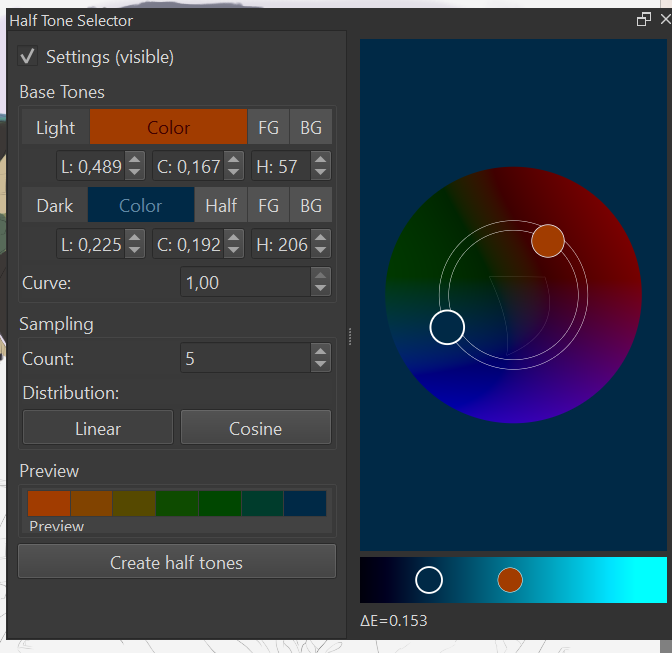
With this two colors Oklab vs blender render:

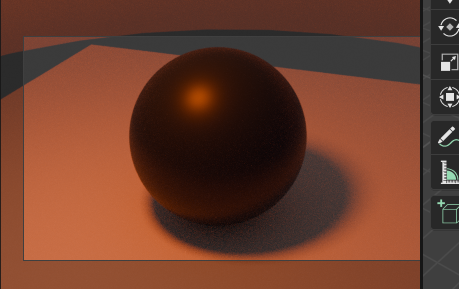
Render result:

I only show you this so that you can also see other perspectives of color, why color is so complex T_T

Yeah, it’s an interesting space. This paper https://arxiv.org/pdf/2306.11464 introduced me to metamerism. I’ve also been thinking about making the default xyz instead of oklab, since xyz is a closer physical representation.

I’m still trying to figure out a light weight model for spectral upsampling. I started with minimizers and am currently exploring neural nets. Here are some spectra generated using minimizers:

2 Likes

I don’t know Oklab but it definitely has an ambient light while your Blender setup has none, only the red light source. There’s no way a single red light will light up a cyan-ish sphere as white.

Besides the influence of ambient light you’ve got to consider the material too. A reflective material will look much darker than a diffuse for example.

That depends on the intensity, if the color of the object is not pure enough, and the light takes precedence over it, two things happen if they are opposite colors. It is seen only in the color of the light, or it is seen only in the original color of the object, but there is just a point where they cancel each other out. At least that is what I have concluded from studying the blender renders in simple light set ups.
Obviously I also take into account how reflective the object is and the ambient colors that surround it.

I read the abstract of the paper and it seems interesting. I’ll see if I’ll take a look at it later.
God damn, neural networs, that’s other lvl my man, if it creates a closer way to how color works, then welcome. You deserve a big applause for all these things you do.

By cancel do you mean that the light, not containing blue wavelength, will make the object look black because it’s absorbed? It’s correct. But it’ll never look white though unless both light and object are “impure” in their colors, the light having more than red, the object being of different hue.

Here’s what behind the difference in the Oklab:

Blender’s world acts as an ambient light. It’s gray by default, dark enough it doesn’t interfere too much, but of a much darker value than that other render with brighter ambient light.

The bright ambient light is making it red + white, not just red light, so it contains waves that can be reflected back to the viewer as blue or white depending on what color the object is – meaning what light color the object doesn’t absorb but reflects.

1 Like

Holly molly, I knew that ambient light had an influence, but not that it was that much. Now I understand more or less, then the oklab would be a real and pure abstraction of the mixture of two colors without external influence?

1 Like

Oklab lies in the perceptual space. It’s calibrated to our perception of color. There is some correlation between mixing colors in the perceptual space and mixing colors in the physical space, but they aren’t the same. In the physical space, we have light spectra (illuminant), reflectance spectra, and color matching functions (how our eyes respond to light). A lot of color spaces including oklab use a reference illuminant called a whitepoint to define the color white.

I’m not sure what you mean by “real and pure abstraction” and “without external influence”. Do you mean mixing like mixing paint or how color changes depending on the light (illuminant)?

The second one, (illuminant) . All this color stuff is pretty confusing :_:

Light is hard, and so are colors. Two useful rules of thumb:

  1. Colors are the wavelengths the object isn’t absorbing. You can see them because they’re either bouncing from the surface or entering it, bouncing a bit inside (subsurface scattering / translucency) and exiting to then reach your eyeballs.
  2. They’re additive. In some cases like that red light setup it looks homogeneous, but if you have multiple sources, small and at some distance, the resulting hue will shift. This is very useful when it comes to painting what our brains interpret as realistic lighting. A subtle hue shift just looks right.
    These sources can be actual sources or a mix with bounced light, or let’s say a lamp in an otherwise dim room competing with the ambient light streaking through an open window. They don’t need to come from concentrated emitters.

I also like studying materials in Blender btw. Save for Lambert’s cosine law everything I know is from observation and I owe a lot of it to Blender. What evn is doing is way above my paygrade – and fascinating!

2 Likes

How do I start making shadows using this?

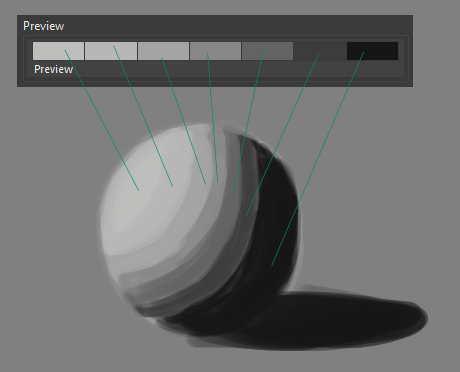
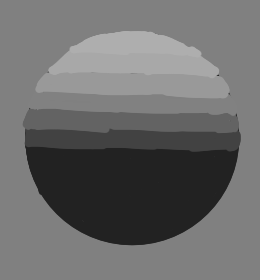
For shading, it’s generally a good idea to figure out the lightest and darkest values of each material. I select them in the BaseTones section. One of the tedious parts is eyeing out colors for half tones. Cosine evenly spaces out the half tones according to the angle of the light on the material. Interestingly, when a sphere is lit from above and viewed from the side, the half tones (cosine) are equally spaced.

image

Edit: I’m bad at math. But visualizing the top and profile view seems useful.
Edit2: The evenly spaced claim for cosine does apply in the XYZ and Linear RGB spaces but not the Oklab space.

I thought he put a light source over the drawing and then shaded it himself (like a gradient map does in coloring values). I didn’t know that it was all done manually.

Thanks for sharing your thoughts!

Yep, figuring out the shapes and which colors to apply to them is manual. Automatically lighting and shading a scene requires knowledge of the geometry of the scene. This is where 3d apps like Blender shine. Starting with 3d and finishing with 2d seems pretty common. Figuring out the geometry from line drawings or even photographs is highly underdetermined. Most state of the art processes use statistical methods (i.e., generative AI) to “guess” a geometry.

How would you implement that? It is something quite complex that would be more of a task for a 3D rendering program. You would have to be able to modify the materials, the relative position in space of what you have drawn, etc. The tool itself helps to mix colors and find the precise tone for the light intensity according to the area of ​​incidence.

I don’t know why this visual selector is not displaying properly in my Krita 5.2.3. I’m using a Mac with Sonoma 14.6.

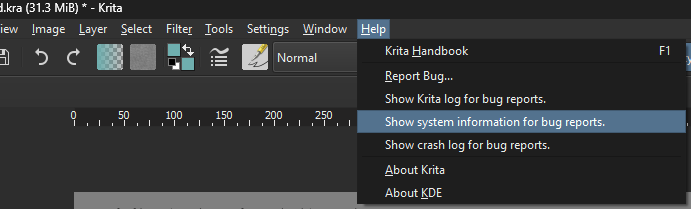
Thanks for your report. Can you share your system info. I would like to debug this.

The following is my system information:


Krita

Version: 5.2.3 (git 68d178c)
Hidpi: true
Sandbox: false

Qt

Version (compiled): 5.15.7
Version (loaded): 5.15.7

OS Information

Build ABI: arm64-little_endian-lp64
Build CPU: arm64
CPU: arm64
Kernel Type: darwin
Kernel Version: 23.6.0
Pretty Productname: macOS 14.6
Product Type: osx
Product Version: 14.6

Locale

Languages: zh_CN
C locale: C
QLocale current: zh
QLocale system: zh
QTextCodec for locale: UTF-8

OpenGL Info

Vendor: “Apple”
Renderer: “Apple M2 Ultra”
Driver version: “4.1 Metal - 88.1”
Shading language: “4.10”
Requested format: QSurfaceFormat(version 4.1, options QFlagsQSurfaceFormat::FormatOption(), depthBufferSize 24, redBufferSize 8, greenBufferSize 8, blueBufferSize 8, alphaBufferSize 8, stencilBufferSize 8, samples -1, swapBehavior QSurfaceFormat::DoubleBuffer, swapInterval 0, colorSpace QSurfaceFormat::DefaultColorSpace, profile QSurfaceFormat::CoreProfile)
Current format: QSurfaceFormat(version 4.1, options QFlagsQSurfaceFormat::FormatOption(), depthBufferSize 32, redBufferSize 8, greenBufferSize 8, blueBufferSize 8, alphaBufferSize 8, stencilBufferSize 8, samples 0, swapBehavior QSurfaceFormat::DoubleBuffer, swapInterval 0, colorSpace QSurfaceFormat::DefaultColorSpace, profile QSurfaceFormat::CoreProfile)
GL version: 4.1
Supports deprecated functions false
Is OpenGL ES: false
supportsBufferMapping: true
supportsBufferInvalidation: false
forceDisableTextureBuffers: false
Extensions:
GL_ARB_vertex_attrib_64bit
GL_ARB_sample_shading
GL_EXT_texture_filter_anisotropic
GL_ARB_timer_query
GL_ARB_gpu_shader_fp64
GL_ARB_vertex_type_2_10_10_10_rev
GL_EXT_framebuffer_multisample_blit_scaled
GL_EXT_texture_compression_s3tc
GL_APPLE_container_object_shareable
GL_ARB_explicit_attrib_location
GL_ARB_draw_indirect
GL_ARB_texture_buffer_object_rgb32
GL_EXT_debug_marker
GL_ARB_viewport_array
GL_ARB_texture_swizzle
GL_ARB_ES2_compatibility
GL_APPLE_flush_render
GL_ARB_texture_gather
GL_ARB_texture_storage
GL_ARB_tessellation_shader
GL_APPLE_client_storage
GL_EXT_texture_sRGB_decode
GL_APPLE_rgb_422
GL_ARB_blend_func_extended
GL_EXT_debug_label
GL_ARB_draw_buffers_blend
GL_ARB_internalformat_query
GL_ARB_transform_feedback2
GL_ARB_texture_rgb10_a2ui
GL_ARB_transform_feedback3
GL_ARB_sampler_objects
GL_APPLE_row_bytes
GL_ARB_instanced_arrays
GL_ARB_texture_query_lod
GL_APPLE_texture_range
GL_ARB_shading_language_include
GL_ARB_separate_shader_objects
GL_NV_texture_barrier
GL_ARB_shader_subroutine
GL_ARB_texture_cube_map_array
GL_ARB_gpu_shader5
GL_ARB_occlusion_query2
GL_ARB_shader_bit_encoding

QPA OpenGL Detection Info
supportsDesktopGL: true
supportsOpenGLES: false
isQtPreferOpenGLES: false
Detected renderers:
(Supported) Apple M2 Ultra (4.1 Metal - 88.1)

useBufferInvalidation (config option): false

Hardware Information

GPU Acceleration: desktop
Memory: 65536 Mb
Number of Cores: 24
Swap Location: /private/var/folders/dp/bhs5l2y90j7249d1lch47fwm0000gn/T
Built for: arm64+neon
Base instruction set: arm64+neon
Supported instruction sets: neon neon64

Current Settings

Current Swap Location: /private/var/folders/dp/bhs5l2y90j7249d1lch47fwm0000gn/T
Current Swap Location writable: true
Undo Enabled: true
Undo Stack Limit: 200
Use OpenGL: true
Use OpenGL Texture Buffer: true
Disable Vector Optimizations: false
Disable AVX Optimizations: false
Canvas State: OPENGL_SUCCESS
Autosave Interval: 0
Use Backup Files: false
Number of Backups Kept: 1
Backup File Suffix: ~
Backup Location: Same Folder as the File
Backup Location writable: false
Resource Location: /Users/snowdream/Library/Application Support/krita
Use Win8 Pointer Input: false
Use RightMiddleTabletButton Workaround: false
Levels of Detail Enabled: true
Use Zip64: false

Loaded Python Plugins
ColdToWarmPalette
PaletteGenerator
half_tone_selector
imagine_board
batch_exporter
colorspace
comics_project_management_tools
documenttools
exportlayers
filtermanager
lastdocumentsdocker
mixer_slider_docker
photobash_images
plugin_importer
quick_settings_docker
scripter
tenbrushes
tenscripts

Display Information
Number of screens: 1
Screen: 0
Name:
Depth: 24
Scale: 2
Physical DPI81
Logical DPI72
Physical Size: 598.38, 340.77
Position: 0, 0
Resolution in pixels: 1920x1080
Manufacturer:
Model:
Refresh Rate: 60
Serial Number:
1 Like