System
Windows 11 pro x64
Ryzen R5 3500
RAM DDR4 16 GB
GPU GT 730 4 GB DDR3
Tablet : Huion K46
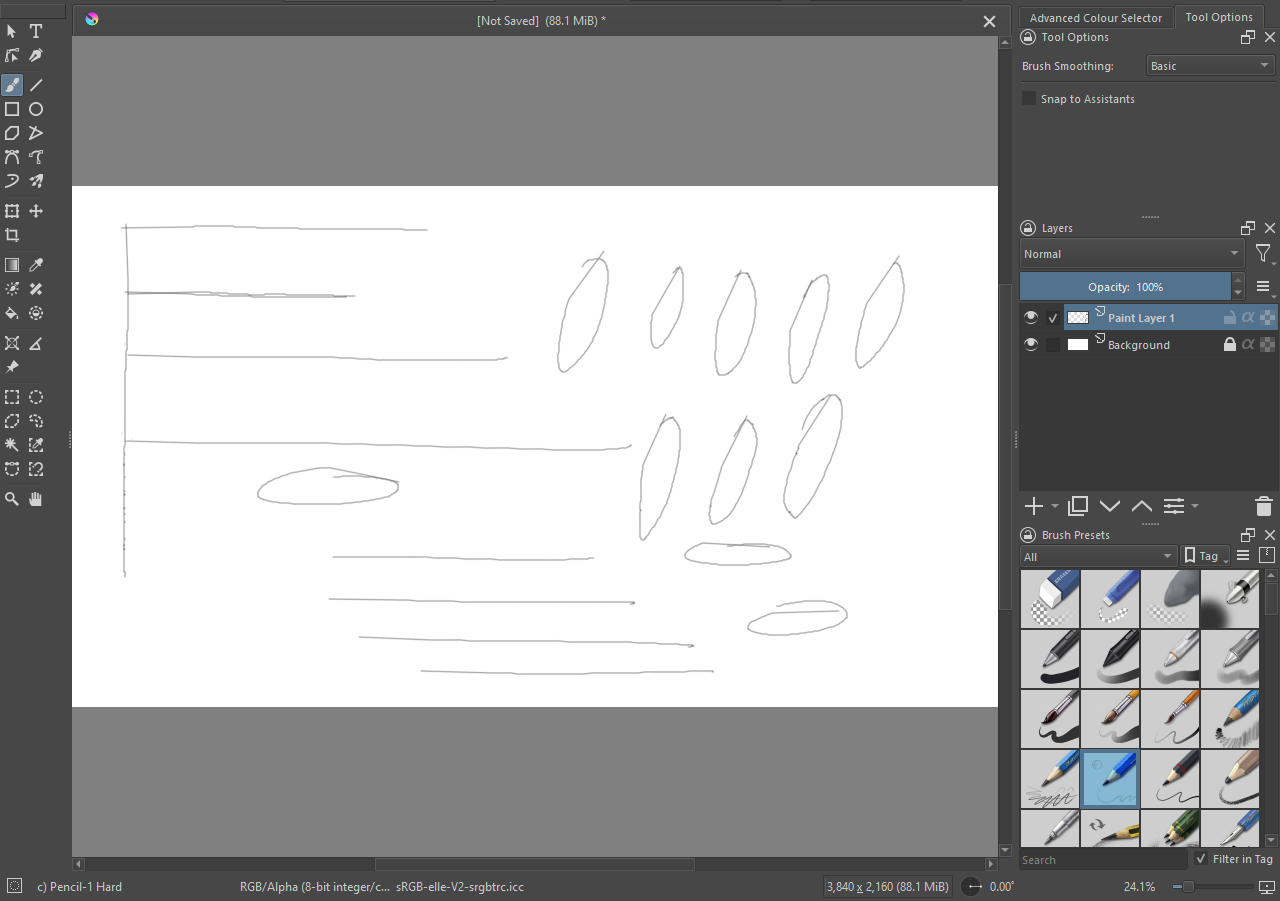
Now I am having this brush jitters in Krita which I usually don’t get in Photoshop or CSP.
I don’t have K46’s driver installed because last available driver on Windows 11 from Huion is for K58. Also using that driver though it support my tablet kind of kills its pressure sensitivity across all the apps. So I generally use the out of the gate Windows ink driver which is actually working great for me.
I tried using brush stabilizer, but the problem persists.
Most Windows users find they have to turn off Windows Ink in both Krita and their tablet.
Are you able to make a Krita profile within your tablet’s interface so you can use the K46 driver for Krita (so no Windows Ink) and not mess up your settings for other apps?
Problem is that if I install K46 (K58)'s driver the pressure sensitivity stops working for all other apps, Blender, Zbrush, Photoshop. That’s why I try to avoid using it.
I don’t use large canvas much, it was 1920x1080 with 72 ppi
It has been persistent for a while, With K58’s driver it doesn’t happen, but then as I said before the pressure sentivity stop working on other apps like Zbrush, Blender, Photoshop.
This is a fresh windows install on a new SSD. In this fresh install I haven’t installed the driver for the tablet because of past experience.
I am trying to commit to Krita while abandoning Photoshop, only this issue is stopping me from doing so.
We’re talking about the jagged look of the lines? To me that just looks like what you get if you’re zoomed pretty far in and draw with a one-pixel brush
Could you provide a screenshot of the whole Krita window?
That implies that there is some kind of generic Windows driver for tablets that is being used. Or, Windows has recognised that you have a Huion tablet and has installed what it thinks is a suitable driver.
What tablet settings/config do you have, if any?
From the Windows start menu, do you have anything if you search for ‘huion’ or ‘tablet’ or similar relevant words?
It’s the driver that comes bundled with the Windows. Unlike the GPU windows don’t really install the driver for the tablet. If there is none it just uses the default inbuilt driver.