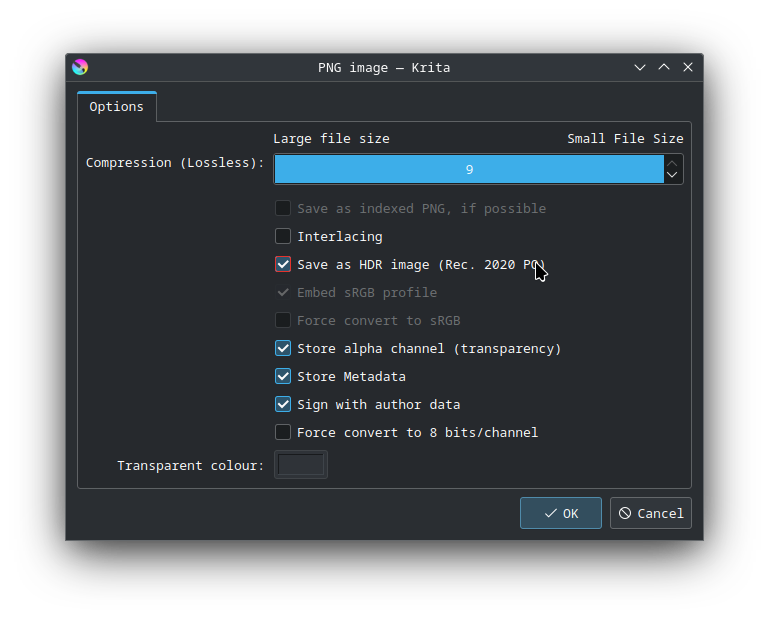
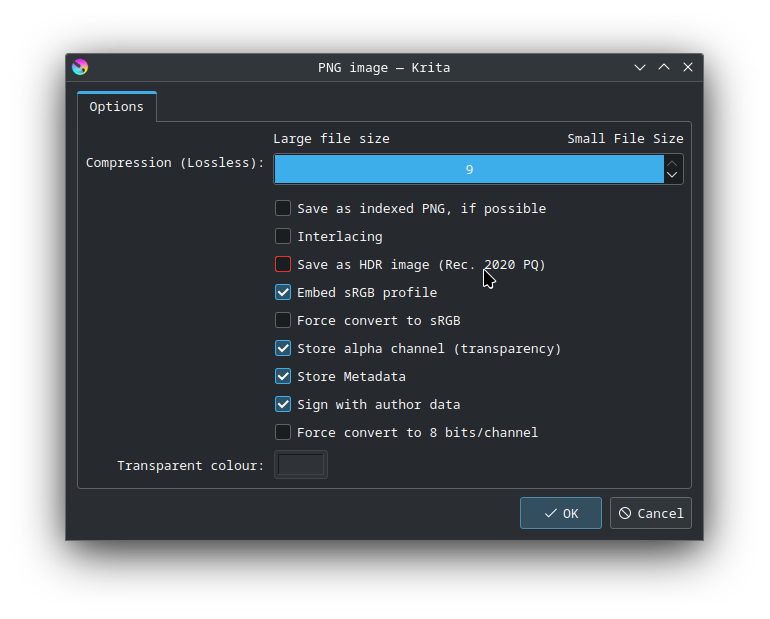
Is this expected? If so, why? If not, got any idea what the bug is? I’d hate to have to report separate bugs to Discourse and Gwenview if there’s a common underlying library between them.
It’s probably not a case of 50% opacity, but rather than the TRC on a Rec2020+PQ is optimized for HDR, and if gwenview or discourse don’t support color management, and in particular, a Rec2020 PQ color space, they cannot be expected to display this correctly.
Gwenview doesn’t mention it in their manual anywhere. I assume it would work if the entire desktop were using HDR. Discourse defently doesn’t support HDR, especially not when the web browser and the underlying system doesn’t have it enabled. If you don’t have a monitor and OS that supports HDR, you’re out of luck either way.
It seems, then, that whatever is responsible for squashing its colour space isn’t doing so correctly. Am I correct?
I expect that Discourse just tells Firefox to render the image, and then Firefox offloads that job to an image library installed on the system, so that’s probably where the fault lies. However, considering that it occurs in Chrome too, I’d really like for it to be an issue with the display server, so that this can be more easily and comprehensively fixed.
Regardless of the cause, it seems like it’s not an issue with Krita, so I’ll go ask at KDE Discuss instead. Many thanks for the assistance.
@Takiro, you’d expect it to at least look similar to what it is with a reduced colour space, surely?
It often seems to be a grayscale image if HDR was used as the output format and is then to be displayed by a non-capable hardware/software. So, yes, I’d call it “reduced”.
no, what is going on is that it is taking that HDR-tagged data and interpreting it as sRGB (so “not-dynamic-range”), so it doesn’t even understand it is an HDR image to start with.
Compared to what exactly? It kinda depends. Krita is color managed and it also does a really good job when translating color spaces even when you display doesn’t really support it. In its settings you can configure your display’s color profile (it by default assumes srgb) and when you document is something else (let’s say Re 2020) than it will make some good (or bad) adjustments to the image data to make it not look absolutely terrible. When your image never was in HDR and then you export to HDR then you got another problem. There is a lot of things that can go wrong with color management, it’s one of the number one things digital art newcomers trip over.
When uploading images to the web (like Discourse) most websites will completely ignore color space information or mess it up. To this day I haven’t seen a single websites that was able to handle color profiles correctly, not even that of some print shops. And this was before HDR came along and made things even more difficult because unlike CYMK or XYZ for example, HDR actually needs specific hardware/peripherals to work at all. Websites, browsers and 99.9999% (basically everything that is not for professional grade graphics editing) of every other existing software that can view images is not color managed and usually assumes sRGB. If you want to upload stuff to somewhere or send images to non professionals, always convert to sRGB. Most displays in use nowadays can’t even show HDR anyways.
It’s also not even a bug in the software, more a missing feature. Like your car’s transmission having only 5 instead of 6 gears is also not a bug.
Also one thing to note is that all this gets complicated if you are checking this under wayland. Everything is limited to srgb for apps running under Xwayland which krita is currently.
However, if what you describe is correct, how come Krita is the sole application I’ve utilized which does interpret the colour space correctly…? Surely it should act like all the others I’ve tested, if XWayland is limited to sRGB?
That is what kwin developer told me. On wayland no app can know the colour space of the monitor due to restrictions for secutiry. So Krita doesn’t if the screen supports srgb or wider gamut or if it has hdr capabilities. And for such applications sRGB is assumed on wayland. And krita is not yet ported to wayland so it definitely runs under xwayland. Hence it is restricted to sRGB.
I do not know how others apps are showing it. This might not be an issue and may be something different, I am just telling you that on wayland Krita will not have colour accuracy which might affect colours
Because Krita will still detect your display as only sRGB capable (because that’s what Wayland forces you into and coincidentally that’s what you have) and perform a conversion internally before sending the data to the display. If you force Krita to use HDR for output it probably will look just as wrong (or a different kind of wrong).
Krita never had support for HDR on linux. it only has it on windows. On linux under X11 there was no HDR , but now on wayland there seems to be some functionality but as I said earlier krita is not ported to wayland way of doing things yet so it is limited to sRGB by default on wayland.