while working on my art i accidentalt pressed something on layers tool and it brought a weird window saying " Waiting for the completion of the image operation.. “update…”". i waited for 20 minutes but nothing changed, so i closed krita with the task meneger, but that didnt change anything either. basically i choose opening file with the last autosave, bc there was only 2 and another one was comepletely empty, and i saw that " Waiting for the completion bla-bla-bla…’ window again. now i only can see my art as an autosave in my file explorer (like .arttherapy2.kra-autosave) and cant do anything about it. it says “ The file cannot be read. The file is not a correct dot pattern (BMP), or this format is not supported.”
i really need help with it, its important for my art therapy, as you prob already understood, so please help me with it(
deepseek(AI) said i need to pin my system information and krita log, so here they are with the problem file:
Your file sharing link requires a google account sign in.
I’m not willing to do that and I’m sure that many other people here wouldn’t want to do that.
You can make a link that is ‘General Access: Anyone with the link’ instead of a link that requires a google account sign in. It would be a good idea to do that and post it here.
Yes, it is okay, you will get a message containing a link to your file later. I have already fixed it, but currently I’m busy with other things, give me a bit of time please. By the way, if you want, you can revoke your link, so your file will be no longer accessible.
Oops, I have removed the SVG layer and the pointers to the SVG layer, there was no other way for me to get access to it (to open it). But I did not touch the DPI’s because after removing the SVG layer it opens blazing fast for me and is displayed identically to the contained preview file, I’ll add a copy with reduced DPI and accordingly adjusted size in pixel too, I’m not sure everyone’s machine could handle such a file …
The vector layer (.svg layer) is a small version of the white text image.
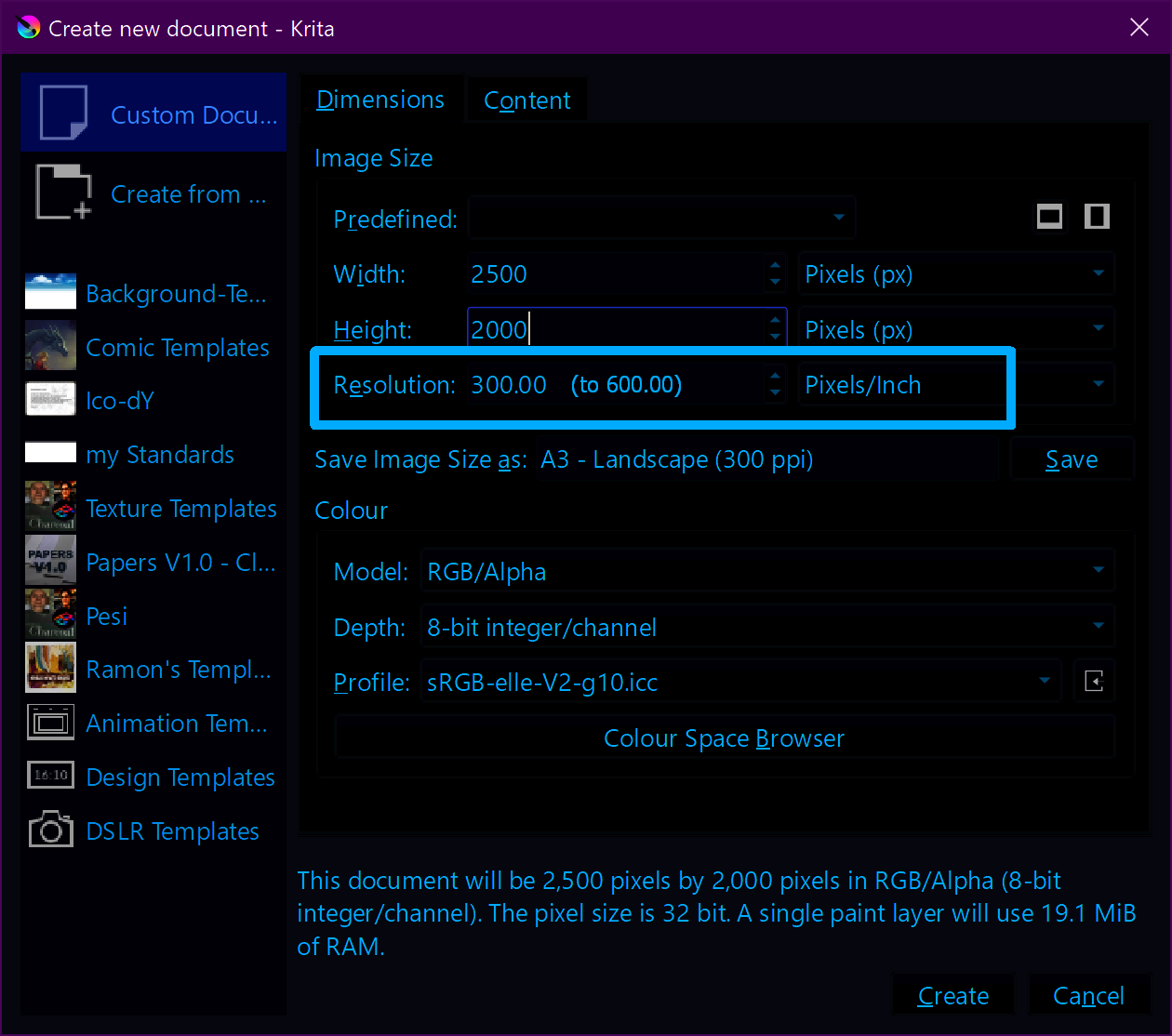
I edited the .kra file to change the resolution from 30000 dpi to 300dpi and then it opened with no problem.
I think rendering of .svg code depends on the dpi value for the image so that very large value of dpi may have affected the canvas rendering computation.