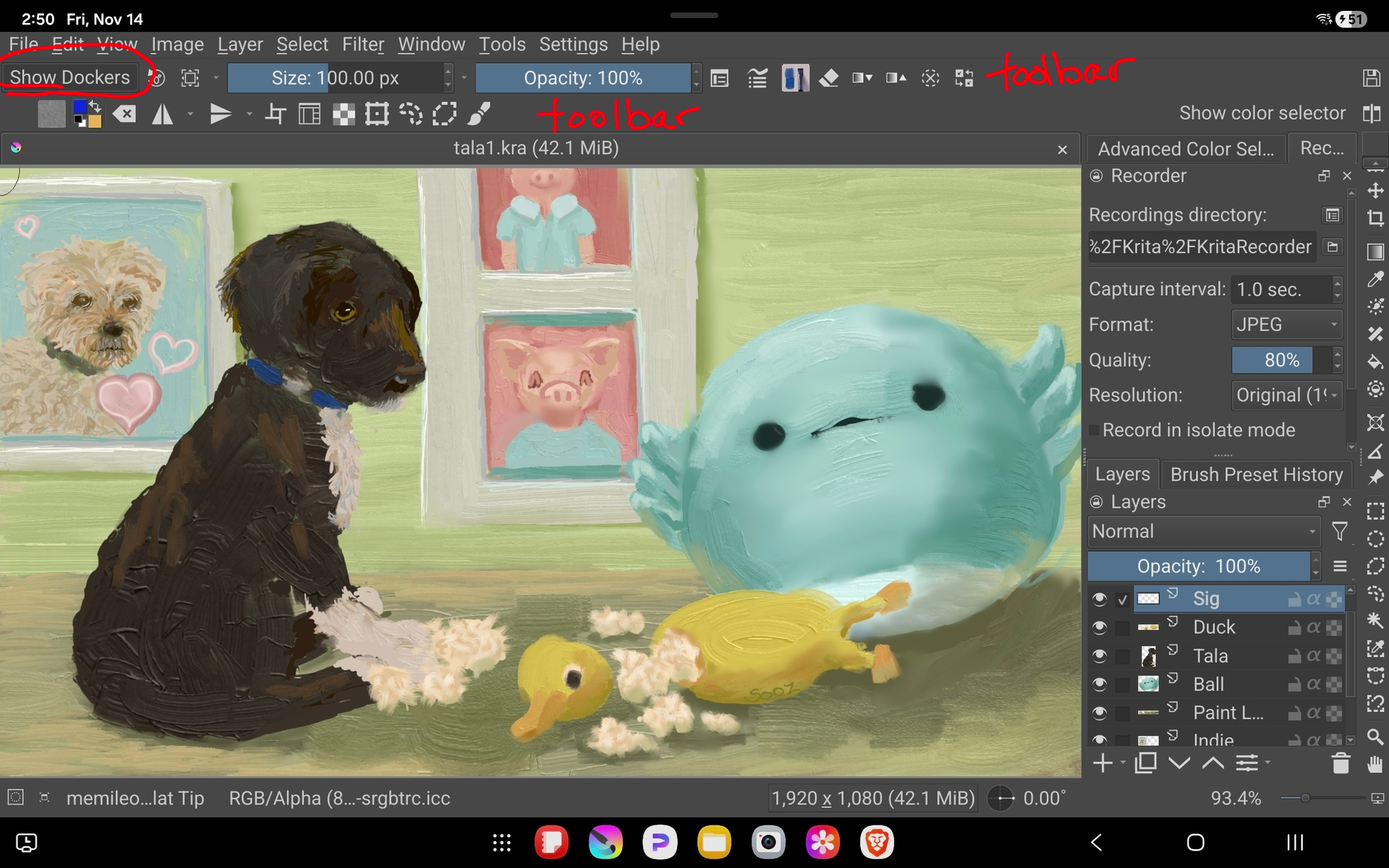
Hello. I would like to use Krita on android. The problem is the UI, which is pretty messy on a phone (although my phone, a galaxy S24 Ultra, isn’t that small).
I’ve seen that someone (named AxelFar on Reddit) used a Galaxy Note 10, an slighty smaller phone (6,7” of their Galaxy Note 10 vs 6,8” of my S24 Ultra), to use Krita. So, how can I adjust the ui to use on my S24 Ultra? Here’s a photo (by the reddit user mentioned before) as an example of UI which I think it’ll help to use Krita on my phone:

There’s some reasons why I would like to use Krita on my phone:
1st: I don’t have an android tablet, and Idk when I can buy one, since my priority is saving money to build a PC in the future.
2nd: My gaming laptop is heavy to take it to places like college. That’s why I think my learning process with drawing is taking even longer.
3rd: I tried to use Ibis paint X, but there are some things on Ibis Paint that avoids me to use, like the prime membership, which I think there are some features that would be good to use, but it’s behind a membership. So I would like to draw in a more complete app.