i am unable to select specific area with magnetic selection tool
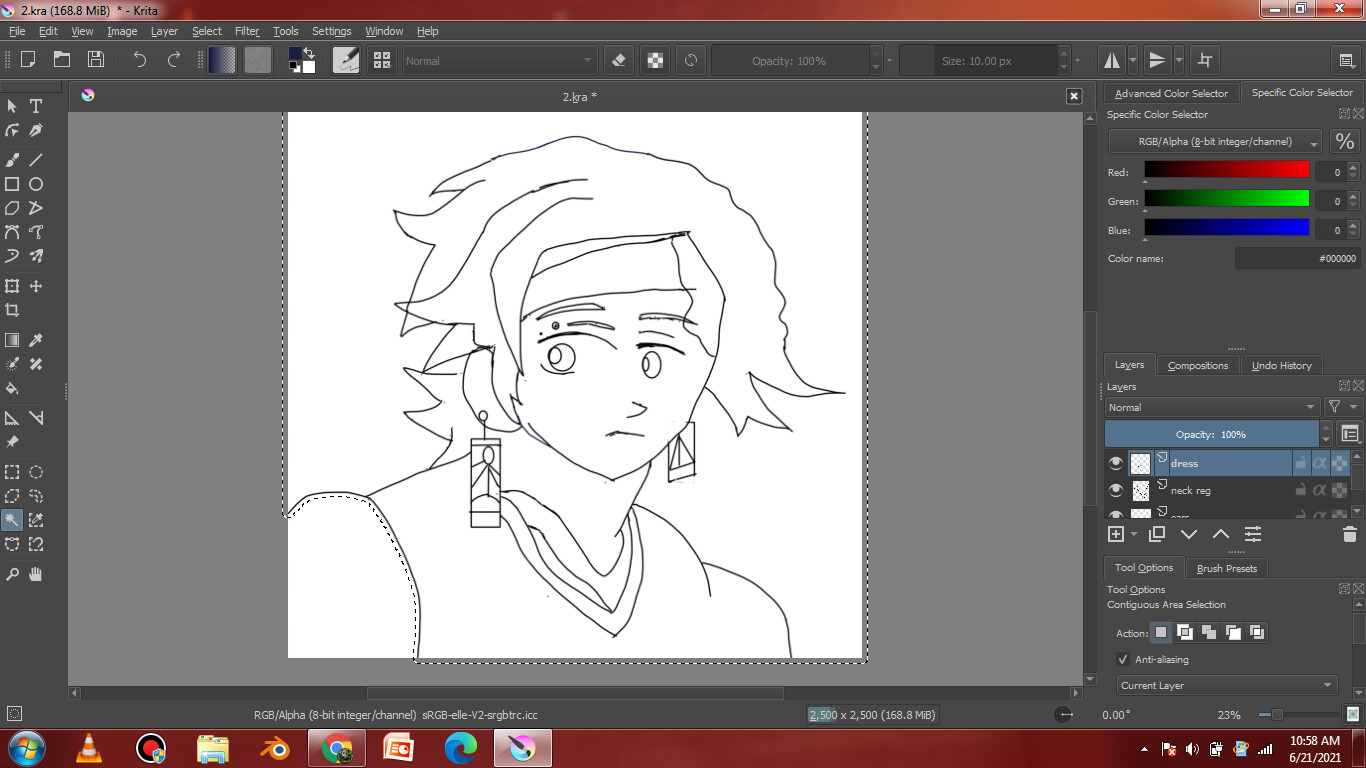
The Tool Options docker on the bottom right. Either scroll or expand it.

On your screenshot, you’re not using the magnetic selection tool but the Contiguous selection tool
Grum999
i was using Contiguous tool but by mistake i typed Magnetic
Sorry

Are you sure that you have the correct layer selected in the Layers docker?
Do you get a different/better result if you use All Layers in the Tool Options docker?
I didn’t get you
With a “grow/shrink selection” value set to 17px, that’s normal you select everything (current visible drawn lines are thinner than 17px); try to set value to 1.
Also reduce “fuzziness” and “feathering radius” to 0
And change value “current layer” to “'all layer” if you want to select area taking in account all content and working on an an empty layer
Grum999
Ok i will try
It worked out Thanks for your help