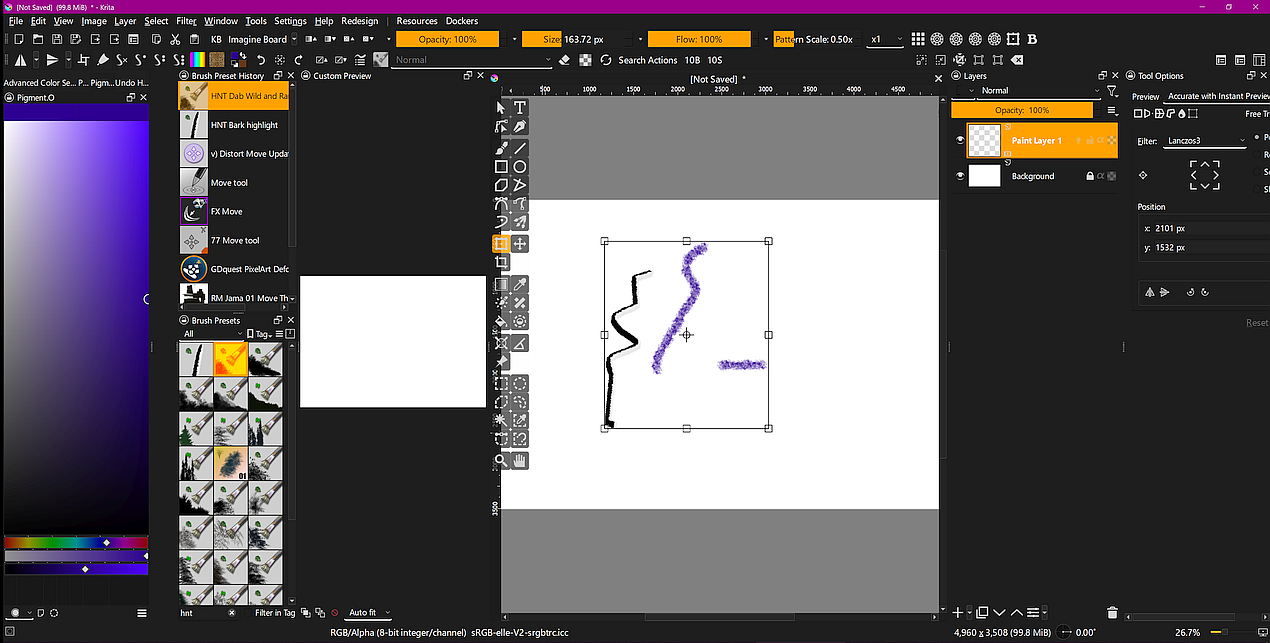
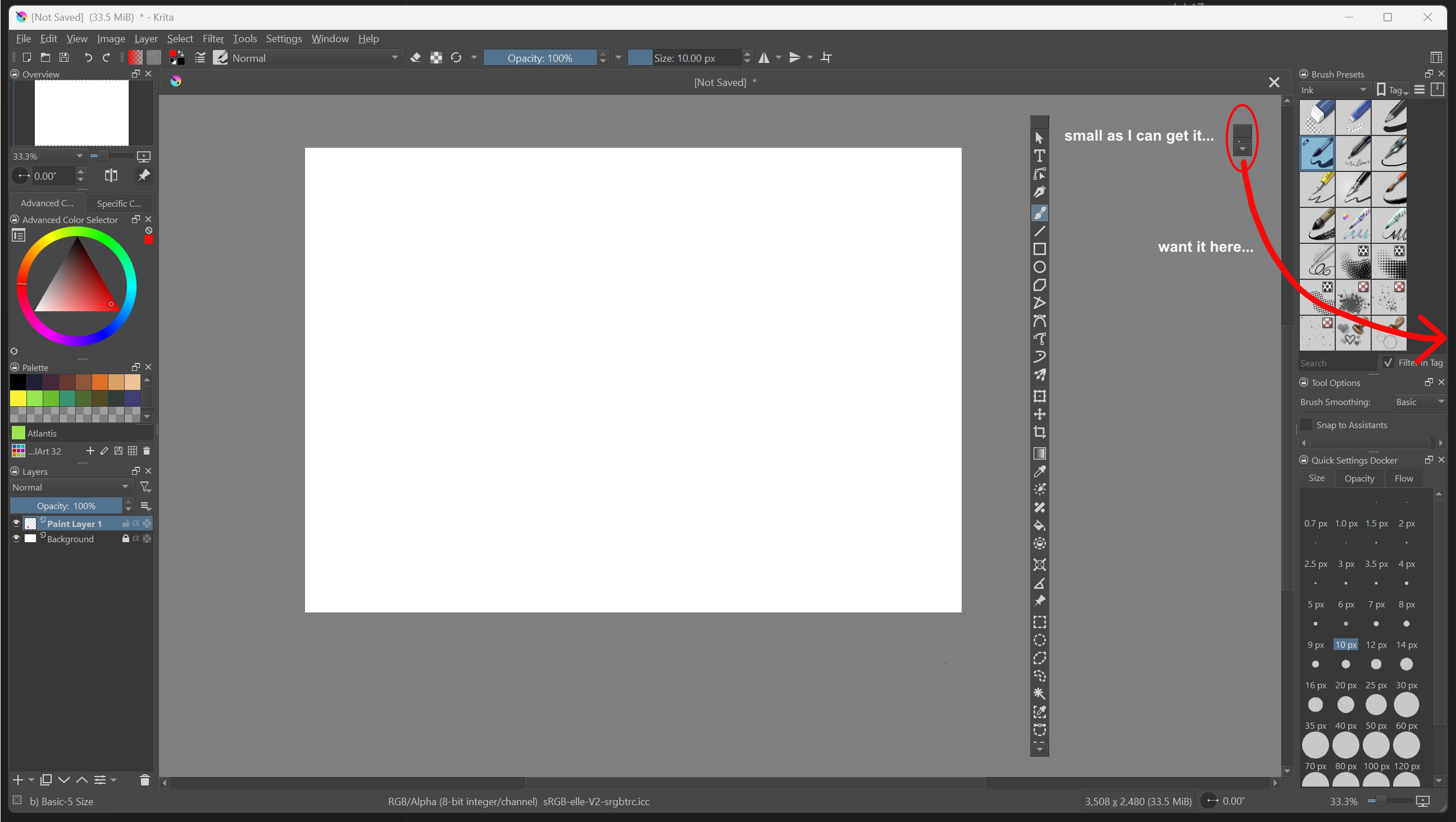
Hi, I somehow got two columns of dockers set up on one side so I could have the Tools in a column of their own and then a stack of Dockers in a column next to that one. However, I messed up and lost that Workspace and now cannot get two columns of Dockers again. I have always found this a pain in all these kinds of app (Photoshop, Affinity Photo, etc) and have never figured out the trick. After about 30 minutes of trying I am giving up and asking for help.
Sorry to bring such a mundane question to the forum, but I appreciate any advice I can get!! Putting the Tools at the bottom of a stack of other Dockers is ug-uh-lee, and putting the Tools Docker to one side of another Docker does not work well either, because I have to scroll to get all the tools.
It’s possible, as you’ve found out, but it needs lots of careful and patient manipulation to get them where you want them.
It’s helpful to float a docker then drag it down to its minimum size before you try to drop it into another position for tabbed-stacking or to make it ‘force create’ another row or column.
After quite a bit of frustrating messing about I managed to make this some time ago:
Thanks Ahab! I tried for another 15 minutes and finally gave up and just put the Tools docker at the bottom of one of the existing columns. This seems to be an issue in all the apps I have used that have the floating/docked tools, seems like it would be worked out better.~
Later when I have more time I will try your configuration and see if I can make what I want from that!
A little hint, to put two rows side by side I reduced the main window of Krita a little bit in size, so it does not snap to the edges of my display. And I reduced the resolution of my gaming mouse to 600 DPI instead of its standard minimum setting, so I’m able to move much smoother and slower.
Break out the docker you want to separate in its own row and make it as slim as possible, additionally it should not be very high, make it small.
Then I have moved to the right or left edge of Krita’s window till it begins switching the docker, if you have stacked dockers as my screenshot shows on the left side, move the mouse to the middle, between the dockers, so the dockers begin constantly switching, offering the upper or lower pane for your docker (like it is not sure what you want ), so it is jumping between up and down and then begin and move sideward to the edge you want to drop the docker, then it should open the next row, at least for me, it did this.
I know you need a calm and steady hand, but it is possible for me to drop a docker in a new row in under 30 seconds.
By the way, if it doesn’t want to work for you at all, you could also tell me in what combination you’d like Docker to work, then I can create a KWS file for you accordingly. For now though, I’m going to take a little Krita break and get some sleep, I’ve gotten tired.
Ok, so another 20 minutes of fiddling and still cannot get it to work. I can get it at a point where the tiniest movement flips between putting it beside the other docker or below it, but cannot get it to open a new column. What makes it extra frustrating is that I did it yesterday in one quick try, and was amazed. I was like, wow, Krita has fixed this thing that has frustrated me for years!! Just lucky I guess. I struggle to understand why this is not simpler and easier to do in all these image processing apps, le sighe…
Anyhow, if you do have time and do not mind, I would appreciate you making the workspace for me to import. The picture below shows what I want, which is to have the Tools docker in its own column to the right of the column containing the paintbrushes and stuff (I am left-handed so have everything set up the opposite of everyone else).
No hurry at all! Ahab made an example I can work from if needed, so I may just go ahead and try that. I will report back if I get that to work so you do not waste your time and effort.
Try to start with only 1 docker, and you can put another one into the 2nd column and so on. So, drag every docker out (make it float) except one, drag your toolbar to the side and then drag the other dockers back to their places. Adjusting the widths of the columns can be a bit fiddly, but it’s not difficult to do.
In other words, you need to set up the columns first.
I wonder if that is why it worked for me yesterday, I only had the Tools docker on the left side, and then added just one docker to get a new column. Today I have been trying to add a new column to a column with several dockers stacked up, and it keeps wanting to go to the side of just one docker instead of making a new column.
Ah, nice that it worked for you now, if I had looked at the forum first I wouldn’t have created a new workspace at all.
Well anyway, I did it, and if others are also interested in such a setup, here anyone can download it:
Oh no, Michelist, I am so sorry!! I should have made a direct reply to you that I got it working and not just a reply to the forum. I appreciate you making a configuration for me, I am sorry you did it after I got it working.
Hey, that is no problem. I did it this morning, shortly after I awoke. The most time took the back and forth to look on your template and make it that way, all in all it has taken 4 or 5 minutes including upload to my cloud, so no problem at all, because time is something I usually got more than enough, and perhaps another user likes a profile/workspace like yours, so it may be of use.
Sorry for being Off-Topic:
That is what forums usually are for, support each other. And this forum is a very lovely place in this regard, it is a light in the darkness the web has “to offer”. Because I know forums where one don’t want to be if it is not absolutely necessary.


 ), so it is jumping between up and down and then begin and move sideward to the edge you want to drop the docker, then it should open the next row, at least for me, it did this.