Hello, I started krita recently. I am trying to make a 2d rig, but after I separete my rig limbs into different layers, and I wanted to edit from here. I can cause color missmatchs on joined limbs. I mean I do wanted to produce a seamless look, not sure that is the correct path either but here I am.
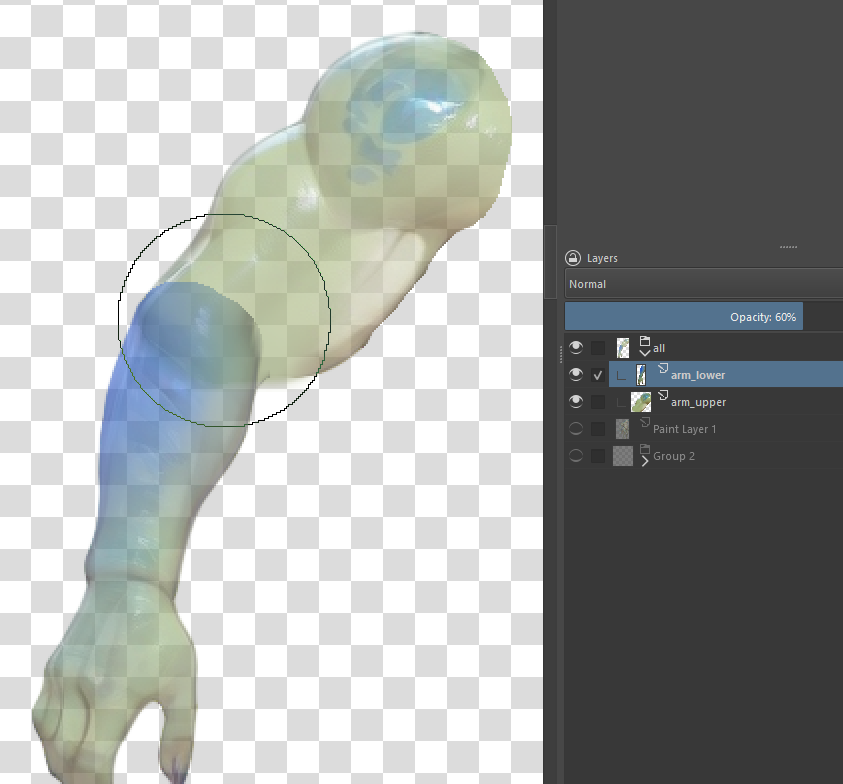
here is an example, both layers are set with some transparency hope its understandable.
I added a blue scale/tint like thing in forearm, and wanted that the joint area in layer upper_arm should blend with bluish/greeny color. also the intersection should be filled with blended color
I can use some airbrush and manually balance colors this is what I did for now, I tried some blender brushes but can’t make them work with 2 layers, they kinda worked like eraser,
Take a look at this section of the help docs relating to “locking” the alpha of a layer. What that means is when you paint (not erase) on the layer it will only effect the rgb channels, not the alpha channel. It wont add anything to alpha.
Then, if you pick a color from the layer underneath you should be able to blend.
This is straight forward until you adjust the transparency of the layer, because by default color picking samples from all of the image. When you try and paint there may be small or large differences in what you would expect to happen.
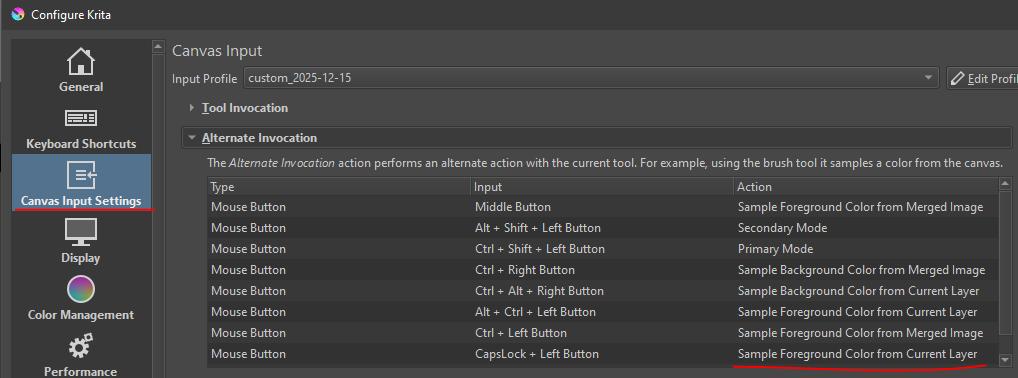
To get around that you need to sample from the current layer. I use this all the time. I think the default keys are ctrl+alt+click, I found that awkward so i changed it, you can find that in Settings->Configure Krita, then find the section Canvas input settings.