when I try to fill color that I imported as black color
it shows only grayscale on the advanced color selector
but it can fill only grayscale like white color only
how do I fill another colors ??
Make sure your image and layer are actually in colorspace other than grayscale, like RGB.
2 Likes
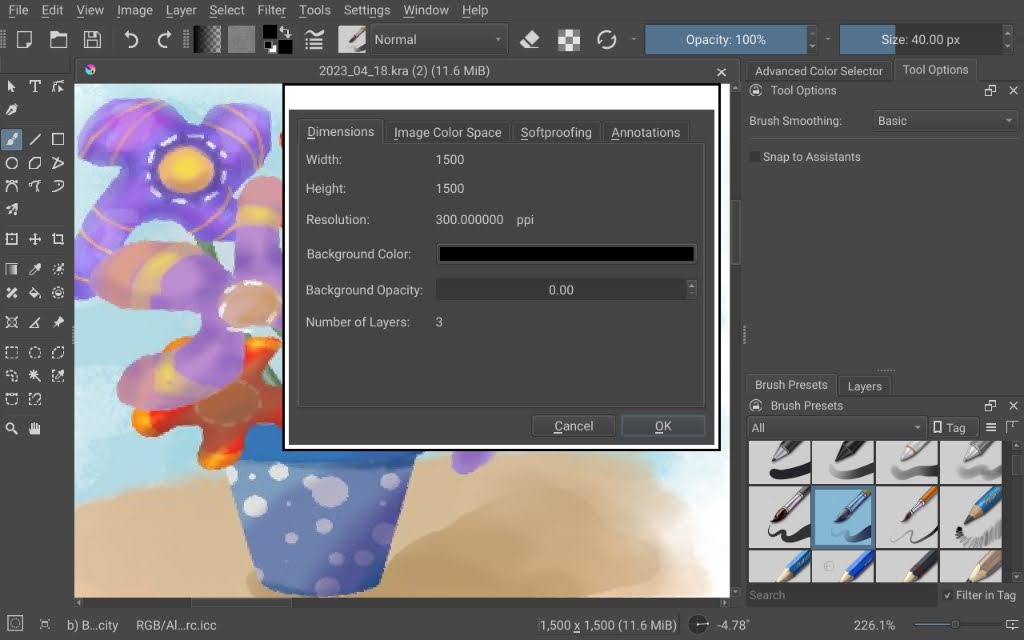
@chatofking In case you’re not familiar with colour spaces, you can see your setting by looking at the bottom status bar of the workspace (while your document is open, of course).
To change the colour space back to the default (which is RGB/Alpha 8-bit sRGB-elle-V2-srgbtrc.icc) go to Image, Properties, Image Color Space where you can edit the model, depth and profile. Then click OK.
1 Like