Hi, new to Krita. I used the “Contiguous Selection tool” to select the blue square. Now I want to crop to the selection (see image). How do I do this? Thanks.

There’s Image → Trim to Selection which will resize the canvas to the selection (and also remove all off-canvas content as it does that).
Thanks. I just tried that and it did nothing. Can it not be a background image or something?
That’s strange because Trim to Selection does work.
Can you upload a full screen screenshot of the situation?
Are you sure there are no other regions selected at the same time?
What exactly do you mean by that?
You seem to have deleted the outside of the selection. If so you may need to invert the selection before using Ahab’s trick.
@Bleke There are no selection lines around the edge of the canvas so I’d tend not to think that, unless there’s another complication somewhere.
To be sure then you can do Select → Deselect, then use the Continguous Selection tool again on the blue rectangle (making sure its Action is set to Replace) then do the Trim to Selection.
If the blue rectangle is the only content on that layer then you can make sure that layer is selected and do Trim to Current Layer.
I tried “Trim to Current Layer” and it did what I wanted it to but not exactly. I think it’s a bug??

Ok one problem When I select “Trim to Current Layer” it crops the image to the selection as I expected but not totally. I zoomed in on the image before I trimmed it and the selection was right on the edge of the image but after trimming a few transparent pixels remain.  Is this a bug?
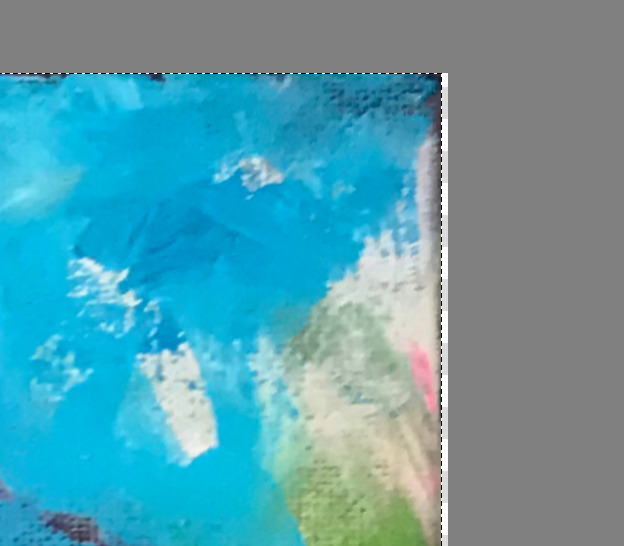
Trim to Current Layer will trim to the layer contents bounding box and will ignore any selection.
So, there’s no point in making a selection if you then do Trim to Curent Layer.
Looking at that image, I’d say that you have stray pixels outside the apparently rectangular image.
Trim to Selection does work.
So, if it doesn’t work for you then there is something strange about the selection arrangements you’ve made.
I suggest that you try Trim to Selection again after making sure that you first do a Deselect to remove any stray selections and then do a single simple selection of the rectangular area that you want.
Thanks. I’ll try that.
This topic was automatically closed 15 days after the last reply. New replies are no longer allowed.