I mainly use Medibang Paint Pro and am used to organising my brushes via custom folders. Recently I’ve started using Krita as well, because it has some advanced features I need.
I’ve downloaded a few brush bundles I’m going to use, installed them and was instantly overwhelmed.
The brushes are awesome, but some categories are called nothing like respective bundle, there are categories with similar names, etc. So half of the time I have no idea, where to find the brush I need.
So, how do you guys organise your brushes to find them quickly and effciently?
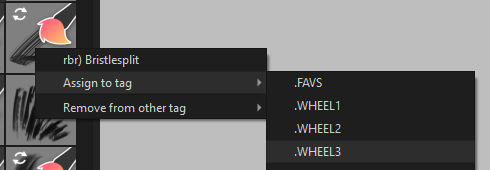
You can put personal/custom tags on the brush presets and a brush preset can have more than one tag on it.
Someone with more experience of this will come along soon to tell you details, I’m sure.
I tag my brushes in two ways: 1) a tag that identifies which bundle the brushes came from and more importanly, 2) a tag that identifies how I’ll use the brush (texture, big background, foliage, etc).
Tags are a real powerhouse in Krita. The popup palette displays brushes by whichever tag you specify and you can easily scan through a particular tag using the search box at the base of the brush preset docker.
There are several ways to tag brushes. My fave is to do it in Manage Resources while I’m installing the bundle.
As soon as the bundle is finished being installed in Manage Resources, I tap the “local resources” menu and locate the newly installed bundle. That puts all the new brushes into the brush window. By clicking on one or two from the group, I can see if the bundle author gave them a tag.
Usually I want to add my own tag so I highlight the whole group and tap the plus sign next to “tags” and type my own tag into the “new tag” box.
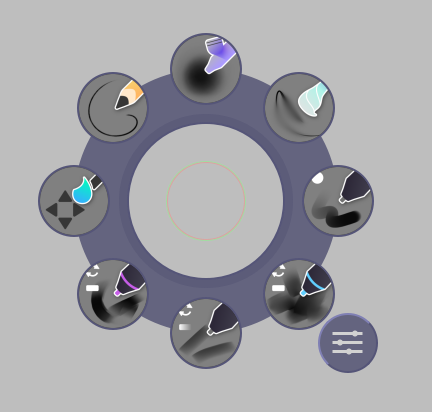
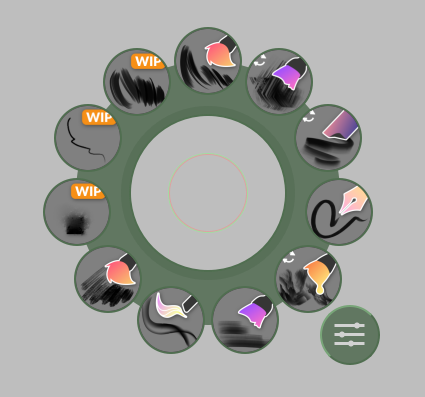
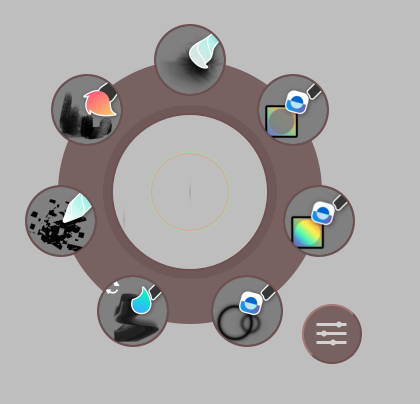
Maybe not the answer you are looking for as this method is best for when one use a few brushes a lot and know the brushes well I feel; but I really like to use Shortcut Composer by Wojtryb
With it I can hold down a key (I use 1, 2, 3 etc) and get a wheel of the brushes I have chosen for that wheel, so it looks like this.