As the title indicates, how does one add new/custom line styles to Krita?
For vector shapes you mean? I’m not sure that’s even possible.
1 Like
For vector lines, you can try editing the .svg stroke-dasharray values to give custom styles:
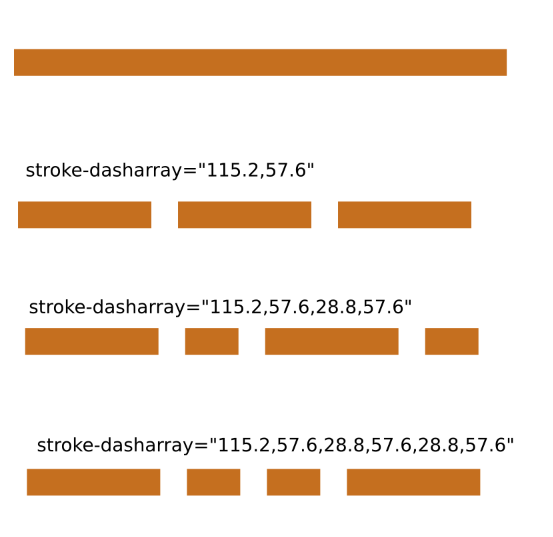
That would only work on a particular line but you could copy-paste it onto a few other lines in the .svg file.
3 Likes
Hmm, so no way to add it to the drop down, but it can be manually edited then?
You’d need to make a Feature Request topic for it to be added to the drop down list anf then there would have to be proposals for which particular dash patterns would be useful to add and the possible number of suggestions would be very large.
You can manually edit the .svg if you Export it out for editing then Import it back in. If you can figure out what the numbers mean, which looks fairly straightforward, then you can have any dash-gap pattern you like but you’d need to edit every line/shape that you wanted to have a line style change.
It would be a good idea to look at Inkscape to see what it can offer for line styles.
You can copy-paste vector objects between krita and Inkscape tp pass them back and forth.
2 Likes
I think it might be an interesting feature request to allow Krita to add custom dash lines to the menu via a menu command and pop up window. Play with the number values and see the adjustments in real time, then save the results with a name, whereupon it is added to the line menu type options. And allow the same for the arrows/points at the ends and along the line.
1 Like
Hi! @nijineko,Manual editing of the dash array is possible.
But requires the installation of a plugin.
Krita shape and layers plugin
and use “Shapes As Layers” Docker
This can edit of gradation and path edit by manuary
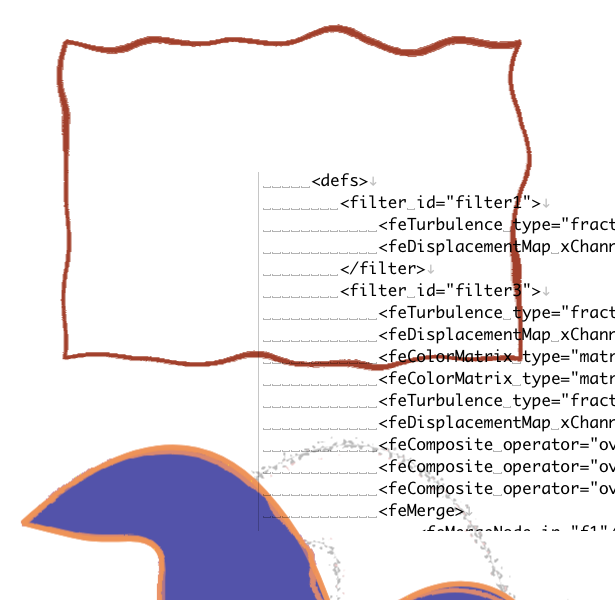
However, I cant add to use filters tag inside defs tags by “Shapes As Layers”.
(A following image is rendering on FireFox)
2 Likes
This topic was automatically closed 30 days after the last reply. New replies are no longer allowed.