In my comic page I was planning to have one single vector layer for text. But somehow I can’t scale each text object individualy using the selection transform tool.
The text objects all stay seperate objects that can be selected, moved and edited seperately, but I need to scale them.
The only way to scale them seperately that I found was using different font sizes. But small fonts are hardly visible in the richtext editor, so that is not a optimal since I want to be able to edit the text in a simple way.
Am I missing a scaling option that works for text? How do you manage multiple texts in an image?
Try checking, in the tool options using the Select Shapes tool, the Scale Styles option. Is that what you were looking for?  (Oh, and don’t forget to lock X and Y if you need to)
First, I’ll suggest you try out the current beta, if you can (you can download it from here: Daily Builds. You can read more about the huge number of updates being made to it by @wolthera, here: Text Tool Thread. And much thanks to wolthera, as they’ve already been making my art experience with Krita better (especially the text wrapping).
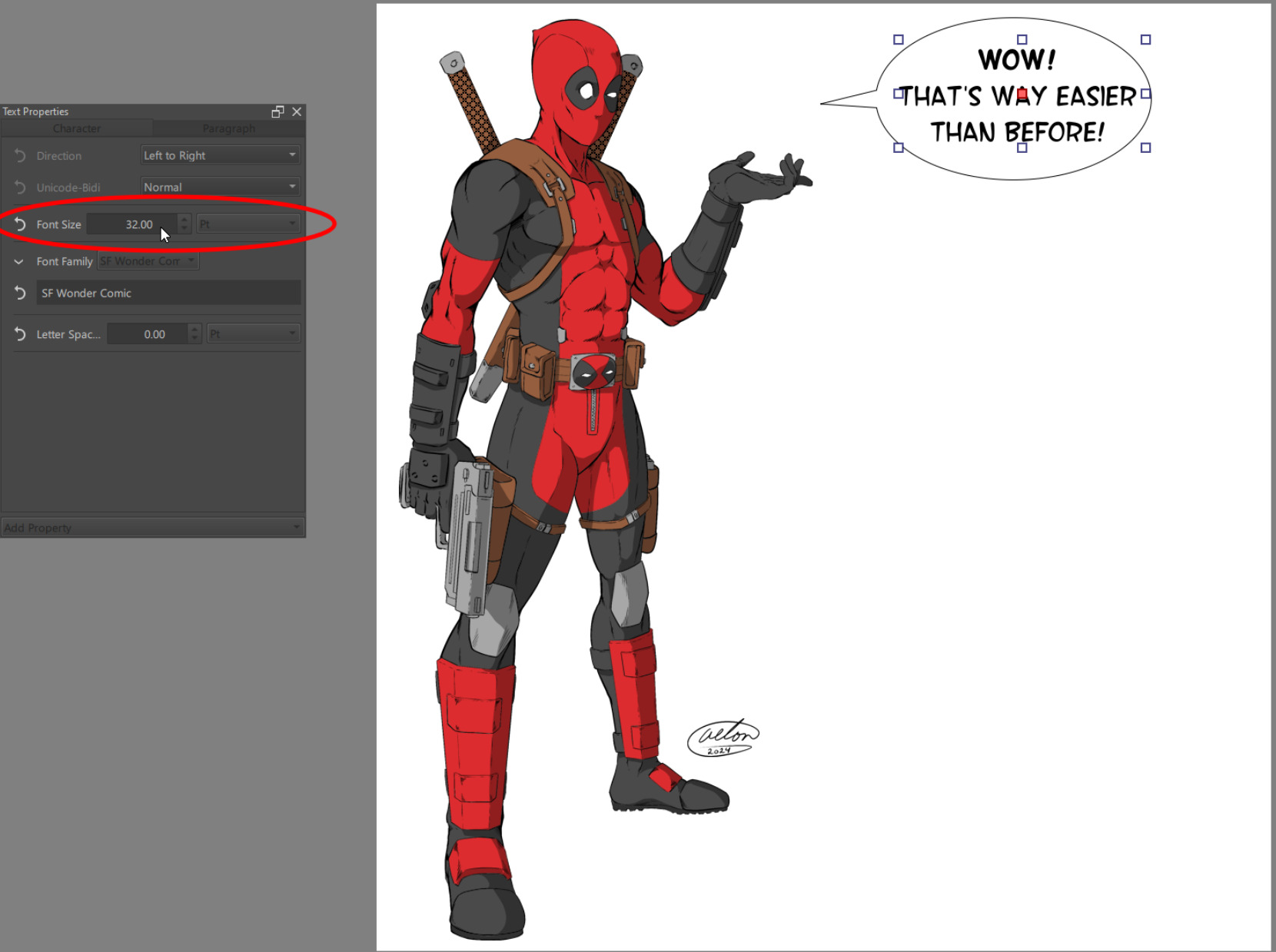
That said… Even if you use the daily build (as it currently stands) You’re still going to have an issue with what you’re attempting to do, as there still doesn’t seem to be a way to simply drag the corner of the text boxes and resize the font box (along with the text). Maybe that’s something wolthera could look at it? I’m not sure what the technical aspects of it would be. The good news is using the Daily build version scaling the font becomes exponentially easier to do. Instead of having to select the text box and then entering the editor, you can now just select the text box and scroll your middle mouse wheel over the Font Size number on the new Text Properties docker (not to be confused with the Tool Options Docker). I’ve pointed this out in the attached image. Doing so, will increase/decrease the font scale by one point, each click of the roll.
The Text Options is what I need! That does the trick.