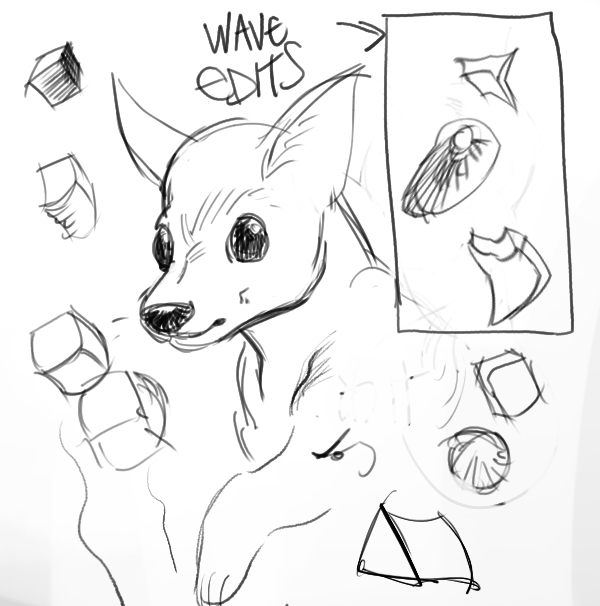
Hi krita artists! : )
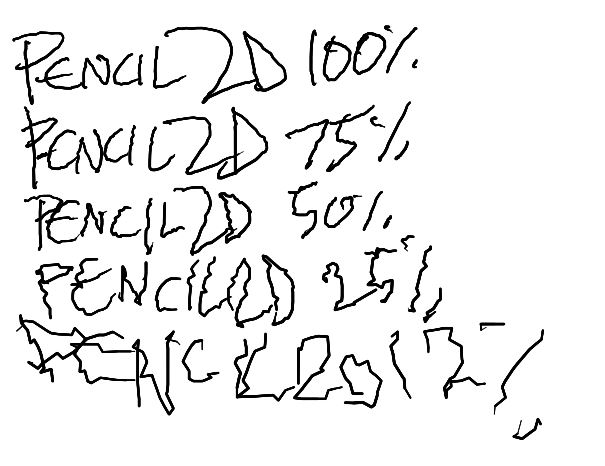
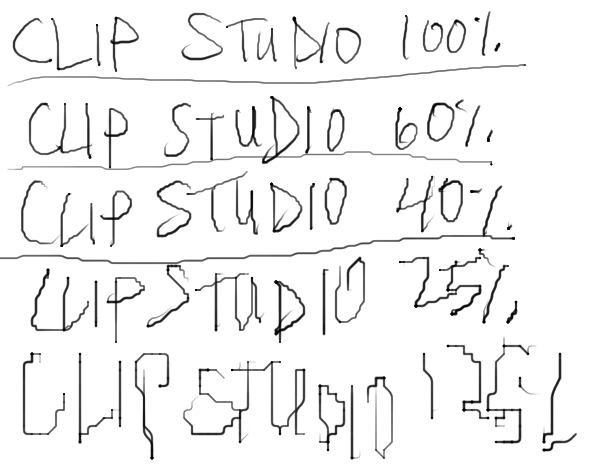
Is there any way to make krita render strokes as more jagged and boxy?
I would really like for it to have a jitter baked into every stroke. I have disabled stabilization/brush smoothing, I have changed the canvas graphics acceleration settings, direct3d 11, openGL, software renderer, all of them dont give me the desired effect. I have tested on both linux and windows, krita versions 2.9.0, 3.0.1, 4.4.2, and 5.2.0, fiddling with the settings on each and disabling any smoothing to no avail.
This reddit user Had a similar line jitter, but I was not able to replicate it when doing (the opposite of) what was suggested in the comments. : (
You can use the scatter parameter set to a low number.
Open the brush editor. If the brush you’re using is made using the pixel engine (such as the b) Basic-5 Size brush) scatter will be available. Place a checkmark next to scatter to make the settings available. Set it to a small number and test it in the scratchpad.
you can do something similar with filter mask > wave or filter > start gmic-qt > distortion section but I didn’t find a boxy looking jitter like in your second image.
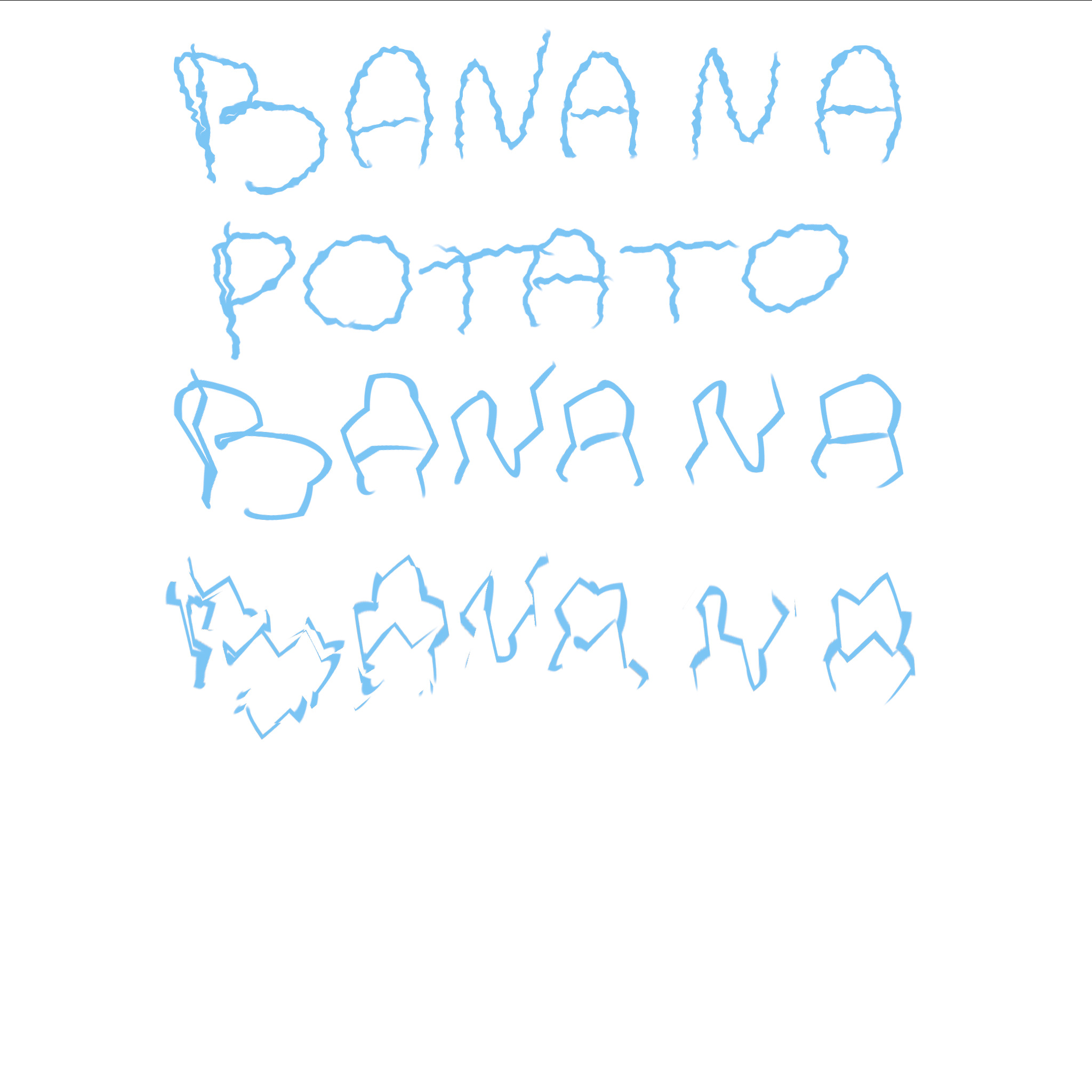
The banana texts were made with wave, ripple and clicking on random stuff in the gmic filters. The potato text was done with krita’s wave filter.
Try to play around with the sliders of the filters and see if you get something you like
Open the brush editor. If the brush you’re using is made using the pixel engine (such as the b) Basic-5 Size brush) scatter will be available. Place a checkmark next to scatter to make the settings available. Set it to a small number and test it in the scratchpad.
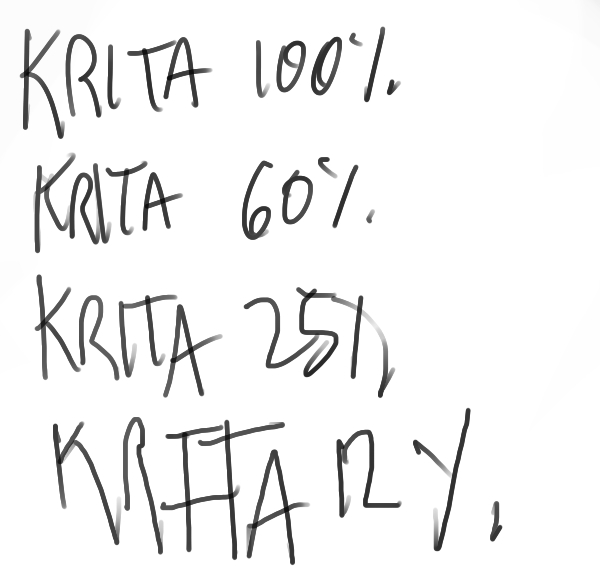
I did as sooz suggested, and got the results seen on the left.
The wave filter mask idea is nice, but I don’t want a filter to put on after I draw the lines. I want the lines to be drawn/rendered on the canvas as jagged. I can only get so much jitter on the brush tip before the scatter gets too heavy and it doesnt have the boxy, wobbly lines I want : (
Is there a way to force krita to render each stroke drawn as wobbly/jittered like the examples I put in the original post? The scatter at .2 is a start, but it’s so small I can barely notice it, unlike in pencil2d and CSP where it is very noticable with every stroke, and gets even more jagged/boxy as I zoom out.
You may need to adjust the pressure graph so that the jitter is always on high regardless of pressure. That’s what the scratchpad is for. You can keep making adjustments until it looks the way you want it to look.
Do you have a picture of the desired effect working on your copy of krita? I’m testing on 4.4.2 and I have not gotten any results like the pictures I posted in the OP.
Is there any way to get this boxy jitter effect on every stroke drawn in krita?