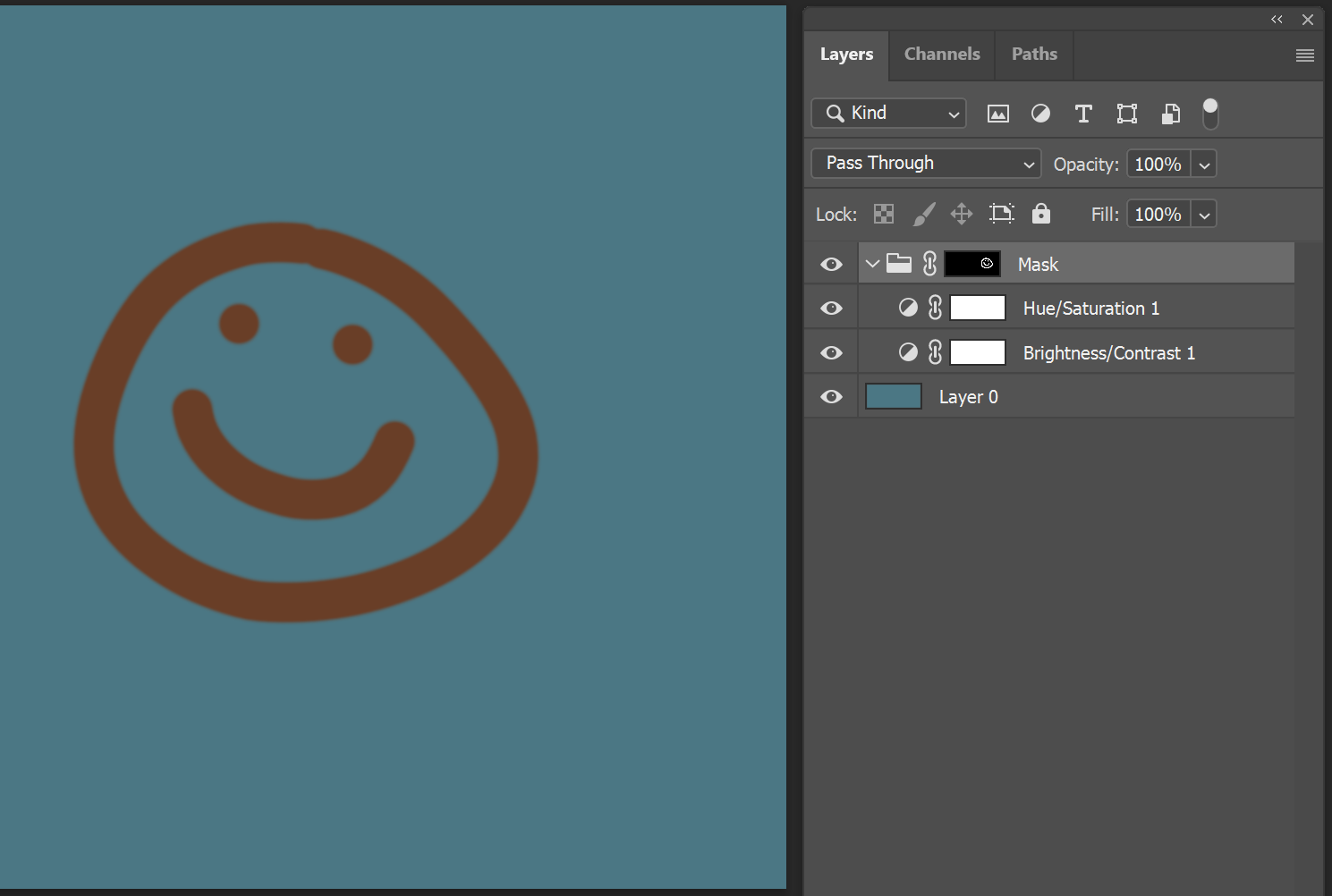
I have tried almost every combination to get this basic idea to work. I want to have a group of various filter layers and by using one mask - mask them all out.
I think the picture of how I handle it in photoshop should summarize what I am looking to achieve in Krita.
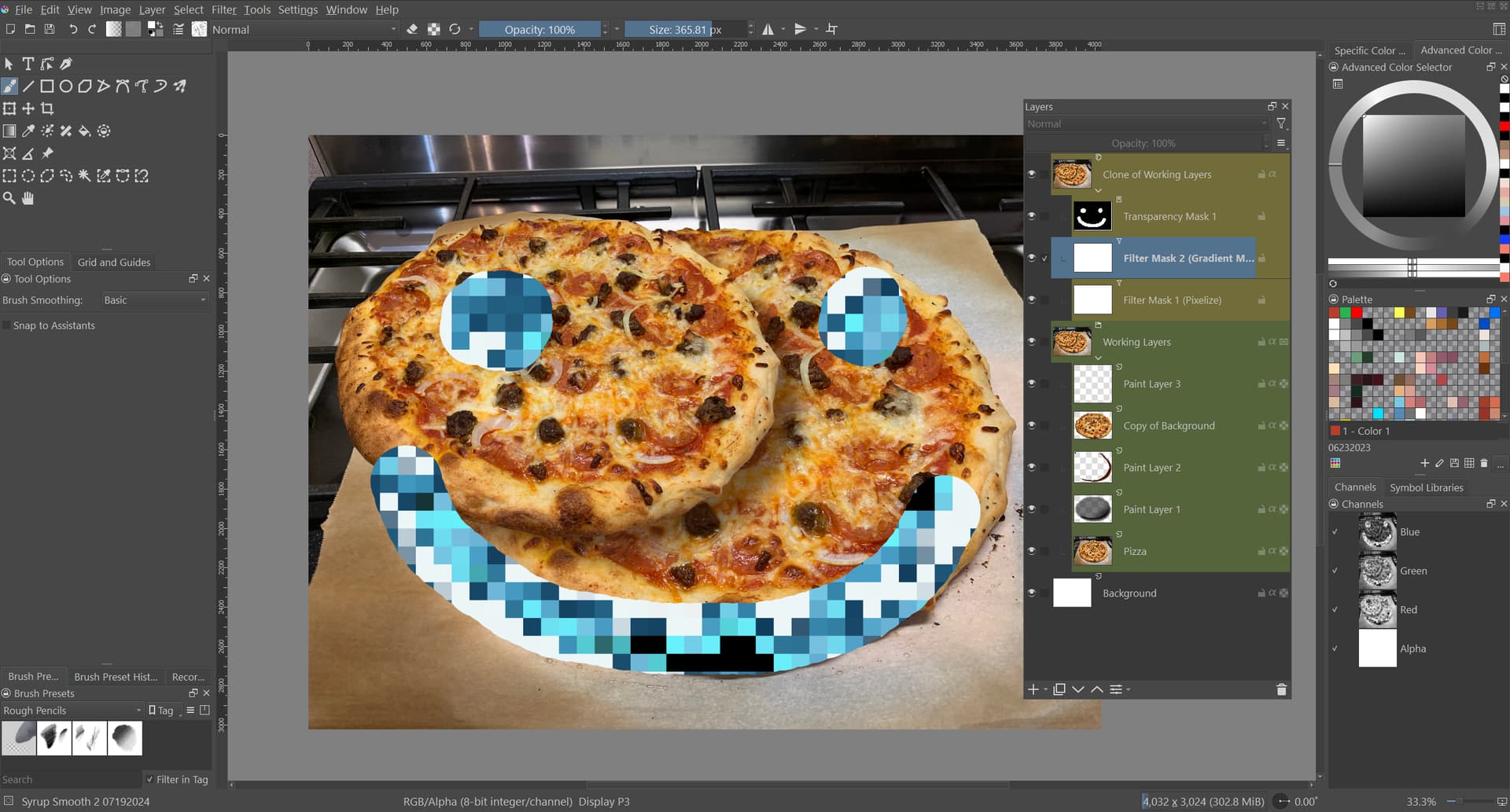
Hmm… Maybe not ideal, but a solution would be to group the work layers and then clone the group (this creates a single layer that is like an export of the grouped layers. You can then apply the required filters to the Group Layer, including a transparency mask. This would allow you to keep the filtered layers as a non-destructive addition, limited to the masked area, while also letting you work on layers (including being able to add new layers) within the Working Layer group. please see attached example.
(Edit - It’s been brought to my attention that the admins may see my image and assume the image I used is Stock photography. For clarity, this is a photo I took, in my home, and that’s a pizza I hand tossed, having managed at a brick oven restaurant for 5 years. I can provide addition pictures of the oven, if needed).
@Someonesane Thank you for adding the picture credit. When members do that without us asking, it makes us feel good about the personal time we give up to act as forum volunteers.
No trouble. Michelist had DM’d me, to inform me that it could an issue, so I wanted to clarify. Don’t mean to derail the thread, but should I be making such notes with every image/screenshot?
Yes you should. If you are posting lots of personal photos then you can say, “All photos are my own”, if there is any possibility of giving the impression that you have uploaded an image that belongs to someone else.
 Have fun creating