Hi everyone. I’m using Krita version 5.2.6.
As far as I know, the only way to change the ‘line thickness’ of (already-drawn) vector shapes is manipulating ‘Thickness’ value in ‘Tool Options’ docker. Like fig1 below.
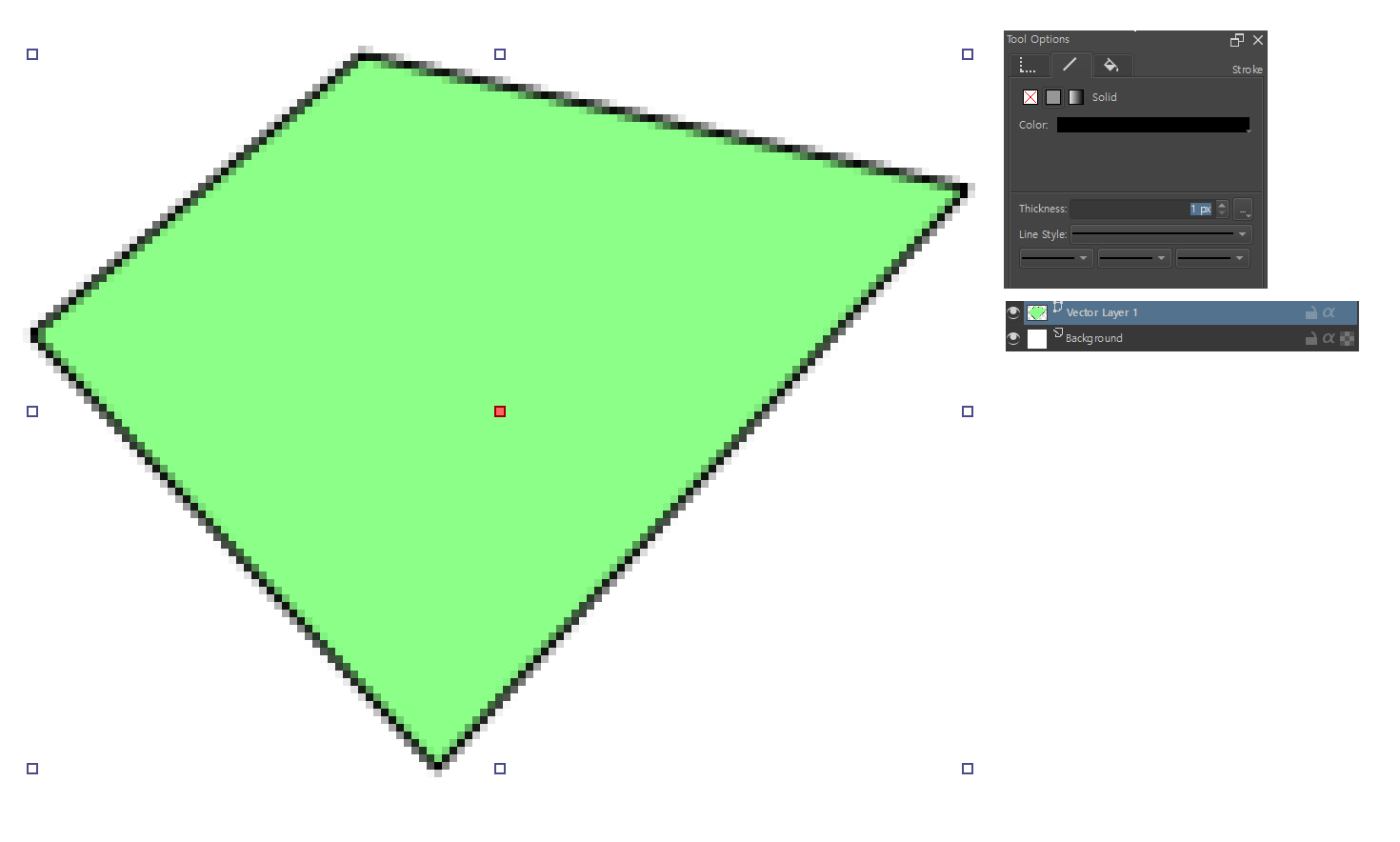
(fig1)
But I want that thickness value to be ‘float’, for example 0.1 or 2.5 and so on. The reason is, of course, sometimes I want subtle variance among lines in my artworks.
Unfortunately Krita seems to have heavy-restriction about this. In the Tool Options docker, you can only input ‘int’ value.
The only way I can get ‘float-valued thickness’ is set ‘Brush Size’ to float and then draw a new vector shape, FROM THE BEGINING. Like fig2 below.
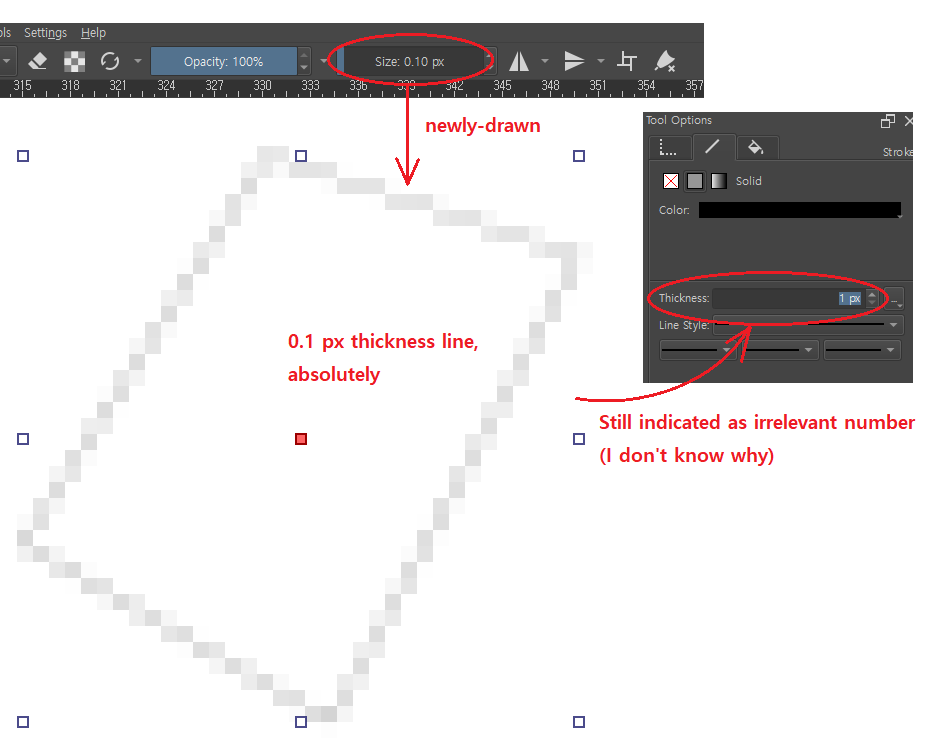
(fig2)
But this is not I want. Also, once you re-set the thickness in the tool options docker, the vector shape can never get back to float-thickness.
I want some functions which can change line thickness in float, freely whenever I want.
Related to this, while I was searching through the internet,
this post (Reddit - Dive into anything) shows exactly what I want (float-valued thickness).
Though I don’t know why the unit is mm, not px, that’s not big deal for me.
I want apply this functionality into my Krita as well, but I don’t know how to.
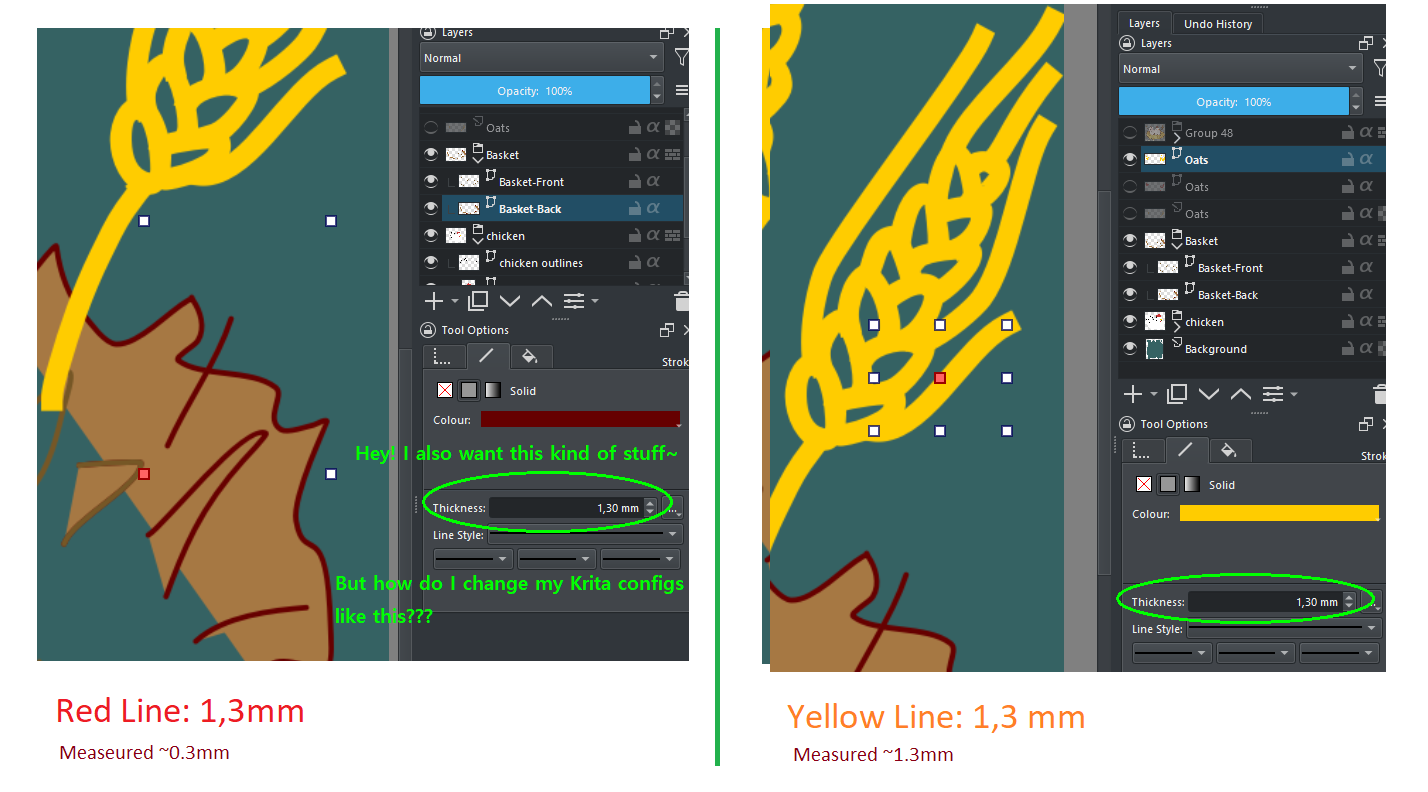
(fig originated from the link above)