
i dont find any option to manually input HSV value or pick color when choosing fill or stroke color of vector element. can someone show me where to change it.
1 Like
Hi. You can change it with the regular color selector dockers (Specific Color Selector docker for instance) or popup dialog. Foreground color - fill, background color - lines.
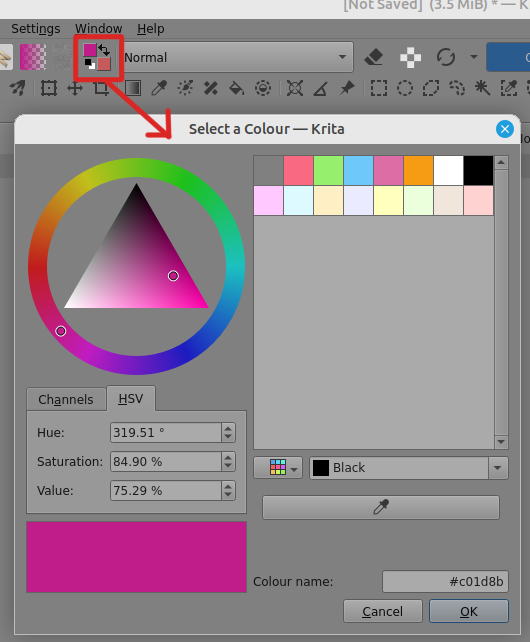
Actually, it is for direct color selection, but i want to change the color of existing vector component which is already there using Fill and stroke color selection. I find it missing from my screen.
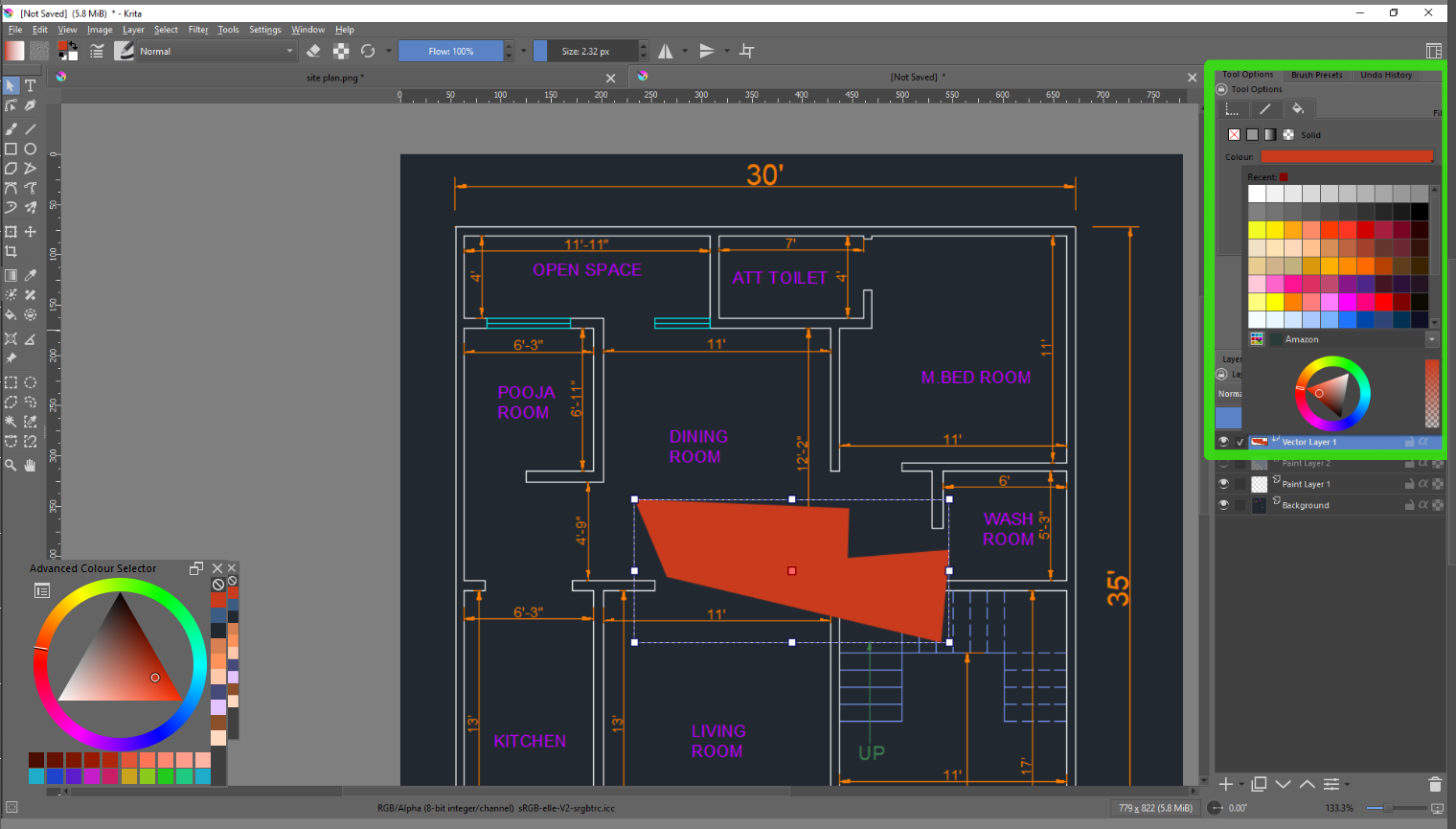
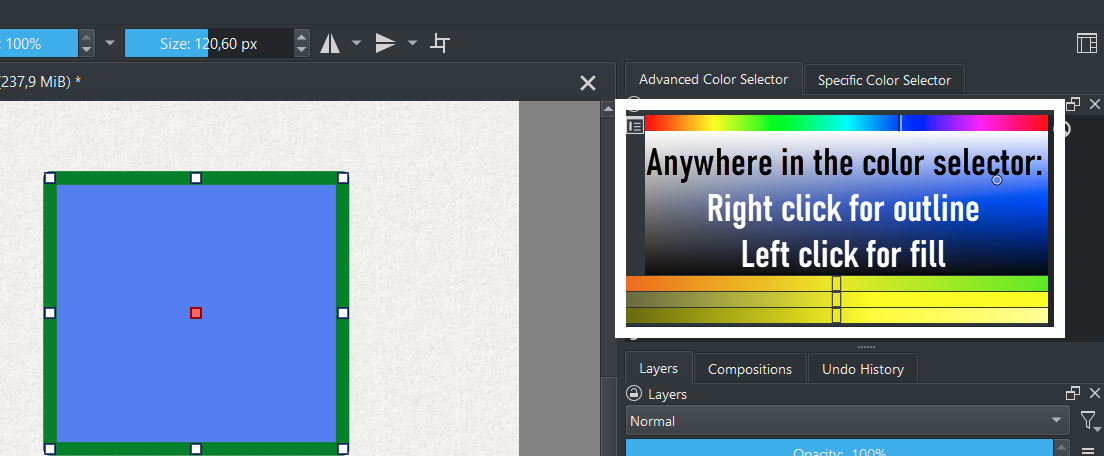
It changes color of existing and selected vector object.
Edit: ----------------
I just checked - your way of using tool options also changes existing vector object’s colors:
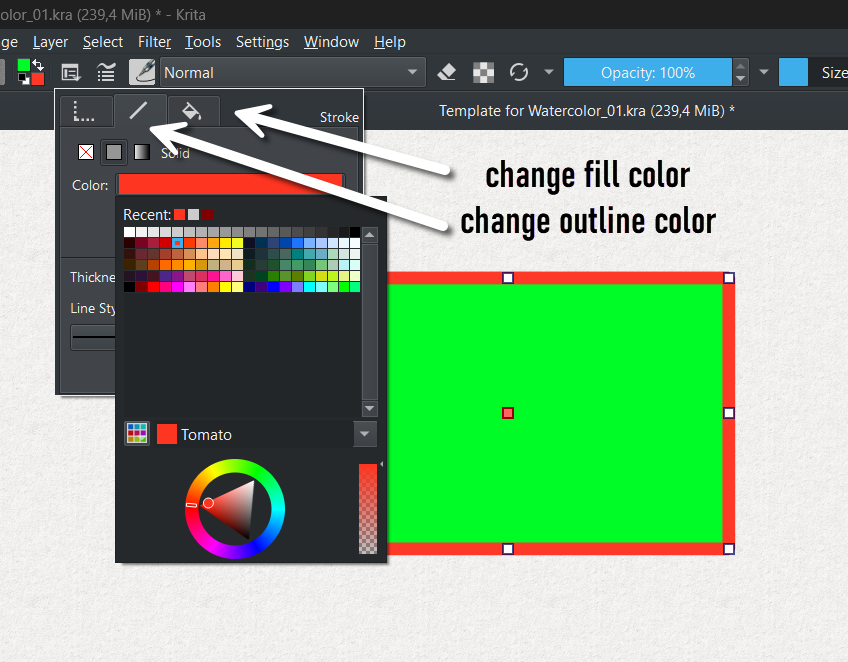
Is this not working like that on your system?
I am on Windows with Krita 5.2.3.
This topic was automatically closed 30 days after the last reply. New replies are no longer allowed.