If this impossible in Krita?
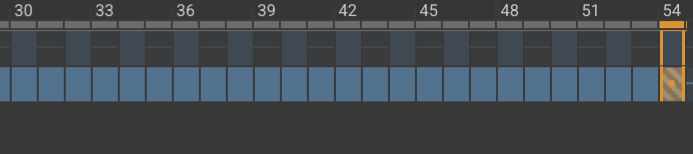
You select multiple frames by clicking the leftmost one then Shift+click the rightmost one.
To delete them, you do right-click → Remove Keyframe.
There are many actions available in that right-click menu for frames.
To filter multiple frames, you select a range of frames and apply the filter with its Multiframe option enabled, if the filter supports multiframe operation:

1 Like
Oh, I use android. I try to clamp frames by my finger, but it didnt work. But also thanks for reply
1 Like
Maybe you could get a Bluetooth keyboard?
Does a two finger spread work?
I’ve never used krita on Android.
1 Like
Hm, Maybe I try to drag 2 fingers together. Because I sometimes managed to do this when I just scrolled through the frames.
This topic was automatically closed 30 days after the last reply. New replies are no longer allowed.