It looks like you used the Contiguous Selection tool with a low spread value or a high threshold value to pick out and add part of that field in the woods.
It’s a particulary difficult thing to get by use of the selection tools.
If you use a low threshold and the Acrion@Add technique, you can gradually build up the selection.
Doing that, even then I had an are outside selected and I then used the Freehand Selection tool with Action:Subtract to remove it.
Alternatively, the final tidy up could be done by painting in black/white on the global selection mask (which I didn’t try).
You could also do the entire thing by careful use of the Freehand Selection tool.
Here is the resulting selection, (shown as the global selection mask for clarity) and I wouldn’t want to do many like this:
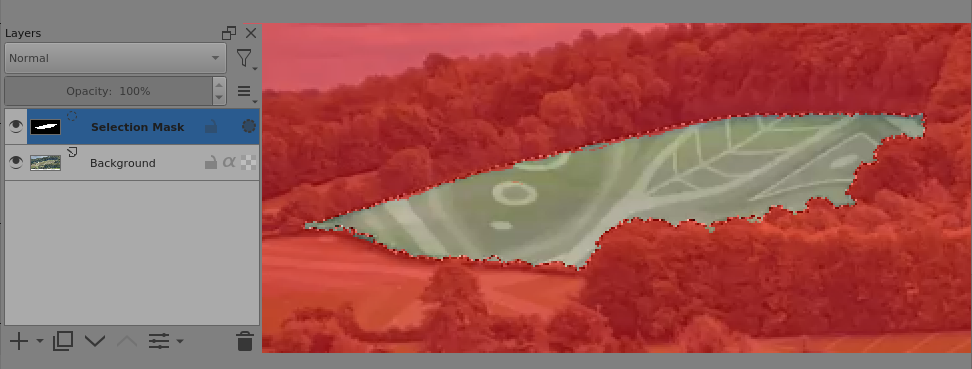
Fine selections on complicated images take time and some manual dexterity with use of different selection tools.
You can do pick’n’mix of different tools and different techniques to get the required end result.