As I’ve been recoloring my designs using only colors supported by CMYK(in US Web Coated (SWOP) v2, I’ve been manually matching the colors as close as I can get them. It’s often been pretty easy to find a close enough color. But sometimes, it just seems to take FOREVER.
Is there an easier way to get the closest possible match to any unprintable color? Like a way that works in just a few seconds ideally? It’s getting kind of tiring at times trying to find the closest match by eye over the course of multiple minutes. Sometimes, I even pick an entirely new color just so I don’t have to spend forever finding that one exact color that actually closely matches.
I believe Photoshop might have a feature like what I’m looking for but I don’t know if Krita does or not.
The closest thing I’ve found is converting the artwork to the CMYK profile, picking the converted color, undoing the conversion, then slightly modifying the picked color until it’s in gamut. That sometimes gets me a lot closer to a printable color than when I only use my eyes.
(Extra question: Is it normal for certain colors to be IN GAMUT when in CMYK but OUT OF GAMUT when in RGB? It seems kind of backwards.)
In the end it is educated guessing by eye, as discussed in your other posts about the icc topic
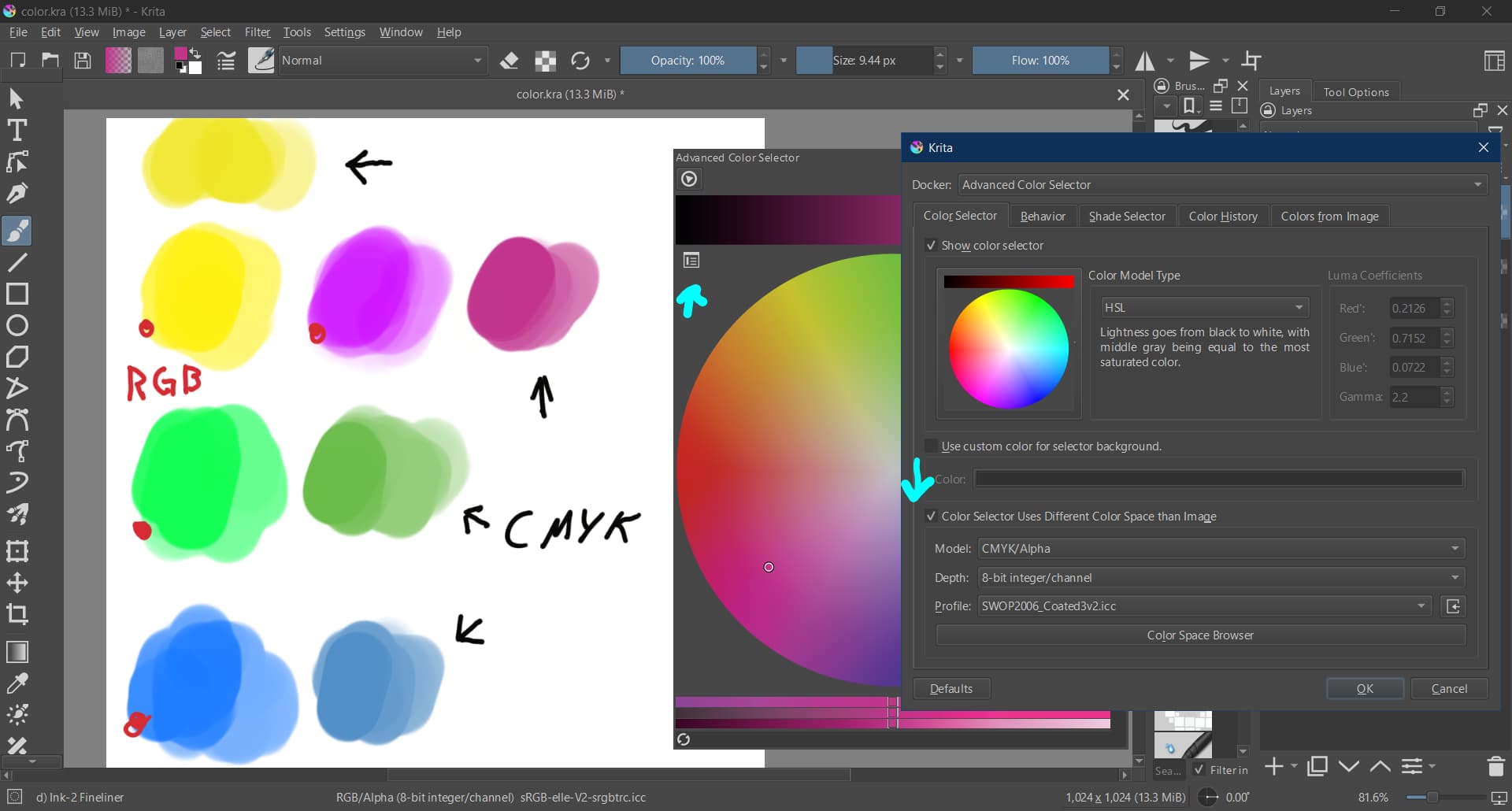
But what you can try is to set the color selector to cmyk while keeping the document in sRGB. Maybe that makes it a bit easier. Edit: Technically you now have an sRGB document but you limit the colors in the selector to the choosen cmyk gamut (Swop in your case). This way you can’t pick colors anymore that are outside of the cmyk range.
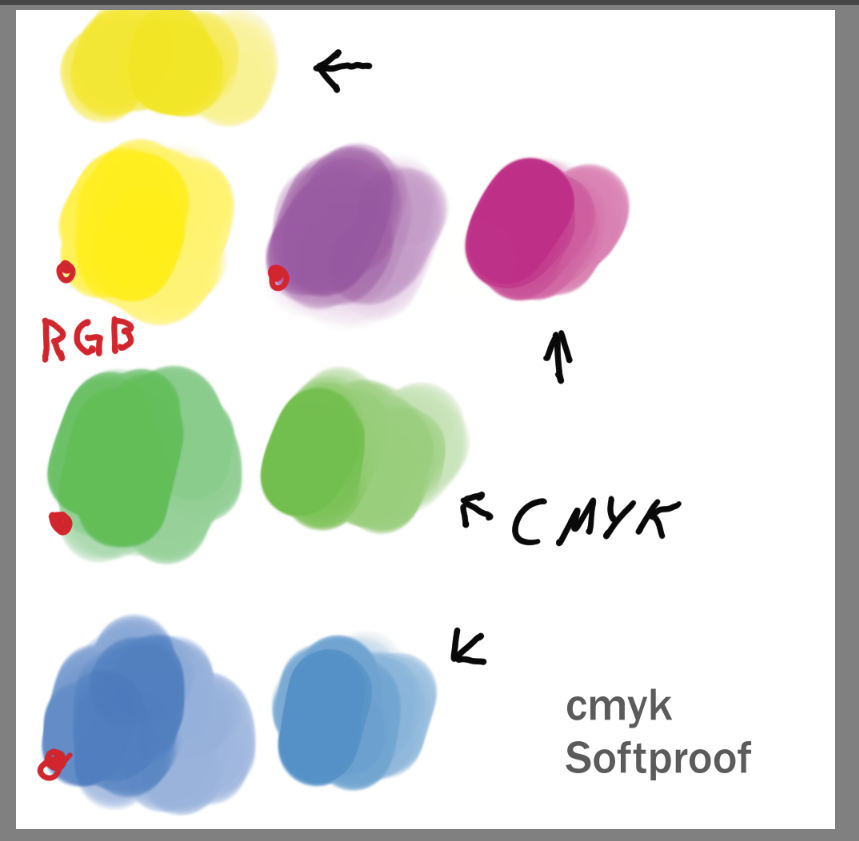
(I made this on a 10 years old notebook with a worn out display - so the color you see might be totally different than the ones I saw when making the example)
Edit:
Here is the image with softproof active - the rgb colors are now converted to cmyk using Krita’s automatic conversion. This way one can compare the manually chosen cmyk with the automatically chosen cmyk.
This could be useful to save a bit more time, but I have actually been using multiple document mode when I recolor so I don’t even need to turn soft proofing on and off the entire time. I leave one view with soft proofing on at all times and also keep a second but without soft proofing on at the same time.
The problem I’m having is this: sometimes there is a significantly closer color match than I can find easily myself. I know this because of the method I used where I convert the whole artwork, pick the converted color, undo the artwork conversion, and then adjust the picked color until it’s in gamut. Using that method, it managed to find a really close color match that I thought would be impossible otherwise. This method DOES work but it also absorbs a lot more of my time(especially when doing this for many different colors).
The feature in Photoshop (assuming I’m remembering correctly) lets you pick any RGB value. Then, by clicking a particular button, it spits out the closest printable color in the chosen CMYK profile.
I want to know if Krita has that feature(or something similar), or if I just have to keep doing what I’ve been doing already.
I am not aware of any button doing what you are asking for.
But menu: Image → Convert Image Color Space
does this. It will convert all colors from the current color space to a different color space.
According to a developer it might be advised to use Kirta 5.3 for this as it includes some fixes in the color space handling.
This is what I explained I’ve been using sometimes. It doesn’t always help though. Sometimes, it gives me a converted color that is no longer good(in gamut) once back in RGB.
I’m going to try 5.3 once it comes out but for now am trying my best to make do with what I can.