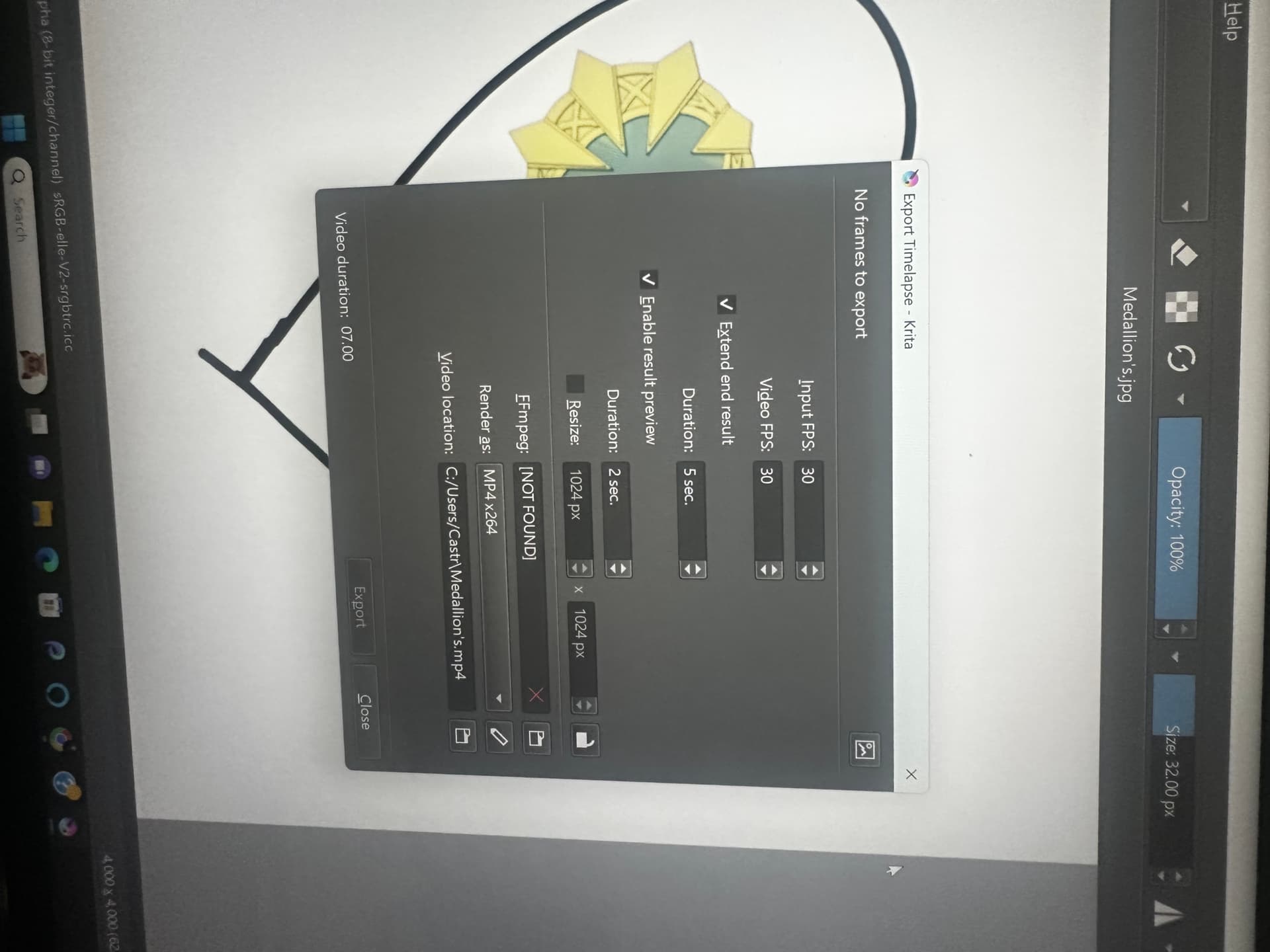
So I’m still quite new to krita and I want to do a recording of a speedrun timelapse for my art and I tried downloading a ffmpeg on ffmpeg.org but krita says it’s still (Not Found) or compatible. I don’t really know the actual steps to begin so I might be doing this wrong, any help I would really appreciate it.
I use Windows 11 and Krita’s version 5.1.1
 Hello @xkripted13, and welcome to the forum!
The recommended version for Krita versions before 5.2.0 are those from Gyan.dev. Unfortunately, there seem to be an issue with recent update to FFmpeg 7.x, so it is advisable to use version 6.1.1 instead.
You can download it via this link to Gyan.dev:
ffmpeg-6.1.1-essentials_build.zip
Or you can go to the Gyan.dev homepage and download it from there.
But, if I were you, I would update my Krita instead to the most recent version 5.2.2 where FFmpeg is already included into the installation. You can download it from Krita’s homepage:
https://krita.org/en/download/
But if you don’t want to update, it is usual to unzip FFmpeg to directly to drive C:\ in case of the recommended version from Gyan.dev the path to FFmpeg.exe would then be c:\ffmpeg-6.1.1-essentials_build\bin\ffmpeg.exe.
Michelist
Add/Edit: Hello @AhabGreybeard! 
3 Likes
Hello @xkripted13 and welcome to the forum
Please read this:
Recorder Docker — Krita Manual 5.2.0 documentation
and this:
Render Animation — Krita Manual 5.2.0 documentation
In case of problems, please post screenshots instead of photos of your monitor.
Post screenshots of the Recorder docker and the various windows at each stage of the recording and export process.
Hello @Michelist
3 Likes
Really, ok I will try to update krita I didn’t know that I’ll come back if I run any issues. I appreciate it.
1 Like
Got it, sorry I didn’t know that.
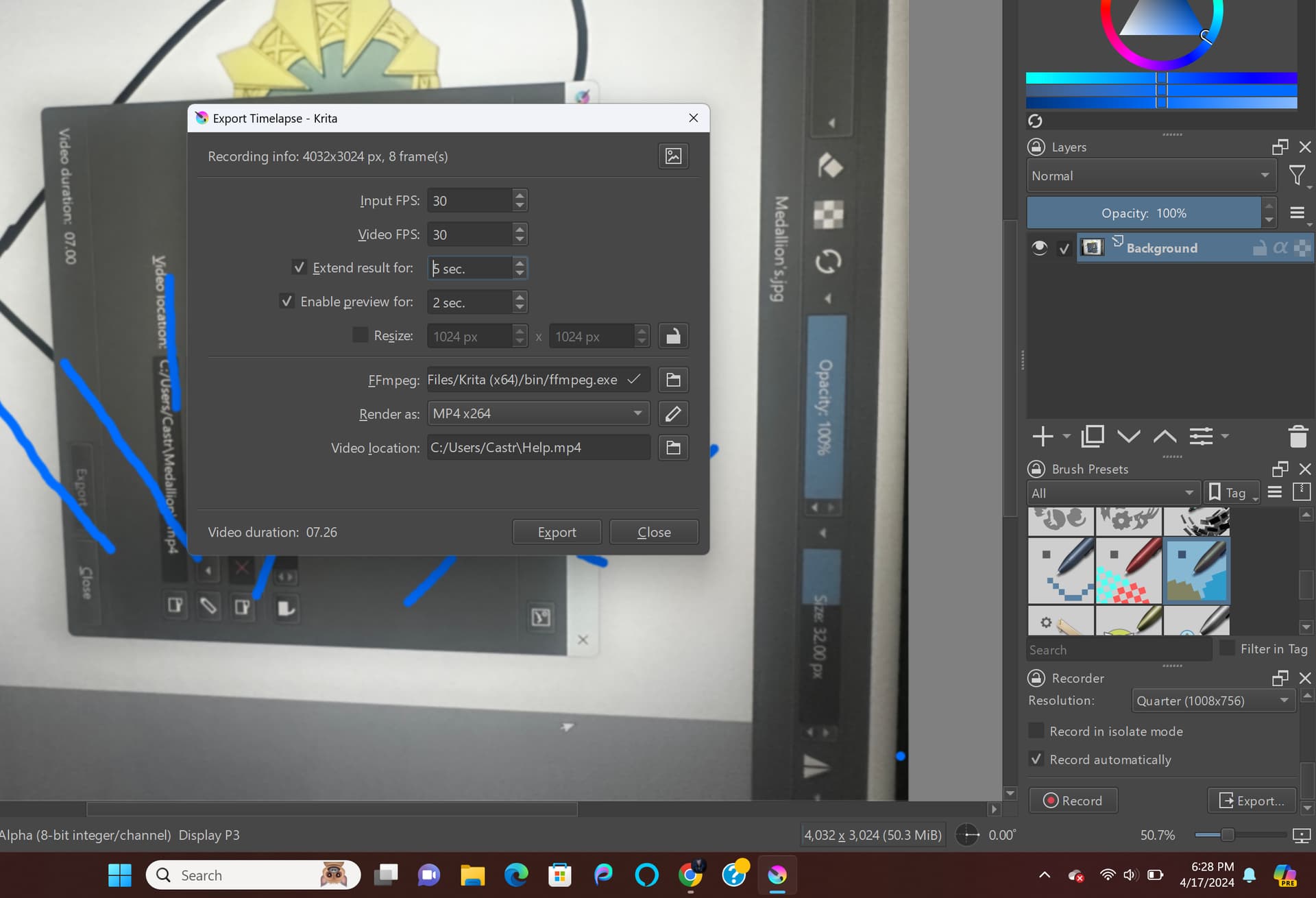
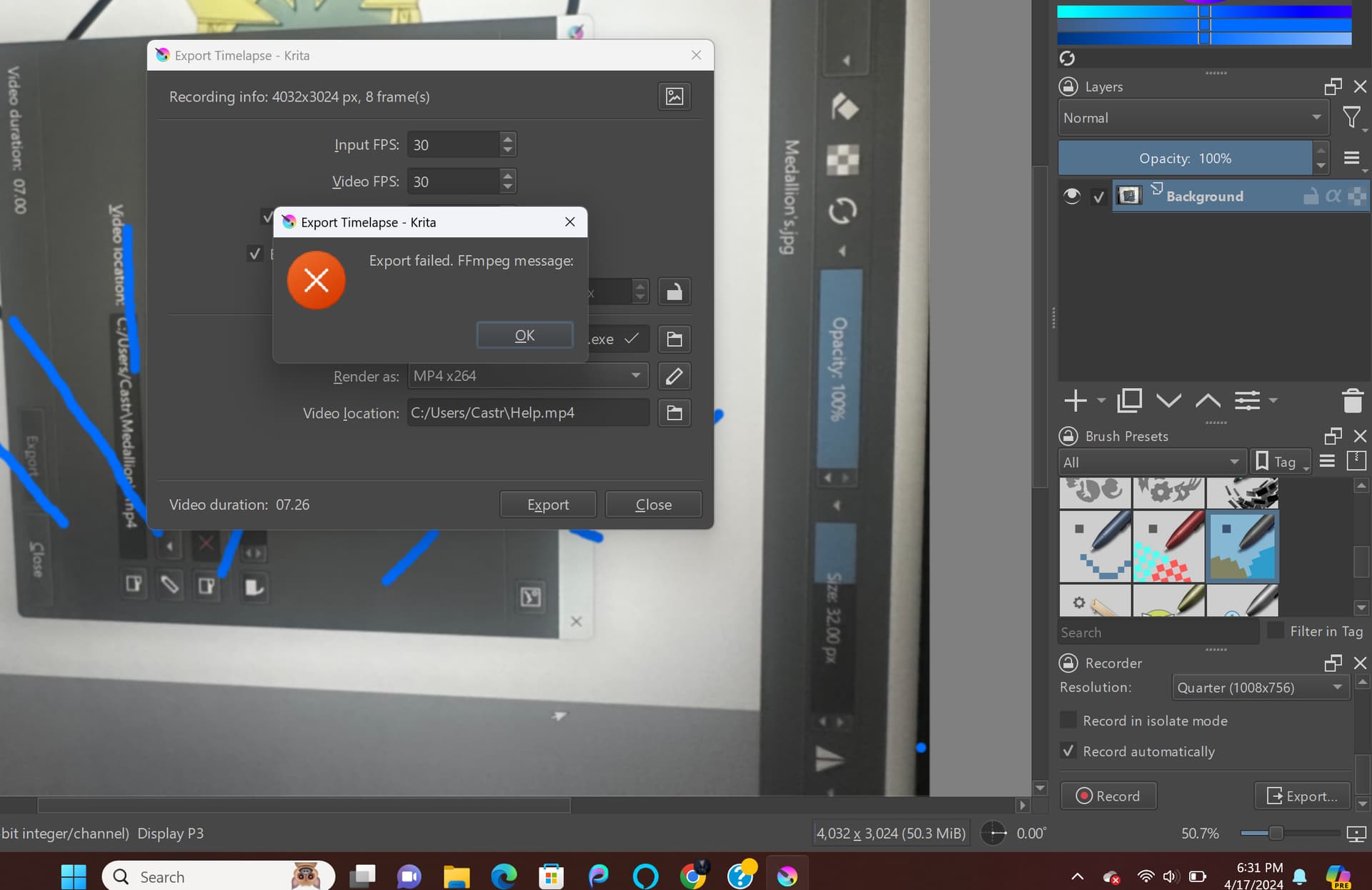
So I downloaded the recent version and I did a little test on the recorder, so once I decided to export this error popped up. What can I do?
You def. need to resize that. The dimensions are huge. Click the lock icon next to resize, then place a checkmark there and choose a smaller dimension for either width or height. As long as the lock icon is turned on, Krita will change the other dimension for you.
I that doesn’t fix it, then next thing to try is to change the render setting to h264.
@xkripted13 You seem to have changed the colour profile from default to “Display P3”, whatever that is.
How did you do that and why did you do it?
The Export Timelapse window shows a frame size of 4032 x 3024 but the Recorder docker shows Capture resolution of Quarter (1008 x 756).
Did you change capture resolution at some time?
In a situation like this, I think you should start from new with a new document of 512 x 512 size and default 8-bit colour profile.
Adjust the Recorder docker height and width so that all of its contents are fully visible.
Capture at Original resolution of 512 x 512 with a 1 second interval and do 10 seconds of recorded painting.
Export the timelapse with Input FPS and Video FPS at 1. Have end result and preview at 1 second.
Then see what happens.
1 Like
Yes that “Display P3” was a photoshoot I took on my phone that’s why the colour profile looked a little off so that’s my bad.
I also did changed the resolution a bit maybe that would do a difference but no.
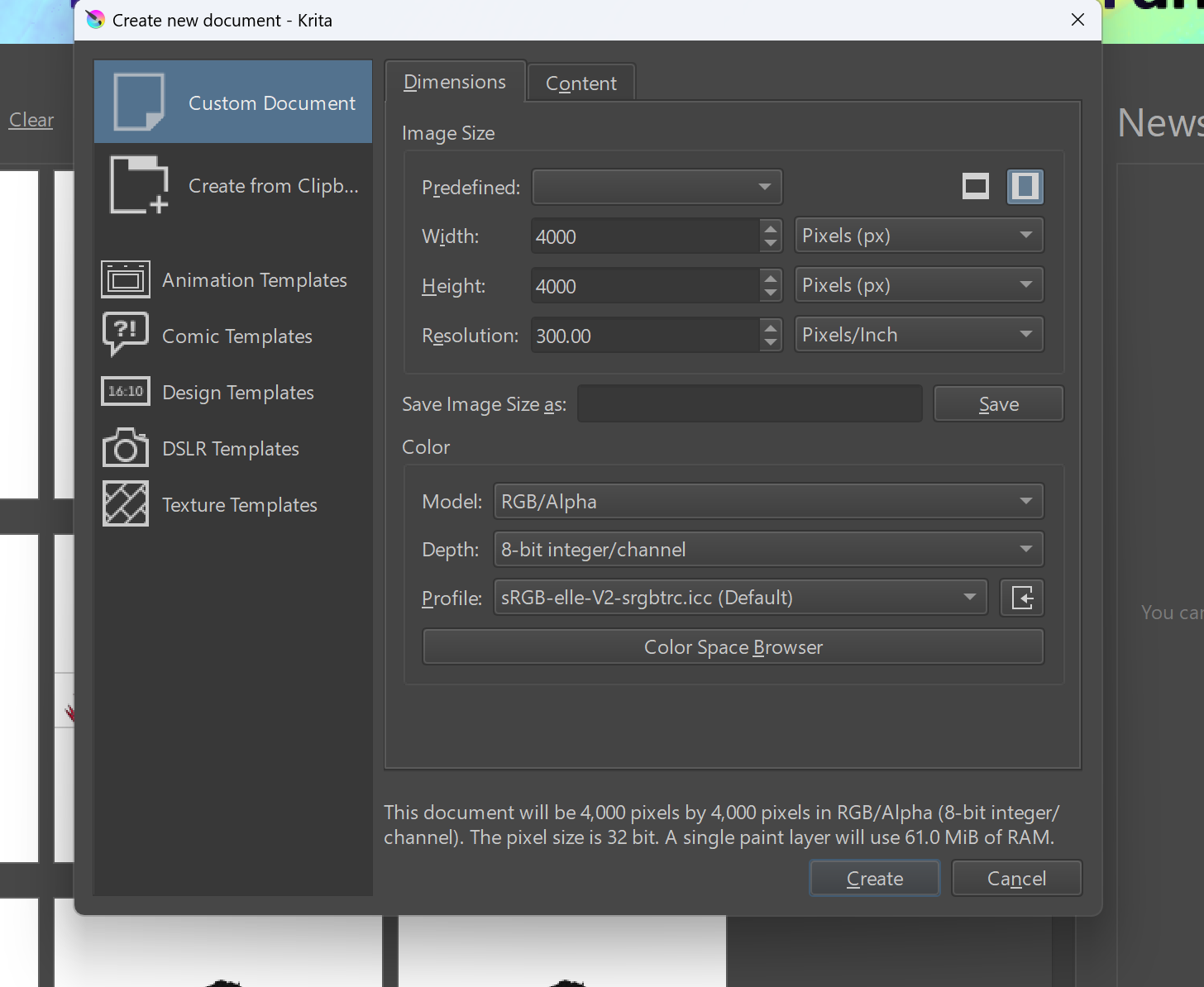
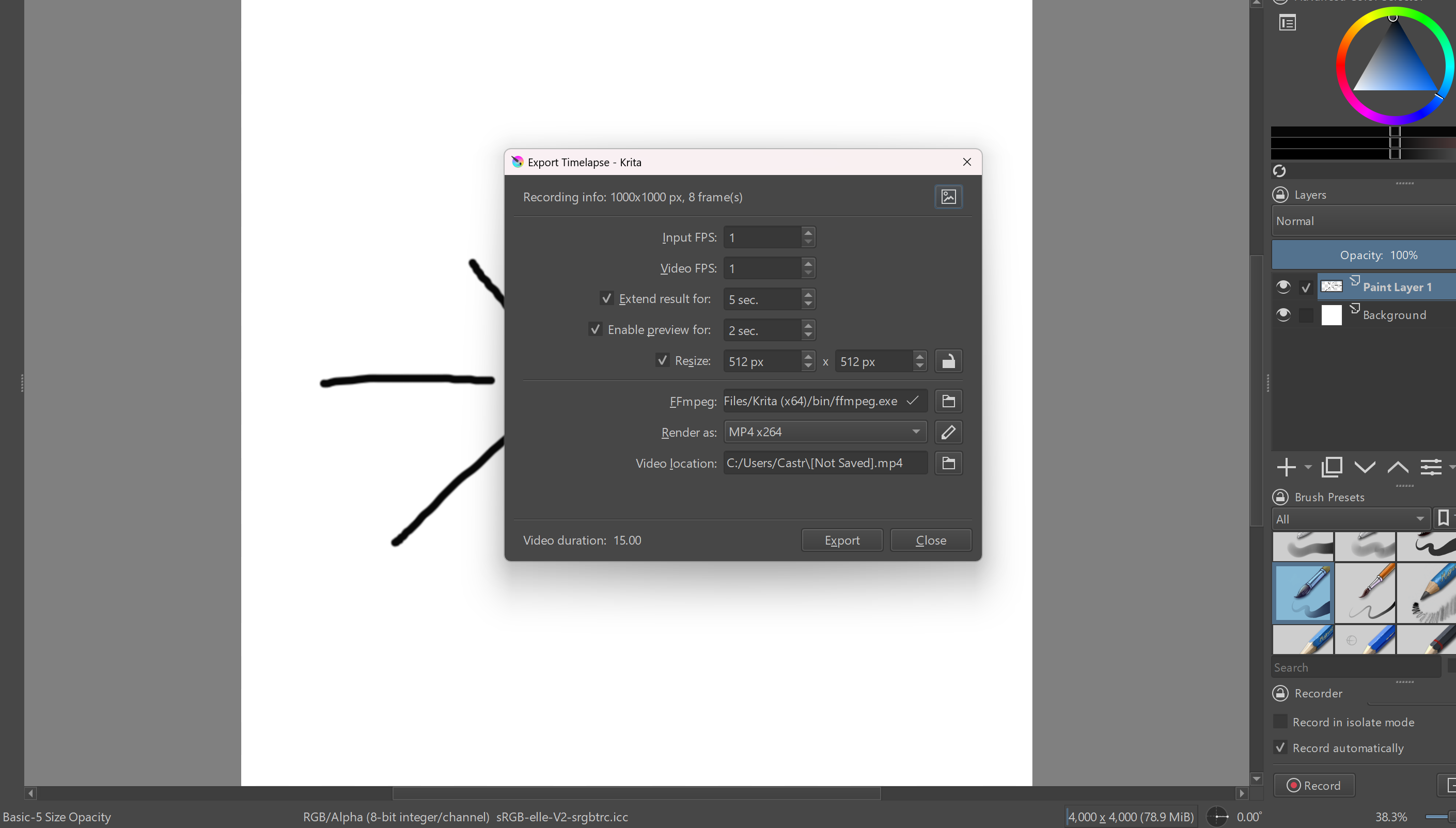
So these 2 screenshots here I made a new file document and usually I draw my art at 4000 x 4000 pixels at 300 resolution but the rest are at their default settings, I have it that way because only for my art drawings not to look very blurry or pixeled at a lower setting. My recording settings I changed the input and video FPS to 1, then resized it to 512 x 512 px like you said but somehow it still pops off an error. My recorder frame it says it’s on 1000 x1000 px I don’t know if that has anything to do with it. I just want to record a speedrun on my drawing then post it on my social media accounts but I’m not entirely sure what I’m doing is correct or is there any other way I can do and download something similar.
This topic was automatically closed 30 days after the last reply. New replies are no longer allowed.