Hi 
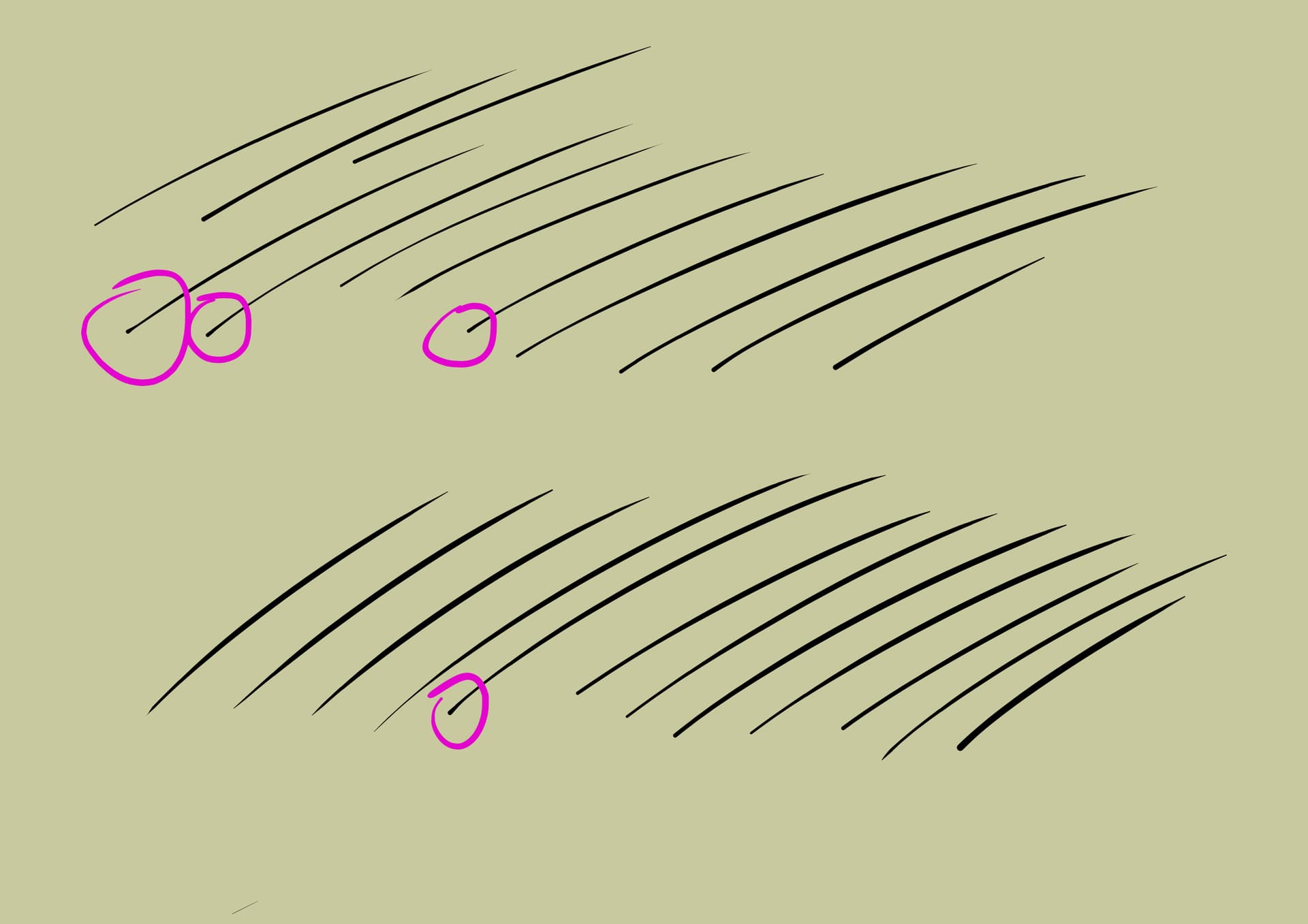
How to make my brush end in a fine point at the beginning of making a stroke?
Regards.
Did you make those strokes with size controlled by pressure?
I don’t get those blobs even with my poor control of my old fingers.
Hey, here the method I found to improve my line width variation in entry and exit of a line (require a stylus with pressure enabled) :
Eg:
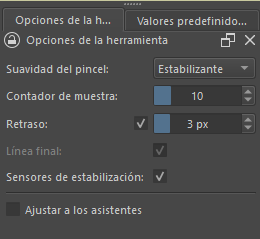
I used stabilizer
Hello!
Thank you very much for your help!
This only happens to me in Krita. In other drawing programs it doesn’t happen to me. Would I have to calibrate the brush for krita?
I tried changing these settings and there is no change.
How do I configure the brush?
I didn’t understand you in this last part.
What do you want to tell me with the video?
Yes, some other programs have a stabilizer that fix the ‘pointyness’ shapes of the brush while you draw. Krita doesn’t have this feature yet.
Good videos on the brush making and brush editor are available for free on the official channel if you want to learn: https://www.youtube.com/@KritaOrgPainting/videos
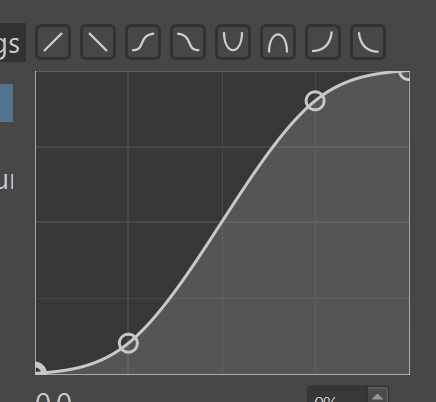
The ‘S’ curve is a shape of pressure curve (but also contrast, etc). See example on a search engine, with images of S curves. (Edit: thanks @Michelist for the graphic)
Just a video example to show you the brush strokes I can obtain with pointy in and out of the brush stroke in Krita.
Oh, you have it configured like this? It’s very cool. Although I was looking to configure the stroke to give it an inking stroke that I already liked in another program, hehehe. What a pity that the possibility of vectors is not here in Krita.
Thank you very much for everything and to you too @Michelist for the capture!
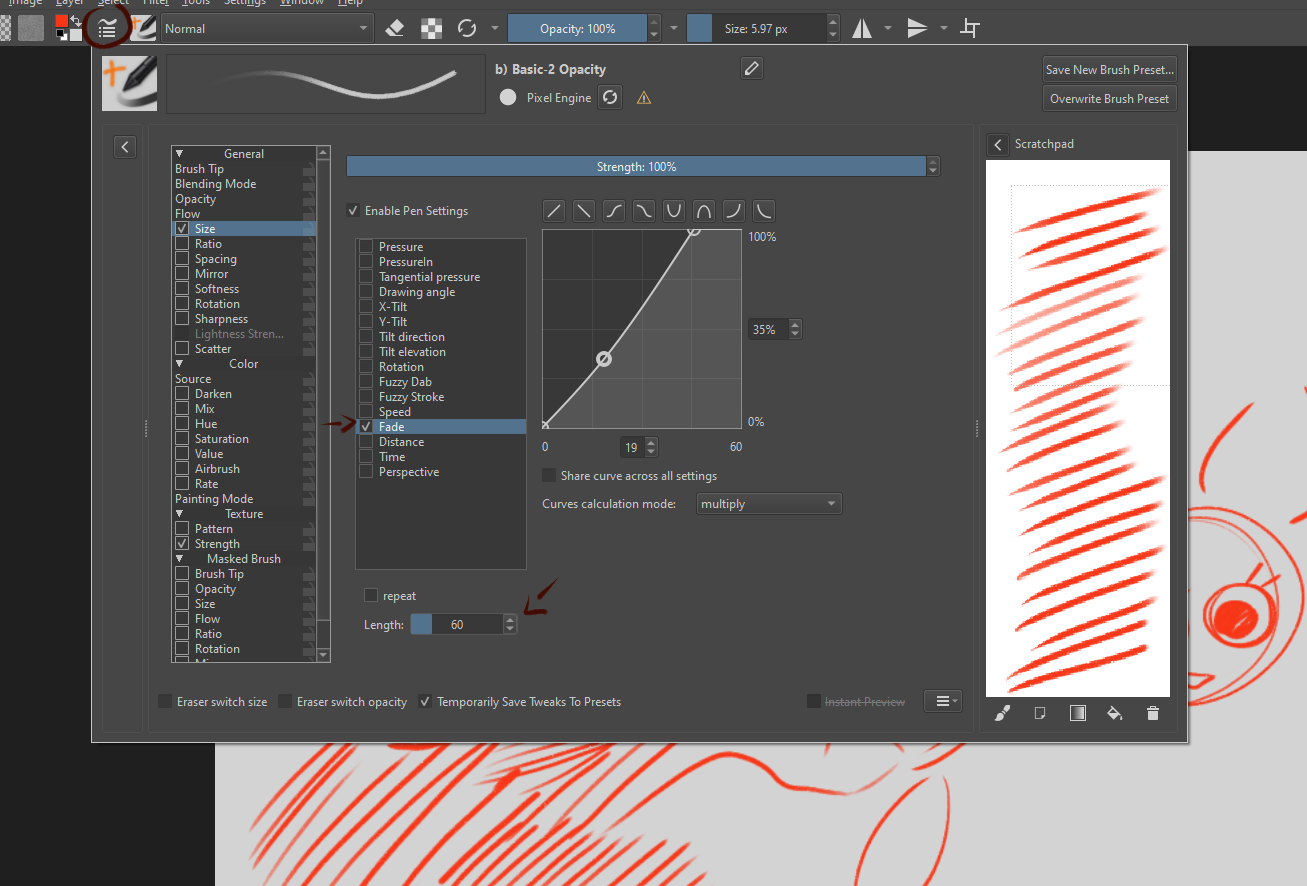
You can force Krita to make tip pointy on the start of the stroke no matter (almost) pen pressure.
If you go into Size modifier and Checkmark “Fade” you will get fine point at the start.
Set Lenght to what you like. Im my example its 60 pixels that is ok for canvas resolution i tested at.
you can play with curve to make tip move into your liking
but uncheck “Share curve across all settings”
because you want also have Size controlled by (pen)Pressure (first checkbox that in unchecked in my settings) and that would overide Pressure curve.
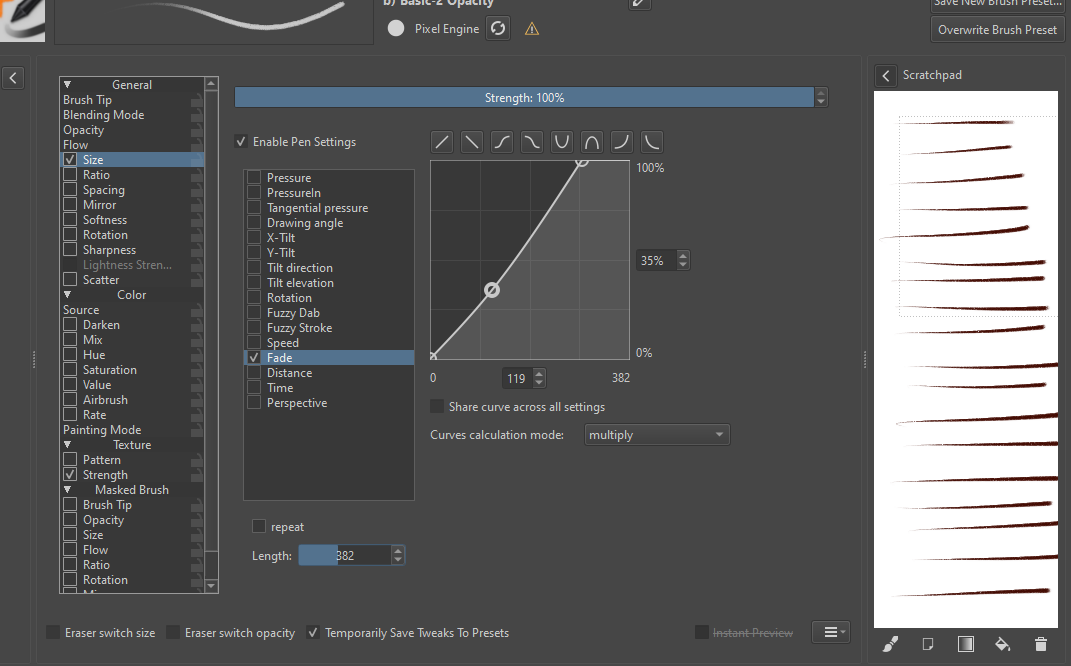
Different lenght of fade:
You may try and play with Time insted of Fade and force brush to start as tip in first 500ms of the stroke.
Thanks for the help @Zer0Frost ! Is there a difference between fade and time?
Hi, I think this brush from Ramon’s bundle has exactly this behavior. You could look at its settings:
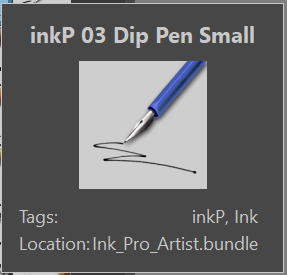
@YRH Thank you!
How do I find this?
You can get the brushes bundle here (links in the video description).
41 Ink BRUSHES in Krita 5 for #inktober and MUCH MORE - YouTube