How do I make different colors blend together on the same layer? For example, I’m trying to paint a sunset, starting with yellow in the middle, then gold around that, then red/orange around that. Instead of those colors blending together to form a smooth transition, it just looks like the colors are stacked on top of each other. Is there a way to fix this?
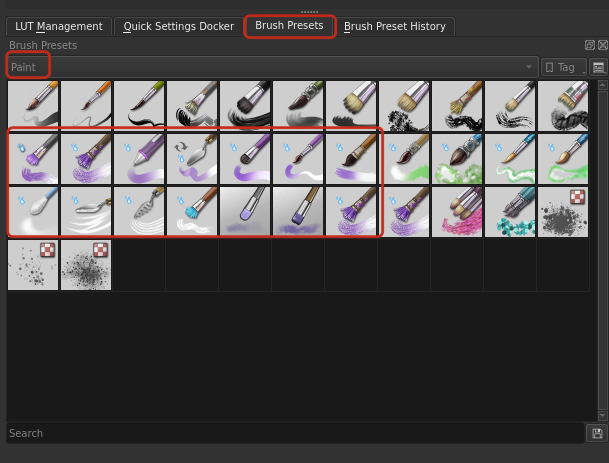
I assume you are using brushes with the pixel brush engine, but what you probably want are brushes that use the color smudge brush engine with a high smudge rate.

(Sorry for the recording errors, something went wrong with my OBS)
Have a look at all the brush presets with “wet” in their name.
You can find more details here:
This could be interesting too:
Sounds good, how do I access the brushes that use color smudge?
They are the ones that are purple!
If you press f5 you get a meny for customizing them further!