How to mask an animation?

Hello :slight_smile:

I really hope that I write the correct terms, else let me know :slight_smile:
So I have an animation where an arrow shall come out of a hole.
That means, I have to animate the arrow coming up from the bottom. I achieved this by using the animation curve.
But now I dont want to cut the arrow in every single frame. But the hole where it comes out is irregularly shaped. So I wonder (and I guess there is) how I can achieve that?
I would say, I need a mask, but I do not know whether this is correct since I am a total newbie.
So I wish that I can mark the hole and when the arrow is “above” this bound, it shall be visible.

What are the keywords that I should look for :slight_smile:

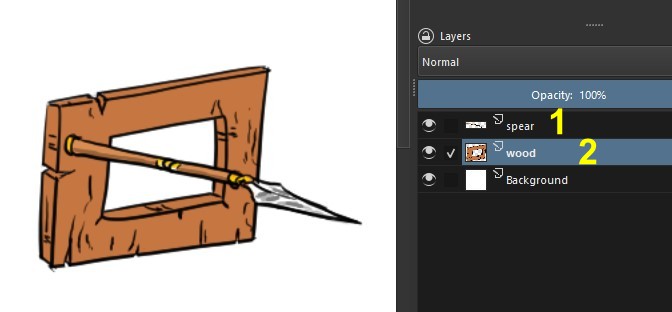
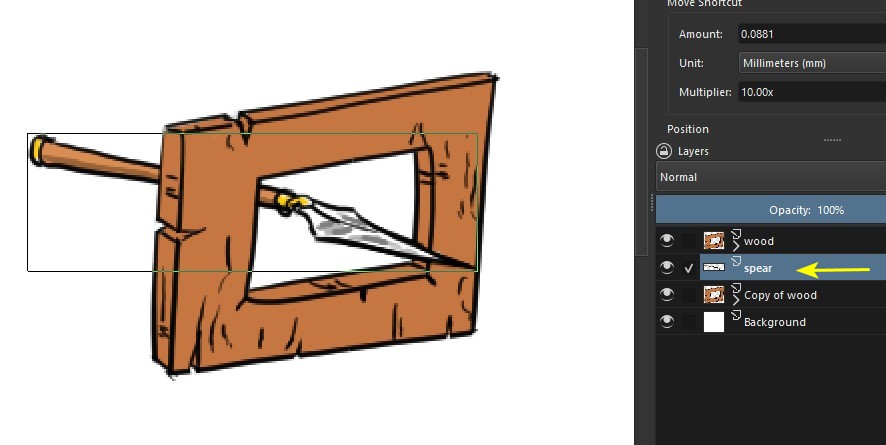
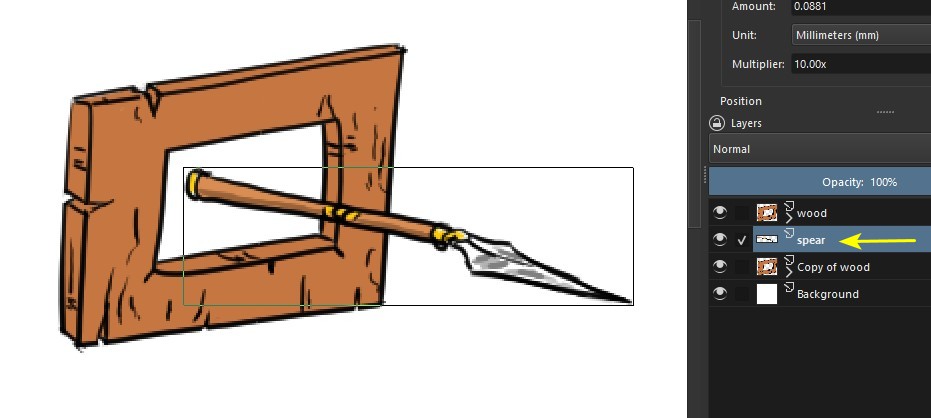
Here’s a way to solve the problem, using the hierarchy (i.e. the order) of the layers. In this example, I have a spear (1) and I want to make it go through a hole in a piece of wood (2).

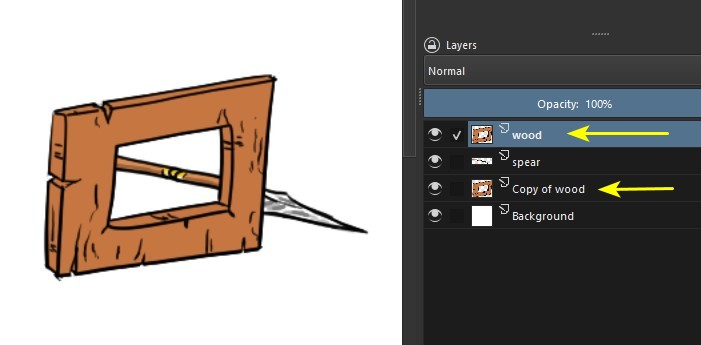
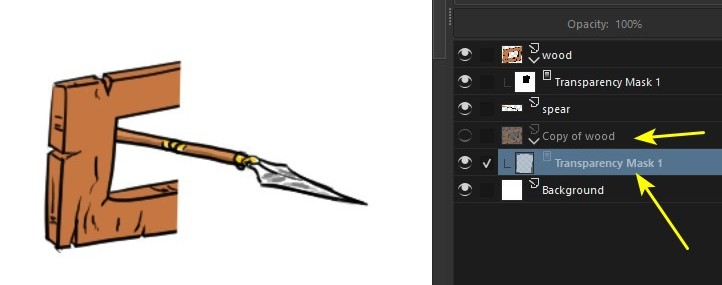
I duplicate the wood layer and keep the spear layer between these two layers:

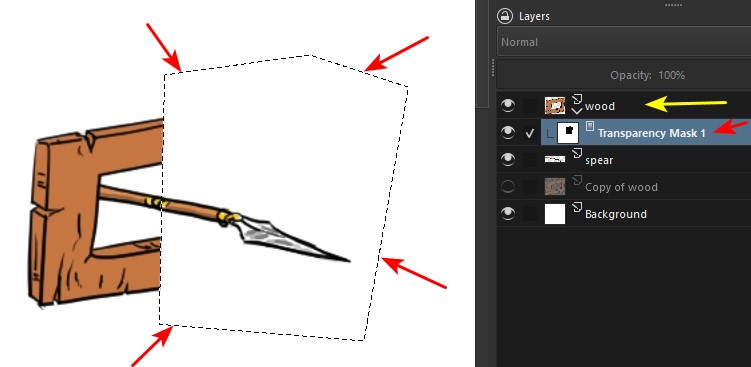
On the top wood layer, I create a transparency mask, so that only the left half of the wood is visible…

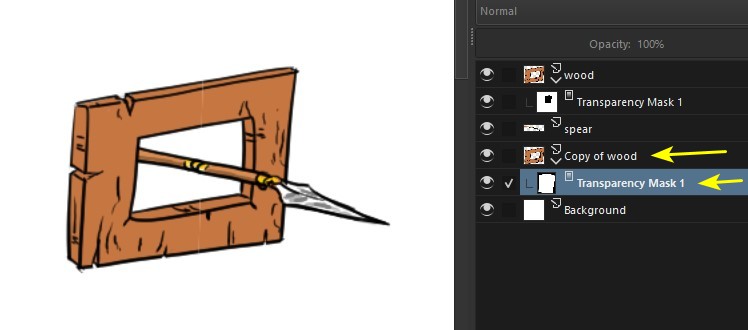
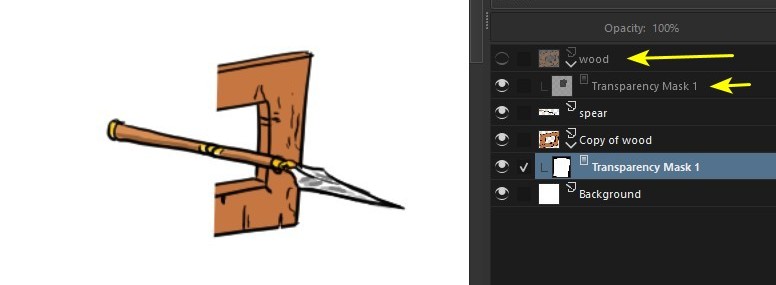
…and on the bottom wood layer, I create a transparency mask to only show the right side:

To make it clearer, here’s what the diagram looks like:

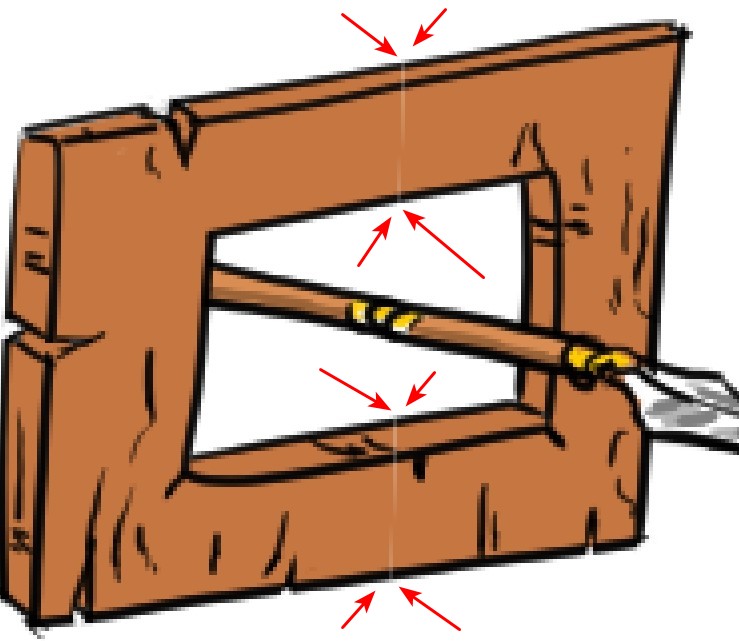
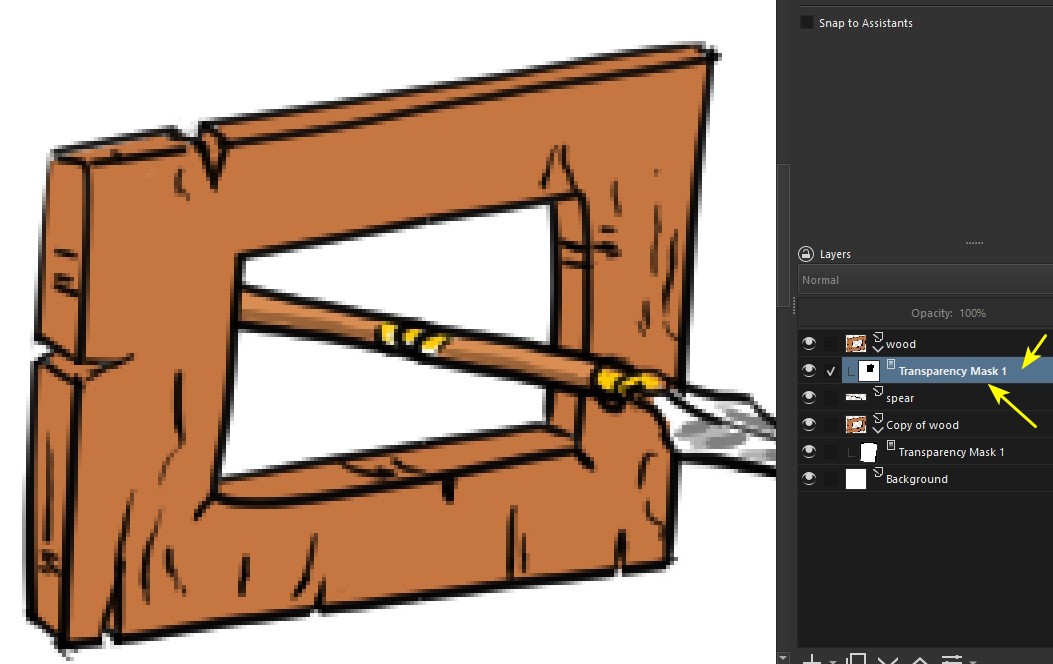
There may be a small flaw (red arrows), you can fix it by simply editing the transparency mask of the top layer:

This way I can move the spear, so that it gives the effect I want:

2 Likes

Wonderful @Guerreiro64 , this is exactly what I wanted to achieve! Thank you so much :smiley:

1 Like

This topic was automatically closed 4 days after the last reply. New replies are no longer allowed.