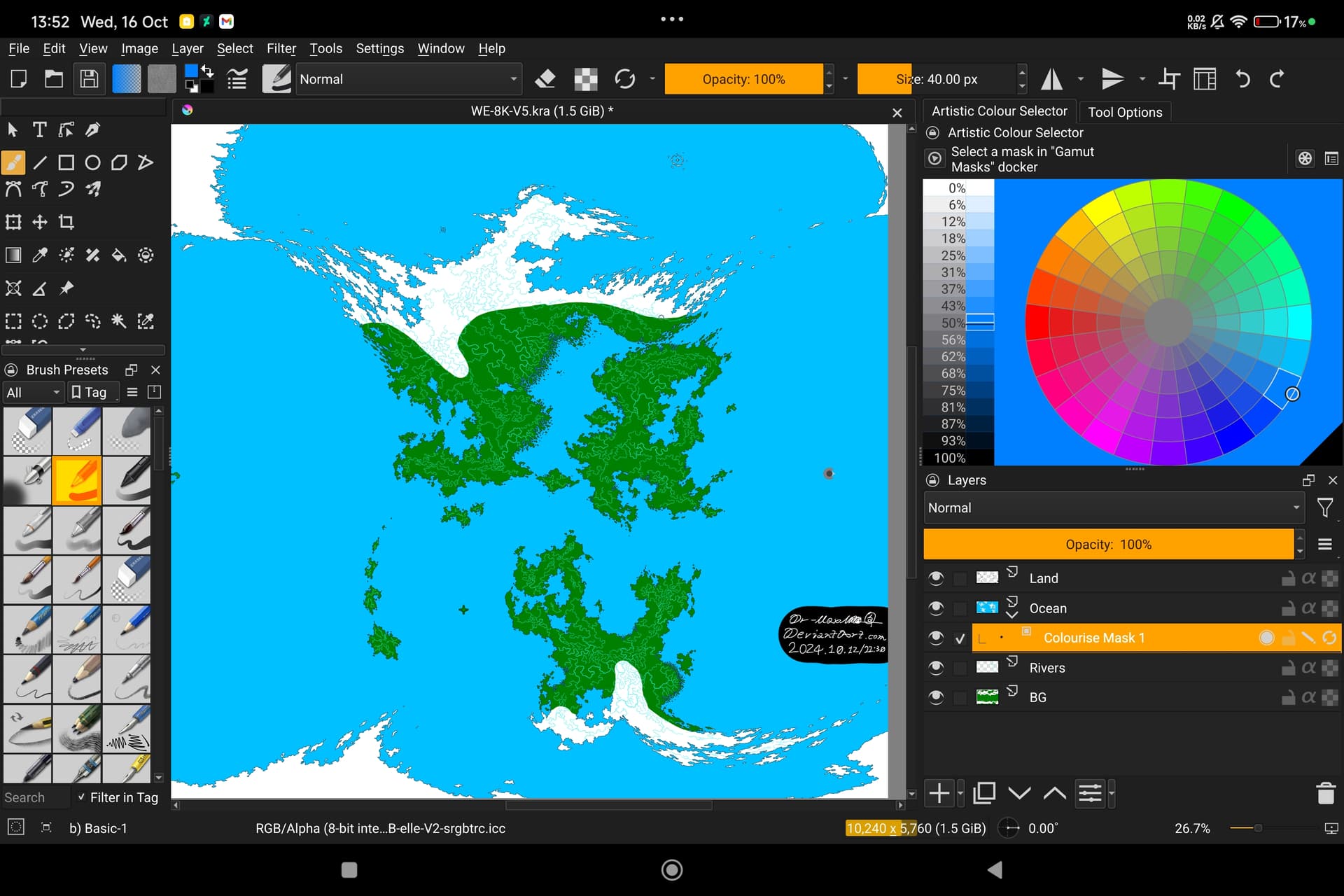
I want the selected layer to be masked on that ocean layer but I don’t know how to do. And the mask doesn’t seems to work. FIrst time dealing this since I always use Ibis paint, just moved in this application…
I was expecting this layer colouring only would effect that ocean layer and the colour won’t ‘overspill’ but it ends up have no difference between a normal colouring layer…
Well, everyone has their own working method. In my case, I would place the continents and islands layers within a group and the oceans and seas layer below them. I find it easier.
Same. I’d make the entire background blue as ocean, and then put the land on top of the ocean, and rivers on top of the land layer. That way, when you color you landmasses, you don’t have to ‘cut out’ the oceans since they’re simply covered by the color of the land. Same for the river. Doesn’t even need any mask if you just use the fill tool and maybe an additional layer for the color, with groups to keep them together nice and tidy or something.
In your current setup you have rivers under the land and ocean, which makes things unnecessarily complicated and I’m not sure what the BG layer is used for in this case.