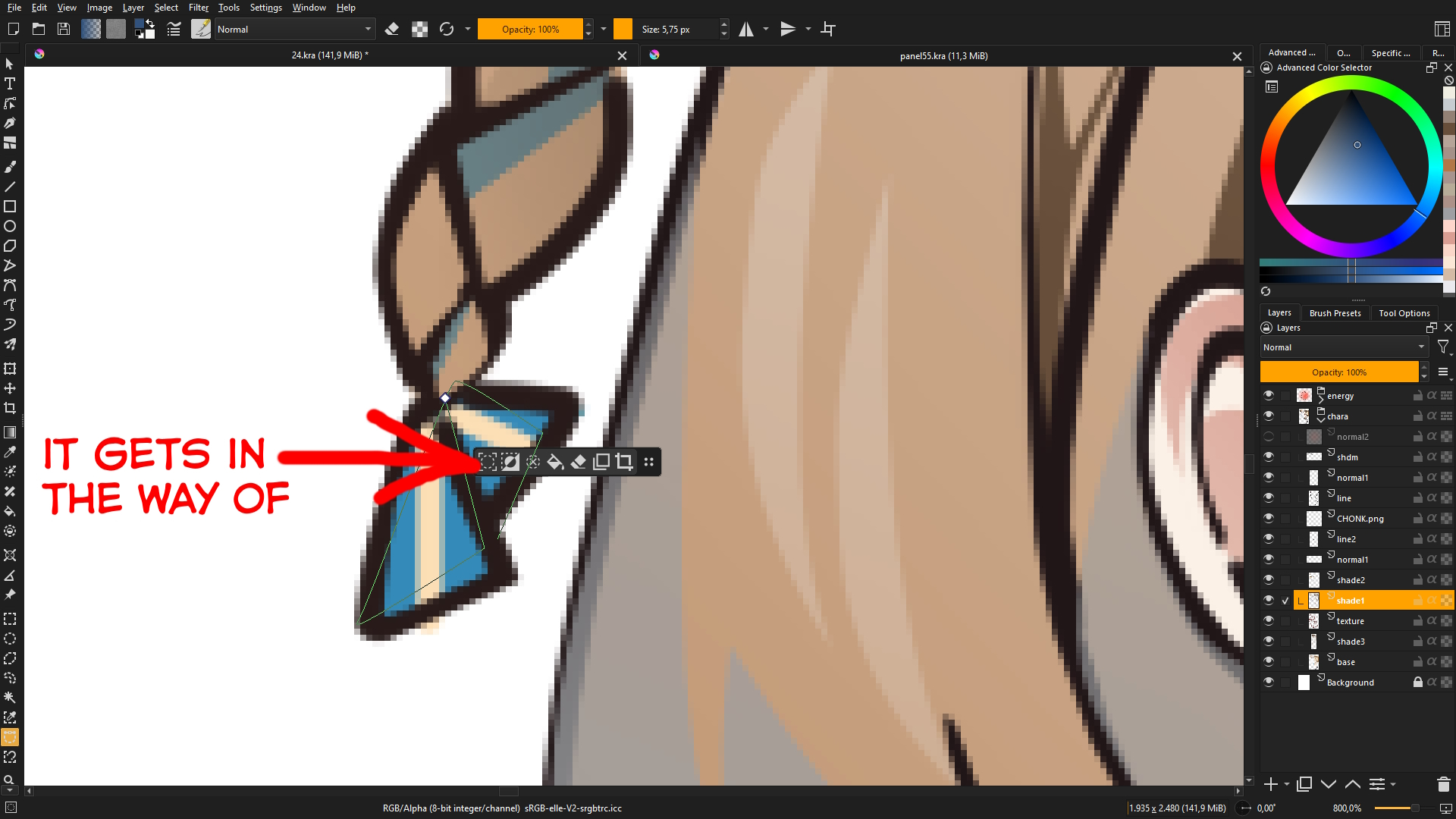
So in the new update, there’s this floating tool for selection tools. It has its uses. But, It’s kinda getting in my way because it keep following me around. Is there a way to make it stick to one position?
If there’s no way to do it, I don’t mind disabling it altogether. For now. The inconvenience it causes me is greater than any convenience it was meant to provide.
You can drag it out of the way with the ‘four dots’ icon at the right side of it.
Or you can enable/disable it in Settings → Configure Krita → General → Tools: Selections Action Bar - Enable Selections Action Bar.
Yes, I can drag it, but if unfortunately. When I deselect everything and select something again. It would be back following the new selection.
And thanks for the info.
I do want the floating tool to be fixed on one place. But i also see how toolbox that follow you around would be useful. As you don’t have to click far because it’s always so close by.
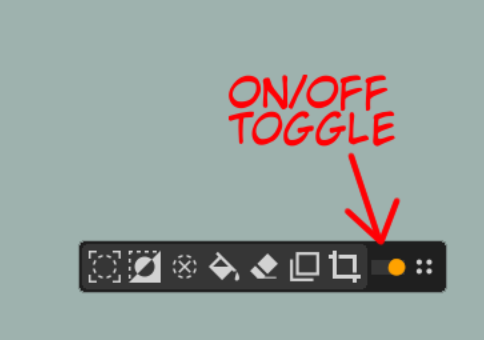
Thought, maybe a simple toggle (to switch between floating or fixed) on the floating tool itself would be more acessible. Instead of burrying it in the menu.
Like this. Well, this sacrifice some placement felexibility.
hmm, i am not sure how often someone would like to switch between the 2. I am not entirely sure but i feel like you’d want it to consistently be one or the other, so this toggle would go unused for most people, and just waste space
This kind of thing is an indication that placement, floatage and visibility is not a preference, since those are things you set once and then don’t change change. Instead, this may be better represented as an action instead/as well. Which would enable customization, like assigning keyboard shortcuts to it or sticking it into a toolbar. And if the selection action bar becomes customizable, users can stick those toggles into bar itself, without hard-coding a toggle like this.