Hi,
I discovered Krita last month and since then, I find that it is an AWESOME tool .
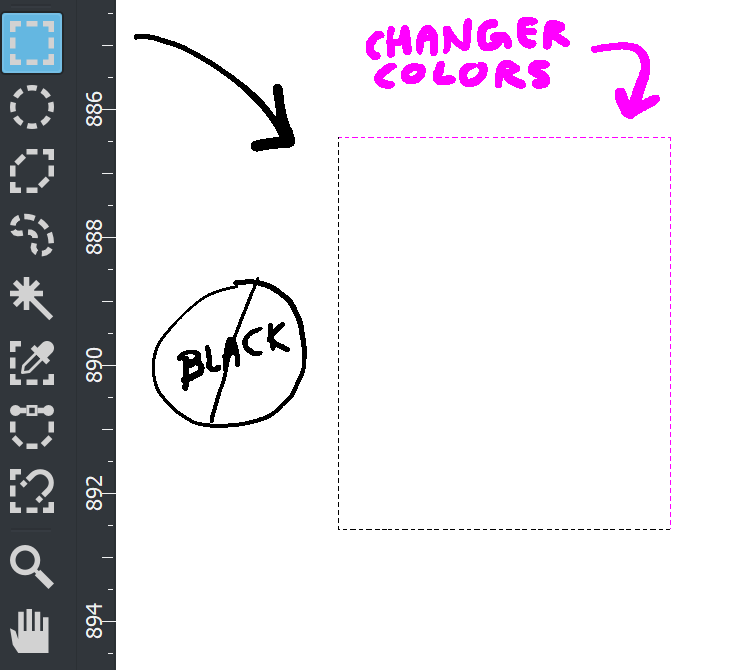
But i want to personnalize my “Freehand Path Tool” : i would like to specfiy the color of the pointily line (I do not want black color, rather red or orange, for exeample). But I havent’ found how to proceed. Could you help me?
Hi @Nicolas_JR - Welcome to the forum and to Krita.
Open Configure Krita and change the cursor colour in General > cursor. I have mine bright green so I totally get it that you don’t want it to be black. Let me know if it works.
Edit: add – the bright green only stays long enough to make the freeform selection or shape selection. Once it turns into “marching ants” it’s black and white.
@sooz I think @Nicolas_JR wants to change the color of the “marching antz”, the decoration of the selection. It’s not possible now, the default is set as an alternance of black and white. It is designed to be visible over any background: black background, white background, mid-gray background, etc…
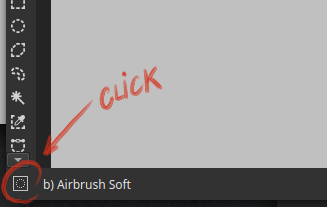
But Krita also has another type of selection decoration; it displays the selection as a mask. You can access it by clicking the icon on the bottom right corner of Krita. This one:
Click it again to cycle with selection invisible and then another time to be back to marching antz)
This mask has a configurable color and opacity. By default it is blue, as far as I remember (I changed mine to a black with low opacity). You can change it’s color on the settings, in Display category and ‘grid settings’ tab. It should be called ‘selection overlay’ or something like that. I hope it will help.
 .
.